Tricks That Could Get You Banned in Minecraft (Or At Least Annoy Everyone!)
Minecraft is a sandbox game, but when you’re in multiplayer servers, certain actions can turn into serious trouble. Some of these stunts might just annoy your friends, while others could lead to an outright ban. Let’s explore creative pranks, glitches, and borderline rule-breaking tricks. Don’t try these unless you’re ready for the consequences!
1. The Cursed Infinite TNT Loop
Imagine this: endless TNT explosions duplicating themselves in an unstoppable loop. This is the ultimate server-destroyer. Using a coral-based redstone contraption, players can duplicate TNT infinitely. The result? Chaos. Not only does this overload the server, but it could crash everyone’s game. Ban rating: 12/10—duplicating anything is a sure way to earn a swift kick from the server.
2. Fake Water Trap
For all the daredevils who love MLG water bucket clutches, this prank is brutal. By using stained glass or blue concrete to mimic water, players create an illusion that looks deceptively real. Jump into the fake water, and—splat! You’re done for. Ban rating: 9/10 because of how mercilessly it messes with your instincts.
3. Creeper Jump Scares
This prank is harmless, but it’s still a classic. Using note blocks hidden behind walls, you can mimic the hiss of a creeper about to explode. The unsuspecting player is left scrambling for their life, only to realize it was all a joke. Ban rating: 6/10—it’s funny, but unlikely to get you banned.
4. The “Lag Machine” Nightmare
Nothing frustrates players like a laggy server. Build a redstone contraption that spams snowballs or other entities, and watch the server grind to a halt. Even players with beefy PCs will experience stutters. Ban rating: 13/10—this is universally hated and absolutely ban-worthy.
5. Invisible Shields
This clever glitch lets you hold a shield that doesn’t appear in your hand but still blocks attacks. It’s a borderline cheat that can make you look like you’re hacking. While it’s more of a curiosity than a prank, some server admins won’t take kindly to it. Ban rating: 8/10 for sheer sneakiness.
6. The One-Way Portal Trap
Ever thought of stranding someone in the Nether? By creating a portal and removing their flint and steel, you can trap them in Minecraft’s fiery dimension. Without a way to reignite the portal, they’re stuck for good. Ban rating: 15/10—a cruel fate for anyone who falls victim.
7. The Fake Netherite Swap
This is a lowkey yet devious move. Replace your friend’s netherite tools with enchanted stone tools, which look nearly identical. They’ll only realize they’ve been duped when the tools break after a few uses. Ban rating: 8/10—mischievous, but effective.
8. Magma Block Floors
Here’s a lighthearted prank: place magma blocks under carpets to make unsuspecting players take damage. The tricky part? Magma blocks don’t make a sound like lava, so they’ll be caught off guard. Ban rating: 3/10—it’s a good laugh but hardly ban-worthy.
9. TNT in the End Portal
This is a high-stakes prank for competitive servers. By placing TNT near an End portal, the first person to enter the End is greeted with a deadly explosion that wipes out their items. Ban rating: 9/10—definitely crossing the line for hardcore players.
10. The Lagging Door
Set up a redstone mechanism with a delay that causes doors to lag when opening and closing. This subtle yet infuriating prank makes the victim feel like they’re glitching. Ban rating: 11/10—admins might kick you just to stop the annoyance.
Final Thoughts
While these pranks range from harmless fun to server-breaking chaos, remember to play responsibly. What might be hilarious to you could ruin someone else’s experience. Always check server rules, and if you do attempt these tricks, be prepared for the consequences.
Would you dare try any of these? Or are you already banned just for reading this? Let us know!!
Minecraft Diamond Mining Guide
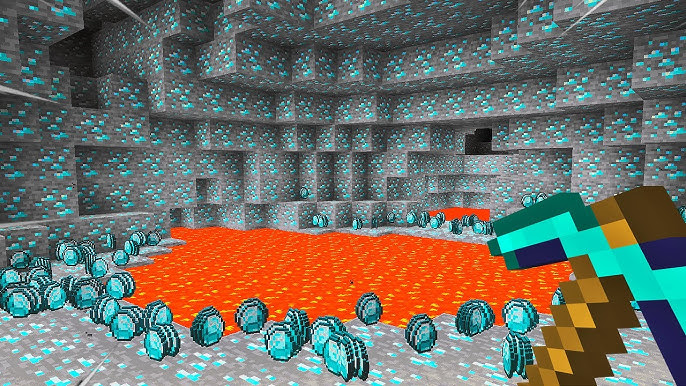
Finding diamonds has always been a hallmark of Minecraft, but recent updates have completely changed how they generate. If you’re struggling to figure out the most efficient methods to mine for diamonds, worry no more. This guide dives into 11 methods of finding diamonds, with one of them standing out as the absolute best, capable of bringing in 469 diamonds per hour. Let’s break it all down!
1. Brushing Suspicious Sand in Desert Temples
The archaeology feature introduced in Minecraft has added an interesting but niche method of finding diamonds. Here’s how it works:
- What You Need: Craft a brush using one feather, one copper ingot, and one stick.
- Where to Look: Locate desert temples in desert biomes and search for suspicious sand blocks. These blocks are slightly different in texture and require brushing to reveal hidden items.
- Odds of Diamonds: Each suspicious sand block has about a 1 in 7 chance of yielding a diamond. On average, you can expect 6-8 suspicious sand blocks per desert temple, meaning roughly one diamond per temple.
- Efficiency: Brushing for one hour results in an average of 16 diamonds. This method is best as a bonus activity while exploring for pottery shards or rare loot.
2. Mining Deep Underground (Optimal Levels)
Mining deep underground is the most classic method of finding diamonds but with some adjustments for the new terrain generation.
- Best Y-Levels: Diamonds now generate more frequently the deeper you go, with the optimum layer being Y -57. Avoid Y -59 because Bedrock prevents diamonds from generating.
- Why It Works: Diamonds spawn abundantly in deep slate layers. They also form in larger veins compared to pre-1.17 updates, making deep slate mining much more lucrative.
- Preparation: Bring plenty of torches, a Fortune III pickaxe, and durable armor. Lava pools and hostile mobs can make this method dangerous.
- Efficiency: Expect a steady and consistent yield if you stick to the recommended layers.
3. Cave Exploration
The introduction of massive caves in recent updates has made exploring caves one of the most exciting and rewarding methods for diamond mining.
- Why It’s Great: Diamonds are now more visible in large caves, especially at lower Y-levels where they spawn in abundance.
- Essential Tips:
- Use Night Vision Potions to illuminate the area and spot diamonds easily.
- Enable Dynamic Lighting (OptiFine users) to light your surroundings using a torch in your off-hand.
- Utilize ore-highlighting texture packs to make diamonds stand out.
- Efficiency: This method proved to be the best in 2024, yielding a staggering 469 diamonds per hour during testing. Make sure to bring strong armor and weapons to handle mobs.
4. Underwater Cave Mining
Water-filled caves are often overlooked, but they’re treasure troves for finding diamonds.
- How It Works: Equip yourself with enchantments like Respiration, Depth Strider, and Aqua Affinity to explore underwater caves with ease. Night Vision Potions are also essential for clear visibility.
- Why It’s Unique: Unlike regular caves, underwater caves are free from hostile mobs like zombies and skeletons. You’ll encounter glow squids and tropical fish instead, making it a much safer option.
- Efficiency: While slightly less rewarding than regular cave exploration, this method is highly effective when combined with proper gear.
5. Strip Mining (Three Advanced Techniques)
Strip mining remains a reliable option, but modernized techniques can improve your efficiency.
- Diagonal Mining: Mine in a zigzag pattern starting at Y -57, leaving two blocks between each tunnel. This method covers multiple layers of potential diamond spawn points.
- Box Mining: Create a 100×100 block box, leaving two-block-thick walls between each tunnel. This covers a massive area, ensuring no diamonds are missed.
- Crawl Mining: Mine in a 1×1 crawl space to expose more blocks quickly. While efficient, it’s riskier due to slower movement and limited escape options.
6. Fossil Mining
An unconventional but highly rewarding method involves mining around underground fossils.
- Why It Works: Diamonds frequently generate around fossils located below Y 0. Mining the area surrounding fossils can yield surprising amounts of diamonds.
- How to Locate Fossils: Use tools like a seed finder to locate fossil-rich areas in your world. This saves time compared to randomly searching for fossils.
- Efficiency: A niche but effective way to uncover hidden diamond veins.
7. Tunnel Bore Flying Machine
This advanced method uses a flying machine to mine massive areas quickly.
- How It Works: A TNT dupe machine clears out large sections of terrain, exposing diamonds. The machine stops when it hits obstacles like lava pools, which you’ll need to clear manually.
- Efficiency: After an hour of testing, this method yielded 436 diamonds. It’s an excellent option if you don’t mind the initial setup.
8. Looting Structure Chests
Exploring loot chests in generated structures can be a rewarding secondary method for diamond collection.
- Structures with Diamonds: Desert temples, buried treasures, bastions, mineshafts, and even shipwrecks contain diamonds in their loot tables.
- Why It’s Great: While adventuring, these structures offer a bonus way to stock up on diamonds.
9. End City Raiding
End cities are diamond goldmines, often overlooked for their sheer potential.
- How It Works: Use Elytras and fireworks to explore the End and locate cities. These structures frequently contain Enchanted diamond gear, diamond tools, and loose diamonds.
- Why It’s Efficient: End cities provide more than just diamonds. You’ll also acquire high-tier loot, making it worth the time spent.
10. Villager Trading
Trading with villagers is a powerful but often underutilized method for obtaining diamonds.
- How It Works:
- Trade with Toolsmiths and Armorsmiths to acquire diamond tools, armor, and occasionally loose diamonds.
- Build a Raid Farm to generate an unlimited supply of emeralds, enabling continuous trading.
- Efficiency: Once set up, this method provides a steady flow of diamonds without any mining.
The Ultimate Winner: Cave Exploration
After extensive testing, the best diamond mining method is clear: Cave Exploration takes the crown with a record-breaking yield of 469 diamonds per hour. This method is not only efficient but also engaging, thanks to the dynamic and varied cave biomes.
Which method will you try first? Happy mining!
The Best Way to Start a New Minecraft Survival World
Starting a new Minecraft survival or hardcore world can be overwhelming. With so much to do in the first few hours, it’s easy to feel unprepared. Don’t worry—we’ve got you covered. This guide will show you the best strategies to progress quickly and efficiently while ensuring your survival. Let’s dive in!
Day 1: Surviving the First Night
When you first spawn, you have approximately 10 minutes before nightfall. Use this time wisely to gather essential resources.
- Collect Wood and Tools: Punch a few trees to gather wood, then craft a wooden pickaxe. If you’re unlucky enough to spawn in a desert, immediately search for trees.
- Upgrade to Stone Tools: Find stone to craft sturdier tools. Skip making additional wooden tools since stone tools are more durable and efficient.
- Craft a Shield: If you come across exposed iron, prioritize crafting a shield. It’s a lifesaver against hostile mobs early on.
Gathering Food
Food is crucial for survival, so take every opportunity to collect it.
- Kill animals like cows, pigs, and chickens for meat.
- Break grass to gather seeds and plant wheat.
- Gather fish or kelp if you’re near water.
- Steal hay bales from villages for an excellent early-game food supply.
Preparing for Night
Before darkness falls, secure a safe spot to avoid mobs.
- Craft a Bed: Kill sheep for wool, or craft wool using string if you find spiders. Alternatively, steal a bed from a village.
- Build a Shelter: A simple dirt hut is sufficient for the first night. It doesn’t need to be fancy—just functional.
Day 2: Exploring and Farming
With the first night behind you, it’s time to explore your surroundings and establish a stable food source.
Exploring for Resources
Search for structures like villages, desert temples, and shipwrecks. These can provide valuable loot, such as tools, armor, and food. For example, desert temples often contain golden apples, enchanted books, and more.
Setting Up a Farm
Use the seeds and sugarcane you collected earlier to start a farm.
- Plant crops like wheat and sugarcane near a water source.
- Trap two animals (like cows or sheep) using wheat or carrots to start a breeding farm. Even without bait, you can fence them in and deal with them later.
Mining: Progressing to Iron and Diamonds
Once you’ve secured food and basic shelter, it’s time to head underground.
What to Collect While Mining
- Iron: Prioritize crafting iron armor and tools.
- Coal: Use it for torches and fuel.
- Lapis Lazuli: Essential for enchanting later.
- Gold: Useful for trading in the Nether.
- Redstone: Collect for later farm automation.
Diamond Mining Tips
If you find diamonds, only mine five of them initially. Use three for a pickaxe and two for an enchanting table. Write down the coordinates of any additional diamond veins and return later with a Fortune pickaxe to maximize your haul.
Safety Tips in Caves
- Always carry a water bucket to extinguish lava or break falls.
- Avoid the Deep Dark biome—facing the Warden early in the game is a recipe for disaster.
Entering the Nether
Once you’ve gathered resources, it’s time to visit the Nether. There are three ways to build a portal:
- Mine obsidian with a diamond pickaxe.
- Repair a ruined portal using obsidian from its chest.
- Use a lava pool and a water bucket to build a portal without a diamond pickaxe.
Tips for the Nether
- Wear gold armor to avoid attacks from piglins.
- Bring gold for bartering to obtain useful items like ender pearls and obsidian.
- Mine quartz for XP while exploring.
- Loot fortresses and bastions carefully to collect valuable items like blaze rods and nether wart.
Enchanting: Preparing for the Late Game
Enchanting is a key step in progressing further.
Setting Up an Enchantment Table
- Use diamonds, obsidian, and a book to craft the table.
- Gather leather from cows and sugarcane for paper to create bookshelves, which increase the enchantment level.
Aiming for Fortune
Your first goal should be to enchant a pickaxe with Fortune. This will allow you to mine diamonds more efficiently, significantly boosting your resource collection.
Building Farms for Sustainability
By this stage, you should focus on setting up basic farms to ensure long-term survival and efficiency.
- Iron Farm: Iron is essential for tools, hoppers, and pistons. Many simple designs can help you build an effective iron farm.
- XP Farm: If you find a mob spawner, convert it into an XP farm to level up quickly for enchanting.
- Food Farm: Expand your crops and animal farms to maintain a steady food supply.
Final Tips for Success
- Avoid Rushing: Progress depends on luck, so don’t worry if things don’t move quickly. Play at your own pace.
- Always Carry Essentials: Keep a shield, torches, and food with you at all times.
- Mark Coordinates: Write down key locations like diamonds, spawners, or Nether portals to avoid getting lost.
With these strategies, you’re well on your way to thriving in your Minecraft world. Whether you’re building farms, exploring the Nether, or preparing for enchanting, these tips will help you progress efficiently and enjoy the game to its fullest.
Happy mining, crafting, and exploring!
Exploring the Endless Possibilities of Minecraft
Minecraft, one of the favorite video games in history, was developed by Mojang Studios and first released in 2011. It stood out to show what a simple mechanism, creativity, and community-driven ecosystem can offer. This blocky and pixelated universe has taken in millions of players to unlock endless possibilities of exploration, creation, and adventure. Whether you are a serious gamer or a rookie, Minecraft delivers something to everyone.
What is Minecraft?
Basically, at its core, Minecraft is a type of sandbox video game. There is a procedurally generated world of cubes to express various materials such as dirt, stone, wood, etc. The allure of the game, basically, lies in simplicity— players can play with these blocks for building, mining, exploring, survival, etc. In Minecraft, there are no such predefined objectives or missions, which means the goals set up by players themselves.
From beautiful buildings to adventure and quest, possibilities in Minecraft go virtually without limits. With numerous game modes, multitudinous biomes, and regular updates, it is possible to enjoy a dynamic and ever-changing world in a play-through.
Minecraft’s Unique Features
Minecraft is not just a game; it is a space of infinite possibilities. Defining features include:
- Procedurally Generated Worlds: New worlds are procedurally generated, so it will never be the same twice. Players can explore all these diverse biomes like forest, desert, mountainous terrain, oceans, and the mysterious Nether and End dimensions.
- Redstone Mechanisms: Redstone is the in-game version of electricity: it lets a player construct functional devices ranging from the simple door to the highly complex computer or automated farms. It’s one feature that adds a dash of engineering to the game.
- Customization: Highly customisable, Minecraft allows the choice of mods, skins, and texture packs to customise your experience in a multitude of ways, from changing the appearance to modifying mechanics.
- Cross-Platform Play: Minecraft’s Bedrock Edition supports cross-platform play. This means that players using PCs, consoles, or mobile devices can join the same world without any issues.
Minecraft Alts: Enhancing the Gameplay Experience
For avid players, buying an alternate account (which is sometimes referred to as an “alts”) is very common. Minecraft alts kaufen (buying alternate accounts) has emerged as one of the most common methods to expand the experience of gaming. There are various reasons players opt to use alts:
- Testing Mods and New Features: Alts helps the player to test mods, skins, or any other game settings without harming their main account.
- Server Access: Sometimes servers can limit the number of accounts a player can hold or players wish to be part of more than one server at a time.
- Avoiding Bans: This alt can help one evade the penalties or even a ban that may be set against the main account when used in multiplayer servers.
- Privacy and Anonymity: Some players want to play anonymously, or they prefer to play on other levels of the game without wanting to be recognized.
While buying alts might be beneficial, one needs to purchase from a trustworthy source so that the issue of account ban or security breach does not arise.
Game Modes: For Every Player
Minecraft has many game modes to suit a variety of playing styles.
- Survival Mode: Players begin with nothing, gather resources, and construct a shelter, fighting hostile mobs while keeping health and hunger in check.
- Creative Mode: It Has unlimited resources, capability to fly, and offers an excellent environment to create and design without any survival challenges.
- Adventure Mode: Explore custom maps with some game restrictions, best for puzzle and story-based experiences.
- Hardcore Mode: Survival mode but even more hardcore in that death is permanent; if you die, you lose your world.
- Spectator Mode: Players can move without interacting, observe others, or fly through blocks.
Exploring the Minecraft World
Procedurally generated world designs give the game unique landscapes. Main dimensions for the same include:
- The Overworld: The primary dimension, which has a variety of biomes like forests, plains, swamps, and oceans that provide different resources.
- The Nether: A hazardous dimension characterized by flames and hostile mobs; home to valuable resources like Netherite, required for progression.
- The End: The final dimension, housing the Ender Dragon, presents the ultimate challenge to those players who would survive by strategy.
Unlocking these dimensions reveals seldom used resources and highly crucial gameplay goals.
Building and Creating: The Soul of Minecraft
The Minecraft crafting system is very interlaced with the game play. From simple axes and pickaxes to quite complex items, such as enchanted armor and potions, crafting allows players to take resources obtained in the game to create essential survival or exploratory items. The major tool for crafting is actually the crafting grid located within the player’s inventory. Given a combination of materials on hand, players may craft an array of different objects.
- Building: It is renowned for its incredible building potential. Whatever you may want to build, simple house, massive castle, or futuristic city-this game provides the tools to help you make your dreams a reality. With different materials, you can develop structures of intricate detail or massive scale.
- Redstone: Minecrafts redstone can be a little bit equivalent to a kind of electricity, whereby the player may use such for making even the more intricate contraptions and mechanisms Players have done everything-actually automatic farms up to almost-completed computers that use Redstone.
Community and Multiplayer: The Social Side of Minecraft
Strong multiplayer capabilities as well as a strong community keep Minecraft thriving. A player can join public servers or create his own server to interact with others in multiple ways:
- Survival Multiplayer (SMP): Players play together or against other players in survival mode, developing, exploring, and fighting hostile mobs. Such servers tend to create this sense of community and teamwork among players.
- Mini-Games: Minecraft multiplayer offers diverse mini-games, such as SkyBlock, BedWars, and Hunger Games, besides competitive or cooperative game options. It adds entertainment value to breaks from regularly playing the game.
- Roleplay Servers: These servers offer themed environments through which players may be immersed in adventures as varied as medieval fantasy and futuristic sci-fi settings.
You join a server or join a community, can significantly enhance the gameplay experience of Minecraft through new challenges and cooperative efforts.
Why Minecraft Remains So Popular
Despite its over a decade, Minecraft is still one of the most popular video games in the world. This can be attributed to several factors:
- Endless Replayability: The procedural generation of worlds, as well as the tremendous number of mods and other custom content, means no two Minecraft experiences are identical.
- Regular Updates: Mojang Studios is also adding new features, blocks, mobs, and gameplay mechanics continuously to keep the game fresh for new and returning players.
- Creative Freedom: Minecraft allows the player to engage with the game in any way he or she sees fit-to survive, create, or mod.
- Strong Community: Minecraft’s online community is very energetic and enthusiastic about it, from sharing creations and stories to other experiences online.
Conclusion
Minecraft is more than any other video game-it can be a creative outlet to explore and socialize within the game. Building megastructures, exploring biomes that are far away, or playing on multiplayer battle grounds would consume hours of fun activities and growth. With an imminently immersive world to it, diverse gameplay models, and a community keenly dedicated to the game, Minecraft is thus becoming a timeless classic in its world.
FAQs
1. How can I play Minecraft with friends?
Join with other players on multiplayer servers or create your own worlds. To add friends via Xbox Live on Bedrock or LAN/private servers on the Java version,
2. What are Minecraft mods, and how do you install them?
Mods add new content to Minecraft. Download from trustworthy sources and install using a mod loader like Forge or Fabric, following the installation instructions.
3. Can I play it on my mobile phone?
Yes, exactly the same experience of PC is available in the shape of Pocket Edition for iOS and Android.
4. What is the difference between Java and Bedrock Editions?
Java Edition is only PC and has more modding options, whereas Bedrock is cross-platform and can be accessed on consoles and mobile devices.
5. What should I do to make Minecraft stop crashing and freezing?
Update the game, test for mods compatibility, confirm enough resources in your system, and then, when possible, memory settings need adjustments.
Minecraft as a Medium
How a simple block game became arguably the most used and accessible canvas for artists in the world.
Intro
As of November 2024, the world is in the middle of a digital content boom driven by demand for originality and powerful new creative tools. And amid this madness, one of the more impactful vehicles for content creation isn’t the latest cutting-edge app or software – it’s a video game released in 2009. How did we get here? As someone that’s been crafting since 2012 – back when desert temples didn’t even exist – to now creating large-scale artistic builds as a Minecraft YouTuber, I’ve had the unique privilege of watching the game’s evolution through the years. What began as a simple sandbox survival game has transformed into a globally recognized creative playground. My bold claim: Minecraft is no longer just a game. It has become an artistic medium – a digital canvas as culturally relevant as any gallery wall.
Popularity
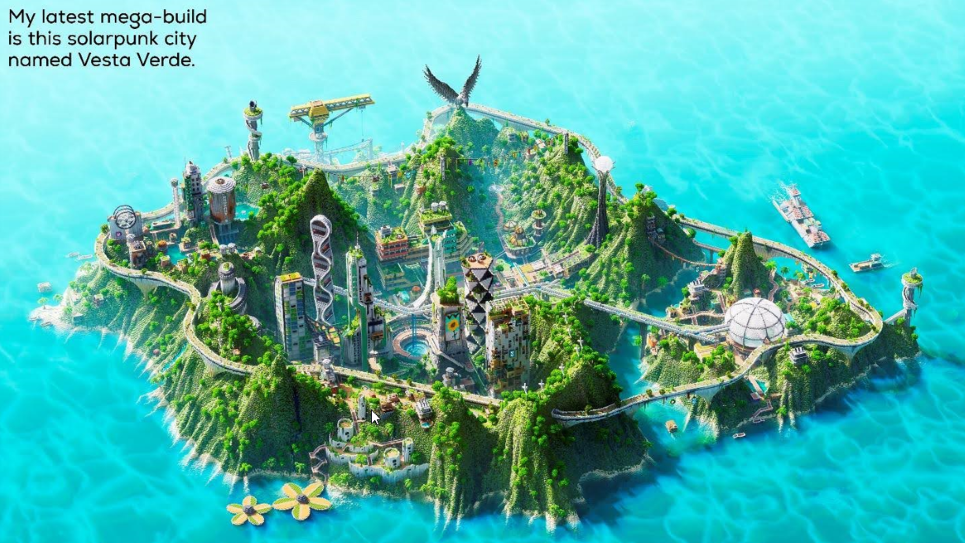
Minecraft is the best-selling video of all time (barring Tetris, the OG block game), amassing over 1 trillion views of related online content. Even your grandma has heard of Minecraft. This massive popularity stems from the perfect balance between simplicity, accessibility, and endless creative possibilities. It’s straightforward aesthetic and open-ended gameplay appeal to the universal human urge to build and create. And the blocks are both abstract and concrete enough to represent anything – from a dirt hut to a futuristic solarpunk city.
This balance allows it to be approachable for beginners that have never punched a tree in their lives, while remaining massively expressive for more seasoned players. This relatability across levels of experience only lends itself to the constantly growing global community of players, where people of all ages and cultures can connect.
Community
Minecraft transcends demographic barriers, perhaps more so than any other video game. My 9-year-old cousin that plays Skyblock gets the same amount of joy as my 40-something-year-old uncle that’s had the same survival world going for like six years. It’s also the reason that 2 groups of friends – one from Italy and one from Idaho – can share the same free Hunger Games server they found and compete like they grew up together. Minecraft is rooted in imagination, a language everyone understands. It has effectively democratized creativity by creating equal opportunities for all players; a beginner builds with the same blocks, slabs, and stairs as a master builder that does it for a living. This common ground levels the playing field and opens the doors to creativity for anyone with a device.
Modability
While vanilla Minecraft has endless possibilities, its true potential is unlocked by the staggering amount of mods, resource packs, and shaders created and maintained by the community. This active and knowledgeable community has personally had a direct impact on some of my content and workflow. I developed a custom resource pack that allows me to procedurally import designs into Minecraft, which were created in a separate 3D modeling software.
I have no programming experience and have never written code. I was able to make my idea a reality thanks to old Quora threads and Reddit posts. But players don’t need to do this to tap into Minecraft’s full potential because there are tens of thousands of mods already available, ranging from enhancing the game’s animations to large-scale terraforming. One of my favorite mods is Axiom, which essentially turns the game into a 3D modeler, complete with an intuitive user interface and allowing the manipulation of thousands of blocks with ease. Using mods that increase build speed and efficiency can help turn Minecraft into the ultimate canvas.
Freedom of Constraints
A less obvious strength of using Minecraft as a canvas is in its limitation and restrictions… hear me out. A traditional painter can mix an infinite number of tints of yellow; in Minecraft, you’ve got about 7. A sculptor can shape their work as detailed as their fine tools allow; in Minecraft, you’re confined to a rigid voxel grid. I would argue that these constraints actually enhance the creativity of the game instead of constricting it.
Competition
As Minecraft has evolved alongside the growth of professional content creation, more and more players have begun to take Minecraft building more seriously. Today, the Minecraft niche of digital content is a whirlwind of jaw-dropping builds and breathtaking art. And every day, new creators join the mix, eager to make a splash and push the boundaries of what the game can do. Instead of viewing this competition as a fight to outdo each other, it’s much more fun to view it as a collective growth, where each build is like a stepping stone toward the next inspiring build. One creator’s ambitious mega project may spark a trend, while another creator’s clever use of a mod may inspire others to try it out for themselves. This way, the friendly competition adds to the cycle of inspiration and keeps the community innovative and dynamic.
Call to Create
Minecraft isn’t just a game, it’s a contemporary art form that’s already made its mark and is only getting started. It reminds us that anybody can be an artist regardless of skill level or resources. The Minecraft world is an ever-growing archive of pure creativity, waiting for you to contribute to it with your mega-builds, abstract art, world-building, or story-telling. So, if you’re hesitant to begin that ambitious project that’s been living in the back of your mind, take this as a sign to jump in and place that first block. It doesn’t have to be perfect. It doesn’t even have to make sense. What matters most is the idea – let Minecraft be the medium to bring it to life.
About the Author

Hello reader! I’m an architect who designs futuristic Minecraft cities on my YouTube channel, Sluda Builds. I enjoy applying my real-life design experience to create innovative and experimental builds designed to spark your creativity! I’ve made a sprawling brutalist dystopia, an interactive solarpunk city, and am currently designing my biggest build ever: a grungy cyberpunk metropolis. If you’re interested, check out some of my videos!
https://www.youtube.com/@SludaBuilds
How to Start a Minecraft Survival the Right Way – The Ultimate Beginner’s Guide
Minecraft is an open world brimming with possibilities, but starting on a survival journey can be a bit overwhelming. Whether you’re completely new to the game or just looking for tips to get a stronger start, this guide is packed with strategies and steps to get you off to the perfect start in Minecraft Survival Mode. Let’s dive into the essentials!
Why Start a Survival World in Minecraft?
Survival mode in Minecraft is all about staying alive, gathering resources, and building structures while battling or avoiding dangerous mobs. For beginners, it’s the perfect way to experience the game’s full range of challenges. Survival mode enhances your strategic thinking, planning, and creativity.
Getting Started in Minecraft Survival: Key Tasks for Your First Day

Step 1: Choose the Right Seed for Your World
Seeds in Minecraft determine the landscape and features of the world you spawn in. Choosing a good seed can make survival easier. Some seeds start near villages or temples, which offer easy access to resources like food and tools. Beginners can search for “beginner-friendly Minecraft seeds” or try random seeds to add surprise elements to their game.
Step 2: Gather Resources Immediately After Spawning
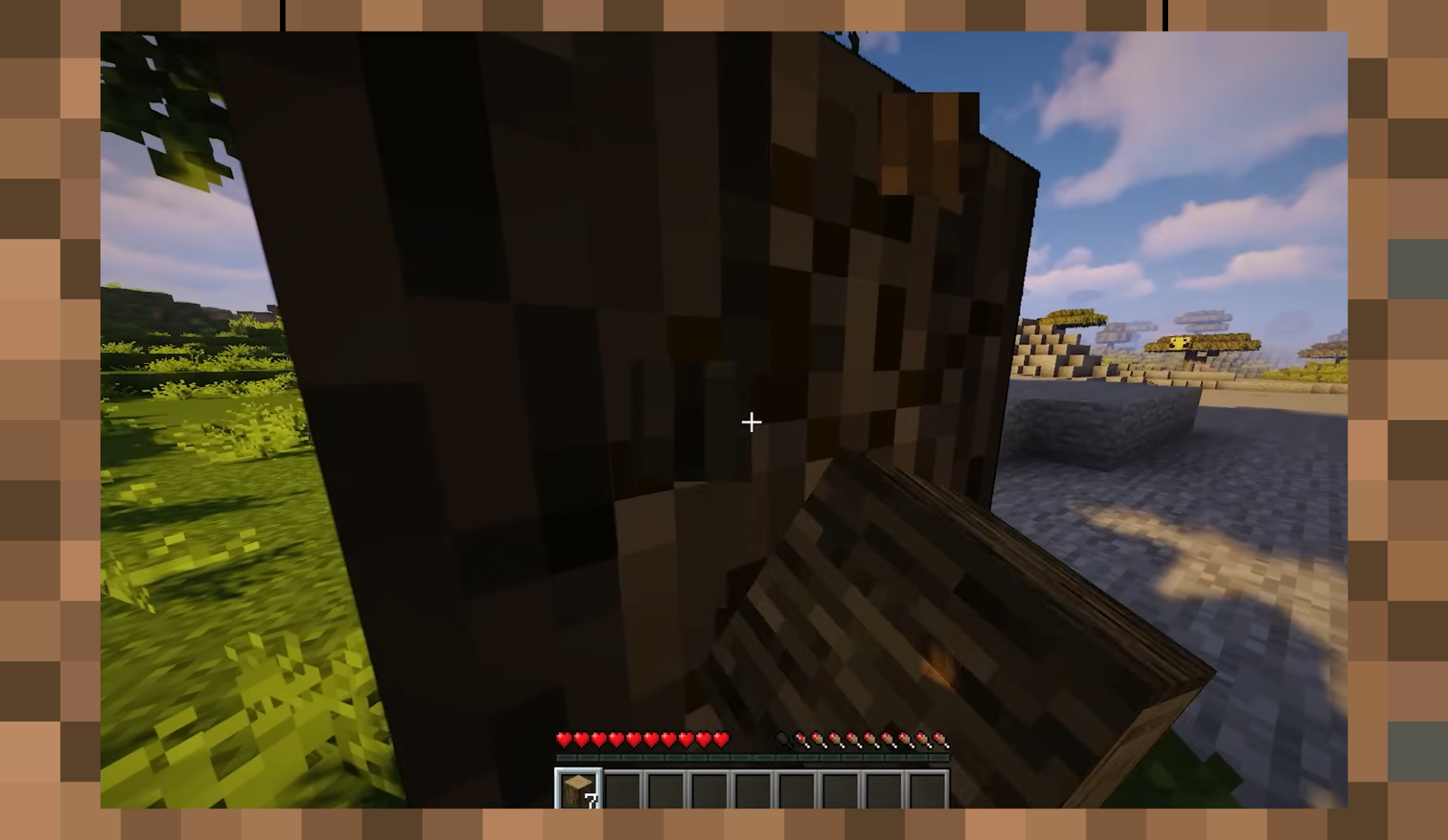
When you first spawn, your priority should be gathering basic resources. Start by punching trees to collect wood, as it’s the primary material for crafting essential items.
- Collect Wood – Wood is used to craft a crafting table, which is essential for crafting other items.
- Craft Wooden Tools – After collecting wood, open your inventory, turn logs into planks, and create a crafting table. Use it to craft a wooden pickaxe and shovel, which will help you gather more materials quickly.
Step 3: Build Your First Shelter
As soon as you have enough wood and basic tools, your next priority is finding or building a safe place for the night. Here’s why it’s crucial:
- Nightfall Brings Mobs – At night, hostile mobs like zombies, skeletons, and creepers spawn and can attack you. Having a shelter keeps you safe until morning.
- Quick Shelter Tips – If you’re short on time, dig into the side of a hill or create a small dirt hut. Use torches (made from coal or charcoal) to light the area and keep mobs from spawning near your shelter.
Must-Know Survival Strategies and Hacks for Minecraft Beginners
Step 4: Gather Food
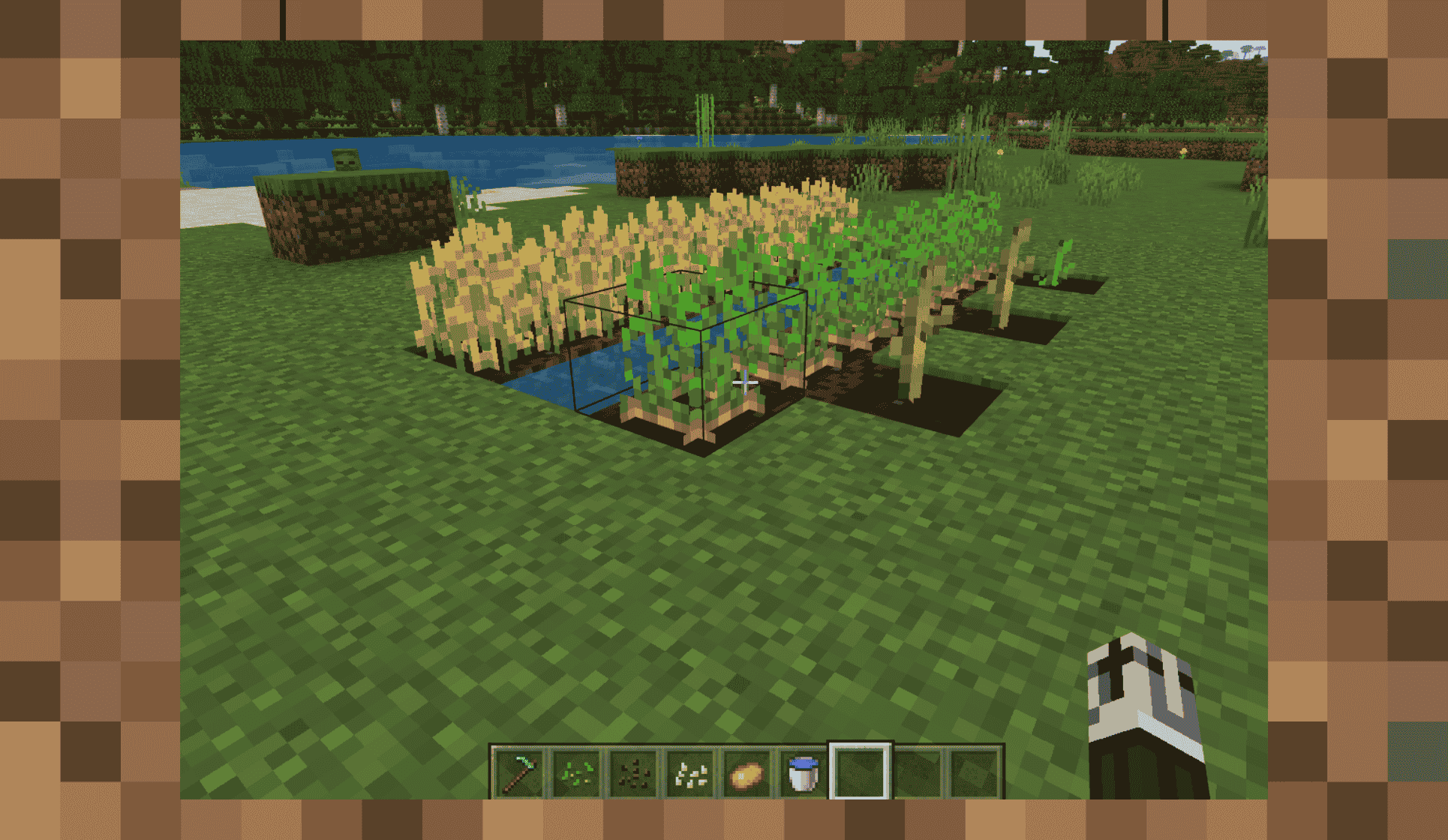
Food is necessary to keep your hunger bar full and heal your health. Look for animals like sheep, pigs, and chickens, as well as nearby plants that can provide a sustainable food source.
- Cooked Meat – Killing animals for meat is a quick way to get food. Cook it in a furnace (crafted with cobblestone) to get more nourishment from each piece.
- Farming Basics – Collect seeds from tall grass and plant them using a hoe to start your own food source. Basic crops like wheat, carrots, and potatoes make a great start for novice farmers.
Step 5: Mine for Stone and Coal
Once you’ve settled into your shelter and gathered food, the next thing on your list is mining. This will allow you to upgrade your tools and prepare for bigger challenges.
- Craft Stone Tools – Mine stone with your wooden pickaxe to upgrade your tools, making mining and crafting faster.
- Gather Coal – Coal is used to craft torches, which will light up dark areas and prevent mobs from spawning nearby. Torches are also helpful for marking paths in caves.
Beginner’s Guide to Survive from Day One to Day Ten in Minecraft
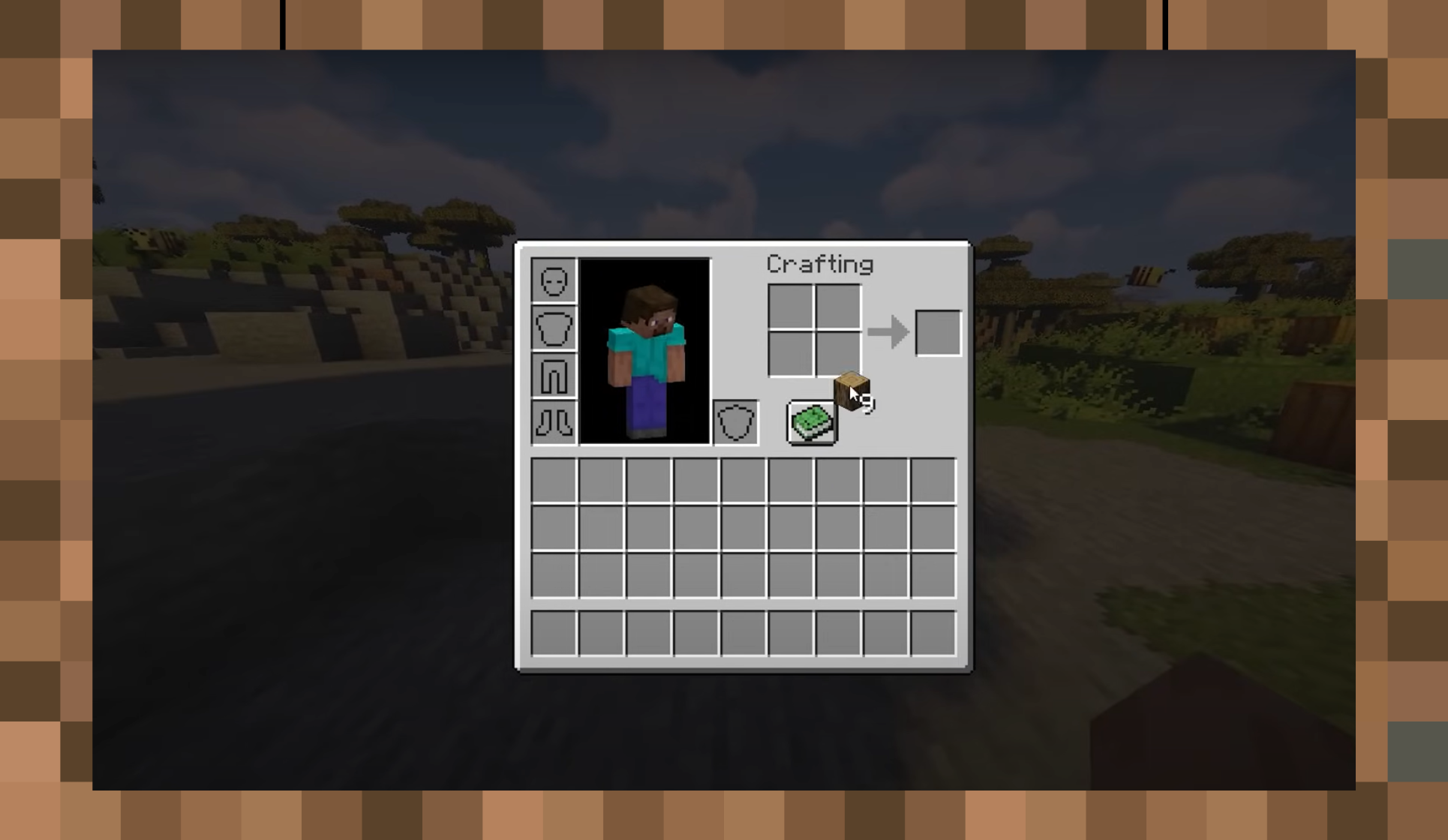
Day 1-3: Basic Exploration and Gathering
Spend your first days gathering wood, stone, and coal, and familiarize yourself with the landscape. Focus on basic tasks such as building your shelter, crafting tools, and gathering food. This phase is all about survival essentials.
Day 4-6: Expanding Your Shelter and Starting a Farm
Once you’re secure, begin expanding your shelter by building walls, adding doors, and crafting additional chests for storage. Start a farm nearby to have a sustainable food source.
Day 7-10: Mining for Iron and Starting Armor
Iron is a vital material that opens the door to stronger tools and armor, which will protect you from mobs. Spend a few days mining for iron, and craft a set of iron armor to prepare for nighttime exploration and combat.
Minecraft Survival To-Do List: Essential Tasks to Remember
After you’ve covered the basics, the real adventure begins! Here’s a quick survival to-do list for progression:
- Craft Armor and Weapons – An iron sword and armor are must-haves before venturing into deep caves.
- Explore Nearby Biomes – Each biome in Minecraft has unique resources and features, like deserts with temples or jungles with bamboo.
- Start Mining for Diamonds – Diamonds are rare but provide the strongest tools and armor. Look for them deep underground around levels -58 to -52.
How to Survive in Minecraft 100 Days
If you’re aiming for the popular “100 Days” challenge, you’ll need more advanced strategies:
- Build a Strong Base – As you survive longer, consider building a larger, more fortified base with multiple rooms for crafting, storage, farming, and enchanting.
- Enchant Your Gear – Use an enchanting table to enhance your tools, armor, and weapons. This adds effects like increased durability and more damage.
- Tame Animals – Tame wolves and cats to help defend against mobs. Horses can also be tamed to travel faster.
Minecraft Tips for Beginners in Creative Mode
While Survival Mode is all about survival and resource management, Creative Mode offers endless resources and the ability to fly, allowing you to experiment with different builds, designs, and structures.
- Experiment with Building – Creative Mode is perfect for learning building techniques without worrying about gathering resources.
- Practice with Redstone – Redstone is Minecraft’s version of electricity. You can create mechanisms like doors, traps, and even automated farms.
Minecraft Survival Tips 2024: Updated Tricks for the Best Experience
Minecraft is constantly updated, so it’s helpful to know the latest features and tips.
- Explore Caves and Cliffs – The recent updates have introduced larger caves, unique cliff formations, and new mobs, making exploration even more exciting.
- Find New Structures – With each update, more structures like ancient cities and pillager outposts are added, offering loot and new challenges.
- Try Villager Trading – Trading with villagers can give you access to enchanted books, armor, and more without needing to find them yourself.
What to Do in Minecraft Survival When Bored?
If you’re looking for fun side activities to mix things up:
- Build a Village – Create a village for your Minecraft character with homes, farms, and even shops.
- Adventure Maps – Try downloadable adventure maps created by the Minecraft community. These often have specific objectives and challenges.
- Try a New Biome Build – Set a goal to build unique structures in different biomes like the desert or jungle for a new perspective.
Enjoy Your Minecraft Survival Journey
Starting a Minecraft survival world the right way ensures you have the resources and knowledge to thrive in this incredible game. By following this guide, you’ll be well-prepared to face whatever the game throws your way, from surviving the first night to battling mobs and exploring deeper biomes. So, jump in, have fun, and remember that each day in Minecraft is a new opportunity for adventure!
The Rarest Events in Minecraft History – Legendary Moments You Won’t Believe Happened
Minecraft has always been a game where the unexpected becomes reality. Its procedural generation, infinite possibilities, and player-driven stories create a treasure trove of legendary events. Some moments, however, are so extraordinary that they’ve been cemented in Minecraft lore. Let’s dive into the rarest and most awe-inspiring occurrences in Minecraft history, from one-in-a-million encounters to game-changing milestones.
The Millionth Customer – AcronMan’s Cape Saga
In January 2011, a player named AcronMan1 bought Minecraft without any idea he was making history. The next morning, he received an email from Mojang congratulating him for being the game’s millionth buyer. His reward? A one-of-a-kind cape featuring a golden star on a purple background.
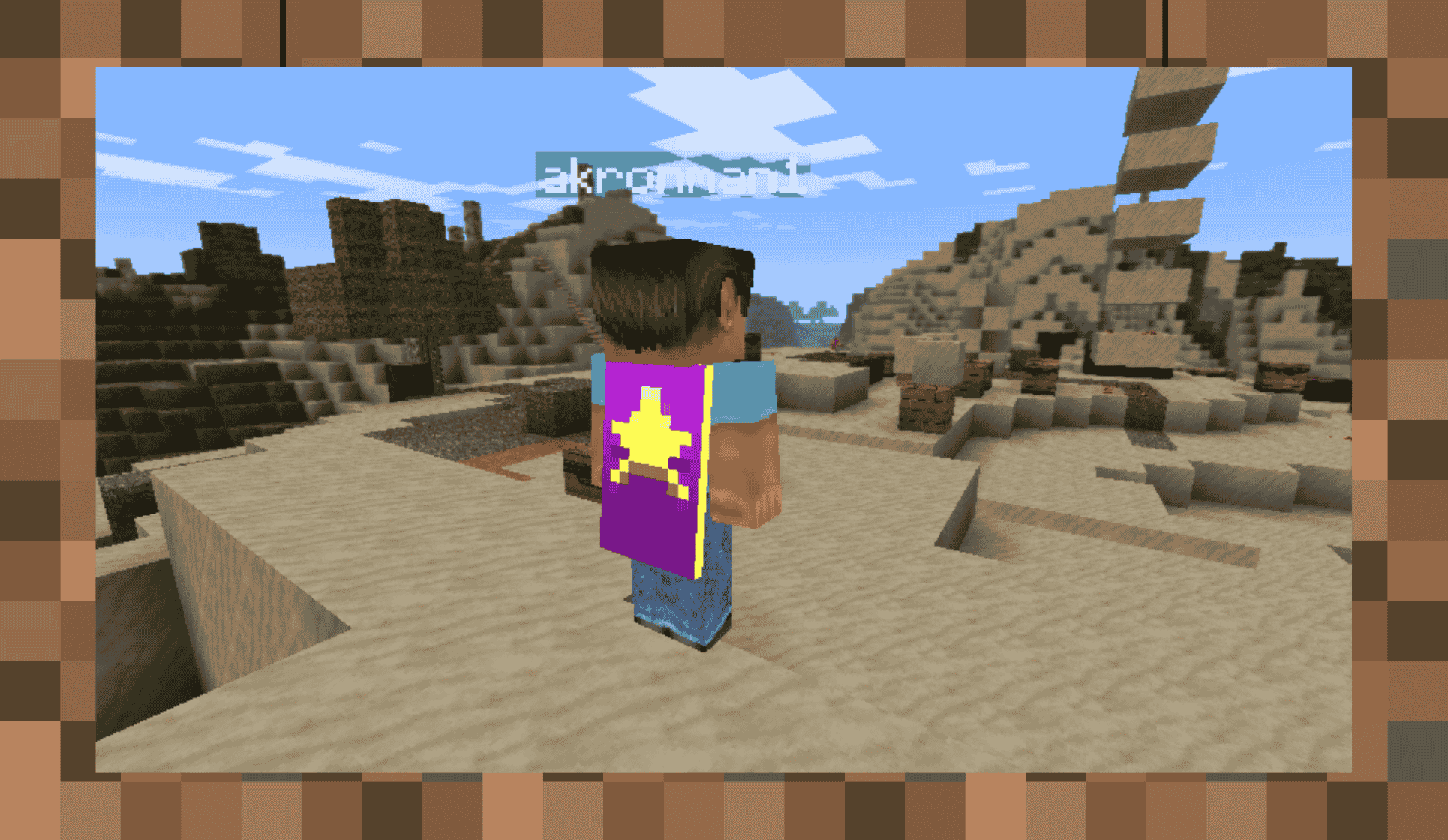
At a time when capes were exclusive to Mojang employees, AcronMan’s luck sparked envy across the community. However, this rare achievement soon turned into a nightmare. Hackers repeatedly targeted his account, and eventually, it was stolen through an elaborate scam.
Mojang ultimately locked the account to prevent further misuse, sealing the cape away forever. This bittersweet tale highlights both the rarity of the cape and the lengths people will go to obtain it.
A Tragic Coincidence – Delki’s Unforgettable UHC Death
In 2013, a YouTuber named Delki participated in a high-stakes Ultra Hardcore (UHC) game. With just a heart and a half remaining, Delki stood near the world border, waiting for his teammate. Meanwhile, a spectator, granted creative mode after elimination, exited the Nether through a portal.
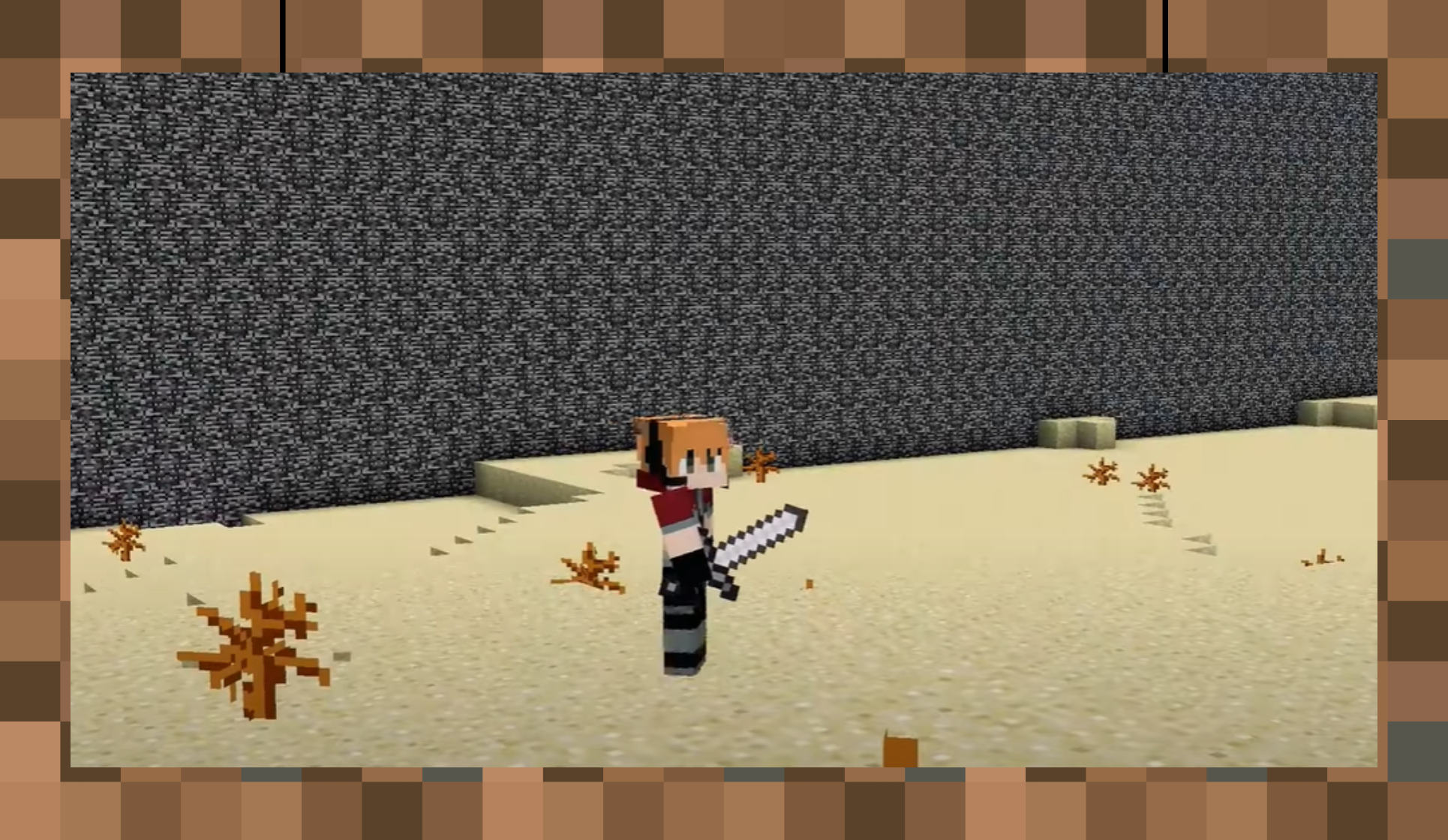
The unimaginable happened: as the portal generated in the Overworld, its obsidian spawned directly where Delki stood, instantly killing him and displaying the cryptic death message, “Suffocated in a wall.” This freak accident left the entire server in disbelief.
Despite its absurdity, this event remains a one-of-a-kind death in Minecraft’s history, never replicated in over a decade. It’s a chilling reminder of how Minecraft’s mechanics can align to create once-in-a-lifetime moments.
Diamond Chicken Jockey – ElRichMC’s Rare Mob Encounter
In 2019, Minecraft YouTuber ElRichMC stumbled upon a creature that most players wouldn’t believe existed. While organizing his base, he encountered a fully armored chicken jockey—complete with a diamond-clad baby zombie wielding an iron sword.

Realizing the rarity of this mob, ElRich acted quickly. He used name tags to prevent the entities from despawning and built a glass enclosure to showcase his findings. Despite countless hours of mob hunting by players worldwide, no one has reported a rarer legitimate mob encounter.
ElRich’s discovery remains a testament to the thrill of exploration in Minecraft, where even the most seasoned players can stumble upon the extraordinary.
The Great Potato War and Technoblade’s SkyBlock Revolution
The Minecraft community witnessed an unprecedented event in April 2021 when Technoblade, a beloved YouTuber, returned to Hypixel SkyBlock. His mission? To overthrow Dante, an unpopular NPC mayor, in an epic in-game revolution.
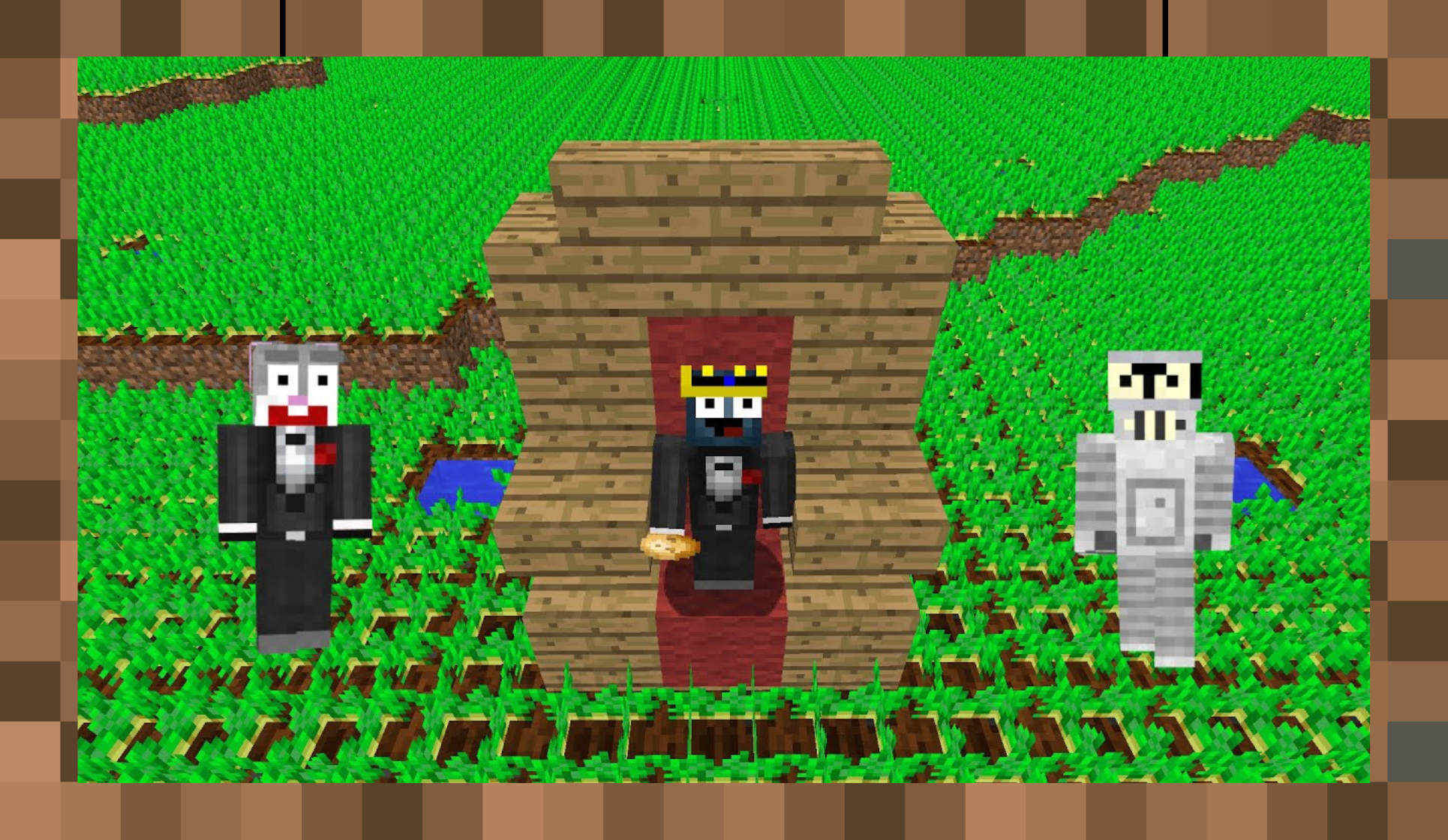
Technoblade’s live streams ignited a frenzy among players. On the day of the final battle, Hypixel hit a record-breaking 110,000 concurrent players on SkyBlock alone, with nearly 220,000 across the server.
This surge of activity remains unmatched, showcasing the unifying power of Minecraft and the influence of a single creator. Technoblade’s legacy lives on as a symbol of Minecraft’s ability to connect millions through creativity and community.
Reflecting on Minecraft’s Rare Events
Each of these stories captures a unique aspect of what makes Minecraft special. From random coincidences to legendary achievements, the game continually proves that anything is possible.
These rare occurrences remind us of the endless potential within Minecraft’s blocky worlds. They encourage players to keep exploring, creating, and documenting their adventures—because the next unforgettable moment might just be waiting to happen.
What are your favorite rare Minecraft moments? Share your stories in the comments. Who knows? You might even inspire the next chapter in Minecraft history!
Minecraft Enters the Real World with $110M Global Theme Park Deal
Imagine stepping into the pixelated landscapes of Minecraft—not through a screen, but in a real-world theme park where creativity and adventure come alive. That’s the vision behind a $110 million collaboration between Mojang Studios and Merlin Entertainments. Set to open in the UK and US by 2027, this groundbreaking project, aptly titled “Adventures Made Real,” aims to transform the beloved block-building game into a fully immersive physical experience.
The Partnership That Bridges Digital and Physical Worlds
Merlin Entertainments, the UK-based operator of over 135 attractions worldwide, is bringing its expertise to Minecraft for the first time. Known for popular destinations like Legoland and Madame Tussauds, Merlin plans to integrate Minecraft-themed accommodations, shops, restaurants, and rides into its offerings.
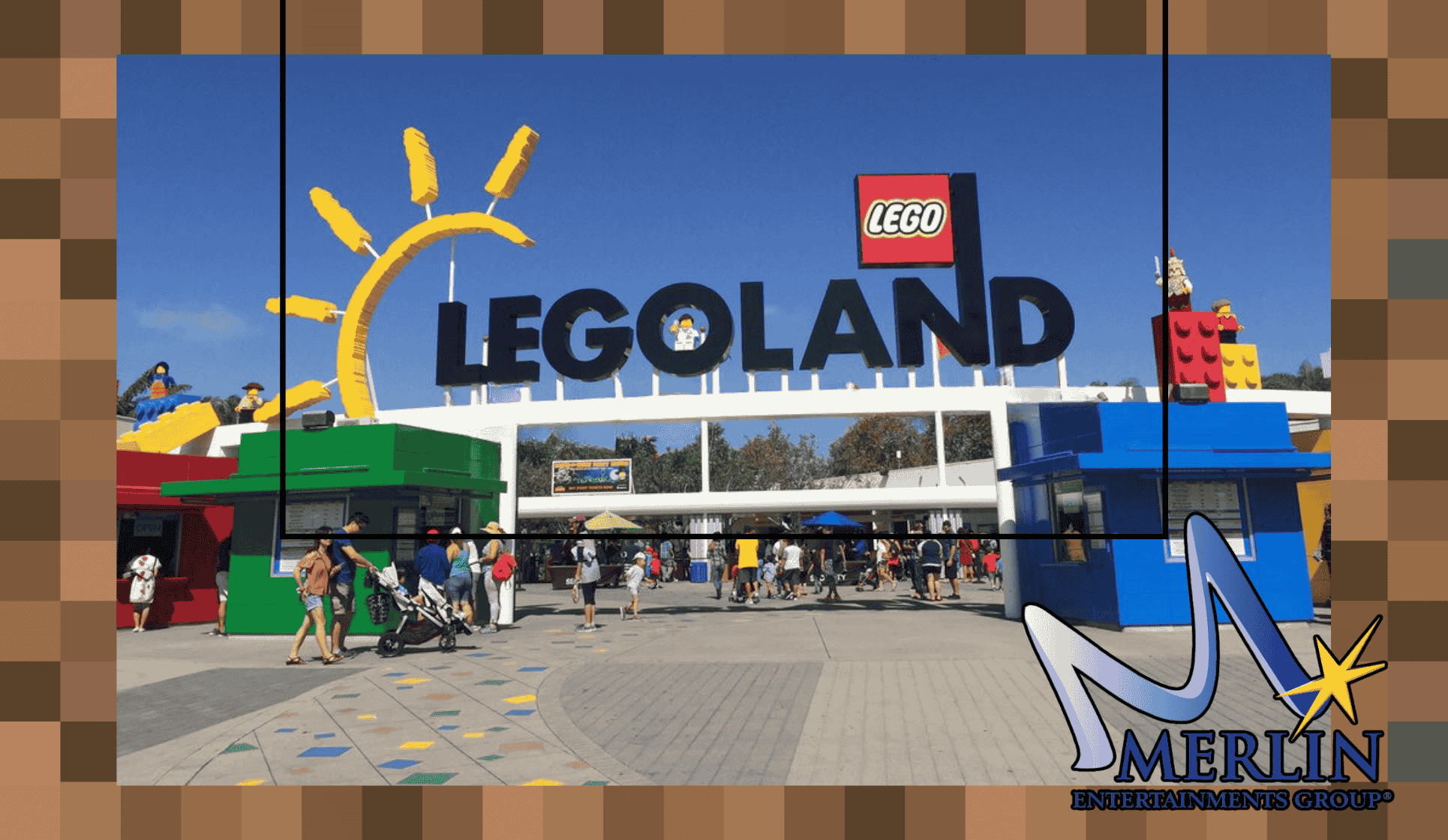
This partnership represents a significant milestone for both companies. Scott O’Neill, CEO of Merlin Entertainments, highlighted how this collaboration reflects the company’s commitment to bold, innovative concepts that resonate with audiences globally. Kayleen Walters, Vice President of Franchise Development at Microsoft, expressed her excitement over expanding Minecraft’s world in ways fans could only imagine until now.
The two companies aim to create attractions that appeal to Minecraft’s massive global community of over 140 million monthly players, blending the game’s iconic charm with real-world entertainment.
What the Minecraft Theme Parks Will Offer
Attractions Inspired by the Game’s Unique Universe
The parks will feature rides and attractions designed to mirror the creativity and exploration central to Minecraft. While fans eagerly anticipate seeing iconic game elements like Nether portals or blocky villages, some speculate that the attractions might also include hands-on activities, like crafting stations or interactive challenges, that reflect the game’s mechanics.
Others, however, are curious about how faithfully the real-world experience will capture Minecraft’s essence. Some fans expressed hope that the parks would prioritize creativity and engagement over flashy aesthetics, viewing the potential experience as either incredibly innovative or disappointingly uninspired.
Possible Shops, Restaurants, and Themed Accommodations
In addition to rides, visitors are looking forward to immersive dining and shopping experiences. Shops are expected to showcase Minecraft-themed merchandise, and restaurants may offer quirky menu items inspired by in-game foods, like “pixel-perfect” cakes or potions. A few fans humorously suggested integrating Minecraft’s in-game economy, imagining purchases being made with diamonds or emeralds for added immersion.
The accommodations, too, promise to bring Minecraft to life, with themed hotel rooms designed to resemble blocky biomes. From Creeper-green decor to beds styled like crafting tables, these rooms could be a major draw for families and die-hard fans alike.
Fan Expectations – Optimism and Skepticism
The announcement has sparked a range of reactions from fans online. Many are optimistic about the partnership, pointing to Merlin’s success with attractions like Legoland as a promising indicator. They believe Minecraft’s universal appeal and creative spirit will translate well into real-world experiences.
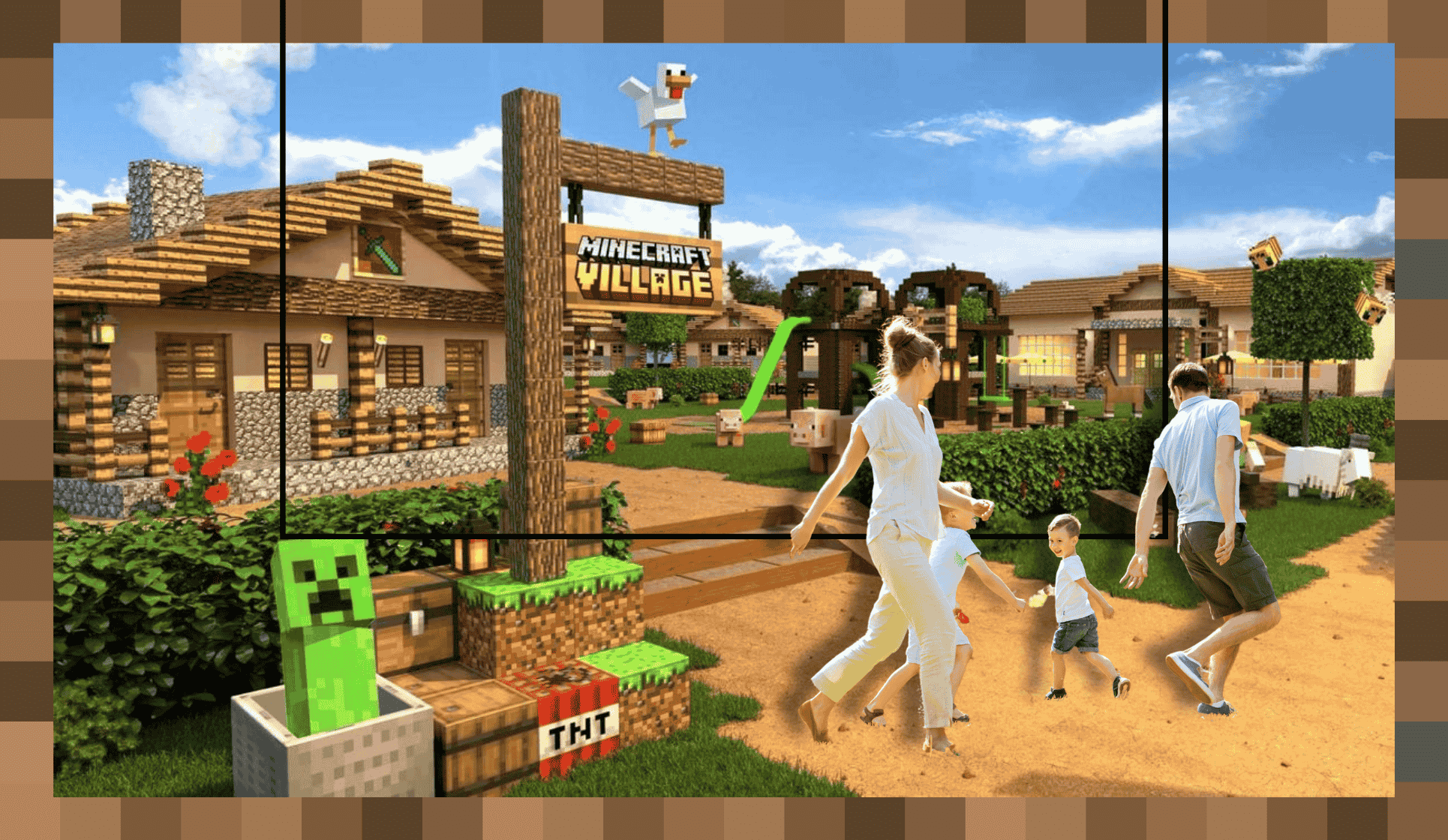
However, some fans expressed concerns about the scope of the project. With a $110 million investment spread across two parks, a few skeptics wonder if the budget might limit the attractions’ scale and quality. Others noted that the parks might be smaller additions to existing locations rather than standalone destinations, potentially diminishing the wow factor.
Despite these concerns, there’s still a strong sense of excitement. Observations from previous visitors to Merlin’s attractions suggest that the company knows how to create engaging experiences that resonate with families. Fans expressed hope that the parks would maintain a balance between being family-friendly and offering something special for older fans as well.
Beyond Gaming
This partnership is the latest chapter in Minecraft’s journey to expand its influence beyond the gaming sphere. The franchise has already seen success with its educational initiatives, a Netflix animated series, and an upcoming Hollywood film. These efforts reflect Minecraft’s evolution as more than just a game—it’s a cultural phenomenon that encourages creativity, exploration, and community.
As one online observer remarked, even adults who grew up playing Minecraft could find joy in exploring a life-sized blocky village or iconic game settings. Others noted that children, who are still the game’s primary audience, are likely to be enthralled by the opportunity to experience Minecraft in real life.
A Bold Step Toward a New Era
The Minecraft theme park deal represents an exciting leap into uncharted territory, blending digital and physical entertainment like never before. While some fans remain cautiously optimistic about the execution, the project’s potential to inspire and delight is undeniable.
As the first parks prepare to open in 2026 and 2027, the anticipation continues to build. Whether exploring blocky biomes or shopping for exclusive merchandise, fans worldwide are eager to see how Minecraft’s imaginative universe comes to life. For many, the opportunity to step into the game’s world is already a thrilling concept—and if Merlin delivers, this could become a landmark moment in themed entertainment.
So, get ready to craft your adventure in the real world. The countdown to Minecraft’s theme park debut has officially begun!
A First Look at The Minecraft Movie (2025)

As the Minecraft Movie trailer begins, the familiar voice of Steve utters the now-infamous line, “As a child, I yearned for the mines.” For some, it’s a moment of cringe-worthy writing; for others, it’s a humorous nod to the game’s quirky charm. This polarizing sentiment captures the overall reception of the movie itself—a mix of skepticism and cautious optimism. Slated for an April 4, 2025 release, the film marks a bold step for Mojang Studios and Warner Bros. into the world of video game adaptations.
A Bold Move for Minecraft
Directed by Jared Hess of Napoleon Dynamite fame, the Minecraft Movie is set to be a live-action adaptation of the best-selling video game in history. With over 300 million copies sold and a player base spanning generations, Minecraft’s leap to the big screen is a high-stakes gamble.
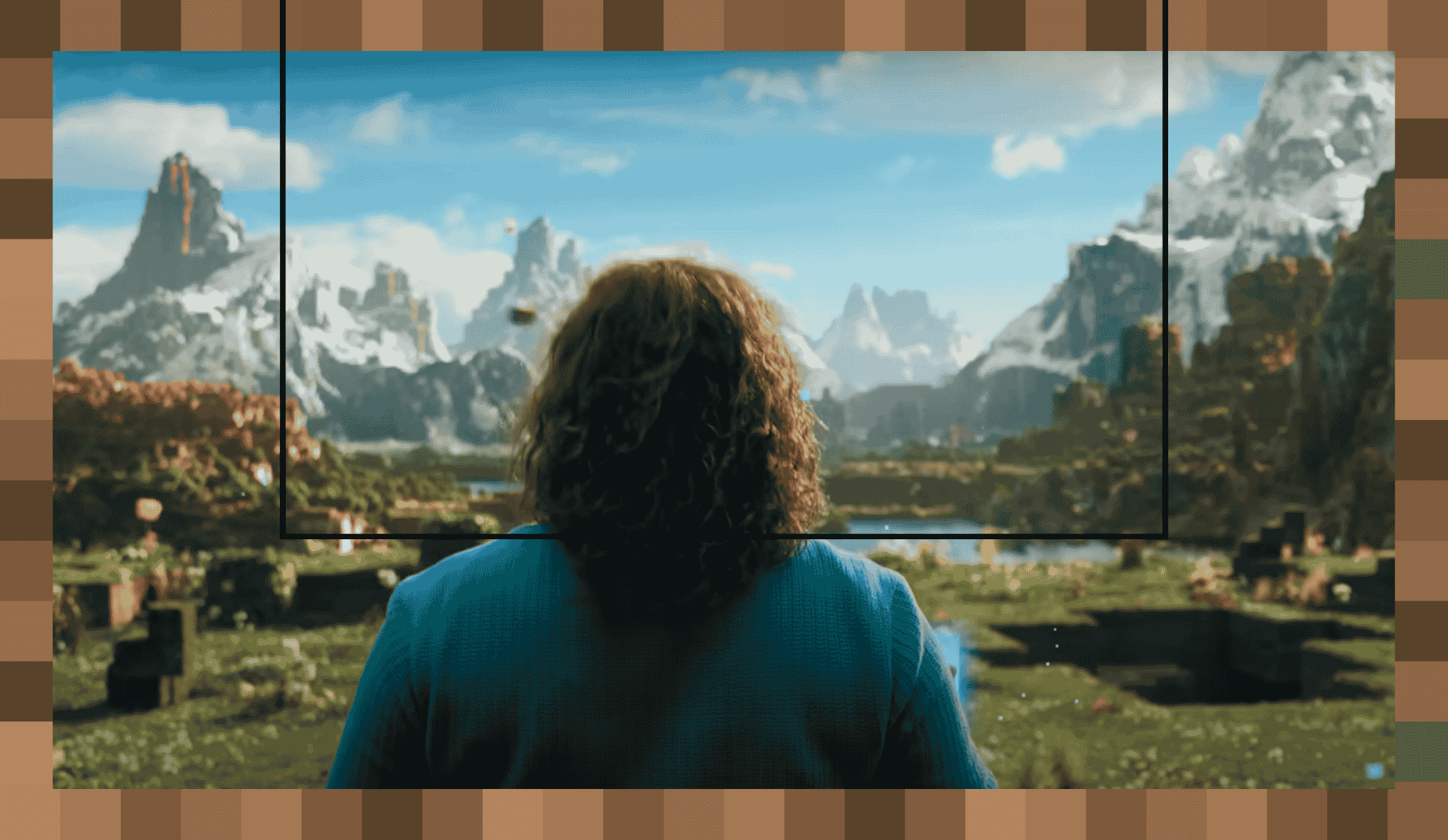
Jason Momoa stars as “Garrett the Garbage Man,” an ordinary character thrust into the blocky wonderland of Minecraft. Accompanying him are Jack Black as Steve and Emma Myers as Natalie. Together, they navigate the Overworld, facing familiar mobs like Creepers, Endermen, and the terrifying Skelly Boys.
Fan Reactions to the Trailer
The new trailer has sparked extensive online debate. While many agree it’s a significant improvement over the teaser, opinions remain divided:
- Some viewers see the film as a fun, family-friendly adventure that will introduce Minecraft to a broader audience.
- Others worry it leans too heavily into comedic tropes, potentially undermining the game’s creative and exploratory spirit.
One Reddit user reflected, “The trailer looks better than the teaser, but it still feels like a Jumanji knockoff.” Meanwhile, another added, “It may not be a masterpiece, but it looks like something kids will love—and that’s what matters.”
The Challenges of Adaptation
Balancing Fan Expectations
Adapting Minecraft’s limitless sandbox world into a cohesive story is no small feat. The game thrives on creativity and individual player experiences, making a single narrative inherently limiting. Critics have noted that the trailer’s dramatic tone and comedic delivery might clash with the immersive, serene atmosphere players associate with the game.
Even so, there are moments where the movie gets it right. The inclusion of Minecraft’s iconic soundtrack—courtesy of C418—elicited nostalgia for many fans. As one commenter put it, “Hearing that music brought me back to my first night in a dirt hut, hiding from zombies.”
The Live-Action Debate
A major sticking point for fans has been the decision to go live-action rather than animated. While the live-action approach gives the film a unique aesthetic, some feel it detracts from Minecraft’s charm. A fan remarked, “This should have been animated—live-action just doesn’t capture the magic.”
That said, the production design has received praise. The Iron Golem, bees, and chickens are all faithful to the game’s style, with subtle details that bring them to life.
Why the Minecraft Movie Could Still Be a Hit
Despite mixed reactions, there’s a growing consensus that the movie will succeed commercially. With a fanbase that spans multiple generations, Minecraft has a built-in audience eager to see the Overworld on the big screen.
Lessons from Other Game Adaptations
The success of The Super Mario Bros. Movie is a testament to how video game adaptations can thrive when they cater to their core audience. Many fans believe Minecraft’s film will follow a similar trajectory—combining fan service with broad family appeal.
One Redditor commented, “Kids will flock to this no matter what the critics say. Minecraft is too big to fail.” Another noted the game’s enduring popularity, adding, “A creeper sweatshirt is still a staple wardrobe piece for kids. This movie will be massive.”
The Nostalgia Factor
For older fans, the movie represents a chance to reconnect with a game they’ve cherished since its 2011 release. As one adult fan shared, “I’d love to see a life-sized Minecraft village. Even without a great story, the nostalgia alone makes me want to watch.”
What Does the Minecraft Movie Mean?
At its core, Minecraft is about creativity, resilience, and exploration—values that transcend age and culture. If the film can channel these themes effectively, it could become more than just another video game adaptation.
The movie’s narrative, centered on ordinary characters finding strength in their unique abilities, mirrors Minecraft’s own appeal: the idea that anyone, anywhere, can build something extraordinary.
Whether it breaks box office records or simply becomes a modest success, the Minecraft Movie marks a pivotal moment in gaming culture. It’s a reminder that games are more than just entertainment—they’re a shared language that connects millions worldwide.
Ready for Adventure
As we count down to the movie’s release, one thing is clear: Minecraft’s journey to the big screen is as ambitious as the game itself. Whether it’s a billion-dollar blockbuster or a niche fan favorite, the film has already sparked important conversations about the art of adaptation.
What do you think—will the Minecraft Movie craft a cinematic masterpiece or crumble like gravel? Either way, fans and families are ready to embark on this new adventure. Are you?
Minecraft Showdown: Java vs. Bedrock – Which Edition Is Better?

Minecraft comes in two main versions: Java Edition and Bedrock Edition. While they share the same core gameplay, the differences between these editions spark endless debates within the Minecraft community. So, which is the better choice? In this in-depth comparison, we’ll examine graphics, performance, popularity, convenience, and combat to crown the ultimate winner.
Graphics – Immersion and Customization

When it comes to visuals, Java Edition takes the lead. This version offers smoother and more refined graphics, giving players a polished experience that many find more immersive. The interface feels original and iconic, a testament to its roots as the first version of Minecraft.
Why Java Wins in Graphics:
- Shaders and Texture Packs: Java supports a vast range of shaders and texture packs, allowing players to transform their game into a hyper-realistic masterpiece or a pixel-art wonderland.
- Advanced Animations: Java boasts more sophisticated animations compared to Bedrock, enhancing the visual appeal of combat, movement, and even mob interactions.
- User Interface (UI): Java’s UI is intuitive and consistent, while Bedrock’s design often feels simplified or clunky by comparison.
However, Bedrock Edition isn’t far behind, especially with the introduction of ray tracing on compatible devices, which creates stunning lighting effects. Still, the customization and timeless charm of Java Edition’s graphics make it the clear winner in this category.
Winner: Java Edition
Performance – Speed and Optimization

Performance is a key factor for any game, and here Bedrock Edition excels. Designed to run on multiple platforms—PC, consoles, and mobile—Bedrock is highly optimized, making it accessible even on lower-end hardware.
Why Bedrock Shines in Performance:
- Better FPS: Bedrock delivers higher frames per second (FPS) with smoother gameplay, even at higher render distances.
- Cross-Platform Optimization: The game runs efficiently on a wide range of devices, from high-powered gaming PCs to smartphones and tablets.
- Stable Multiplayer: Bedrock servers are built to handle large numbers of players without lag or crashes, a feature Java sometimes struggles with.
Java, while powerful on high-end PCs, often requires mods or performance boosters like Optifine to match Bedrock’s fluidity on less-capable devices.
Winner: Bedrock Edition
Popularity – A Legacy of Nostalgia
Popularity is a defining factor, and Java Edition reigns supreme here. As the original version of Minecraft, it has amassed a loyal fanbase over the years. Its influence is especially strong within the Minecraft YouTube community, where creators predominantly use Java Edition for their content.
Why Java Tops Popularity:
- Legacy Players: Java was the only version available during Minecraft’s early years, cementing its status among longtime fans.
- Content Creation: From mods to adventure maps, Java Edition dominates the creative space, fueling its popularity among streamers and influencers.
- Exclusive Features: Some features, such as hardcore mode and custom servers, are Java exclusives, drawing in dedicated players.
While Bedrock is incredibly popular due to its accessibility on consoles and mobile devices, Java’s deep-rooted legacy ensures it remains the fan favorite.
Winner: Java Edition
Convenience – Crossplay and Accessibility
For sheer convenience, Bedrock Edition is hard to beat. Its cross-platform compatibility allows players to connect seamlessly, whether they’re on a PC, console, or mobile device. This makes it the go-to choice for players looking to game with friends across different platforms.
Bedrock’s Advantages in Convenience:
- Crossplay: Bedrock supports multiplayer across all devices, making it easy to join friends no matter their setup.
- Marketplace: With an in-game marketplace offering skins, maps, and mods, Bedrock provides a straightforward way to enhance your experience.
- Simple Multiplayer: Joining friends’ worlds is as easy as sending an invite—no complex server setups required.
Java, on the other hand, requires players to set up private servers or use third-party platforms like Realms to play with others, which can be cumbersome for newcomers.
Winner: Bedrock Edition
Combat – Depth and Variety
Combat mechanics are a critical aspect of Minecraft, and Java Edition delivers a richer, more versatile experience. Players can choose between two distinct combat systems: the fast-paced 1.8 style or the strategic 1.9+ system with cooldowns and attack timing.
Why Java Excels in Combat:
- Two PVP Modes: Players can toggle between 1.8 (rapid attacks) and 1.9+ (strategic cooldowns), catering to different playstyles.
- Mod Support: Java offers combat-enhancing mods, allowing players to customize their PVP experience.
- Skill-Based Mechanics: The slower-paced 1.9+ combat adds depth, rewarding strategy over button-mashing.
Bedrock, in contrast, sticks to a simpler combat system that mirrors Java’s 1.8 style. While it’s straightforward and accessible, it lacks the variety and complexity that make Java’s combat mechanics so engaging.
Winner: Java Edition
The Final Verdict – Which Edition Reigns Supreme?
After analyzing five key categories, the results are in:
- Graphics: Java Edition
- Performance: Bedrock Edition
- Popularity: Java Edition
- Convenience: Bedrock Edition
- Combat: Java Edition
Java Edition narrowly takes the crown with its superior graphics, combat mechanics, and legacy appeal. While Bedrock excels in performance and convenience, Java’s customization, depth, and nostalgic charm make it the ultimate choice for dedicated Minecraft players.
However, the best edition ultimately depends on your priorities. If you value cross-platform play and smoother performance, Bedrock might be better for you. For those who crave mods, creativity, and a rich combat experience, Java Edition is the way to go.
What’s your preferred Minecraft edition? Let us know in the comments!