
Janus
Enhancing Your Minecraft Experience with Resource Packs and Digital Security Essentials
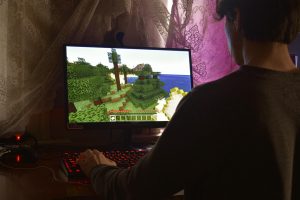
Photo by Alexander Kovalev, Pexels
Minecraft has long been a canvas for creativity—a game where every block and texture holds the promise of a unique world. Among the many ways players personalize their experience, resource packs stand out as an effective means to transform the game’s aesthetic and performance. At the same time, with increasing online participation in multiplayer servers and community forums, digital security has become as essential as creative ingenuity. This dual focus on creativity and security shapes a modern gaming landscape where customization and safe connectivity go hand in hand.
The Evolution of Minecraft Resource Packs
From the early days of basic texture changes to today’s high-definition masterpieces, Minecraft resource packs have evolved immensely. Initially created to simply refresh game visuals, resource packs now cater to a wide range of gameplay aspects—from immersive environments that draw inspiration from real-world art to highly specialized PvP packs designed to give competitive players a performance edge. This evolution is driven by both technological advancements and the passion of a global community that continuously pushes the boundaries of what is possible within this virtual world.
More than just a cosmetic upgrade, resource packs often refine the game’s functionality. For instance, a well-designed pack will not only enhance the graphics but also optimize the textures for smoother performance during intense PvP battles. Guided by well-crafted tutorials and community insights, many players experiment with different packs to match their hardware capabilities and gameplay requirements. Readers interested in the deeper technical aspects can explore comprehensive guides on this topic on Minecraft resource packs, which also detail compatibility issues and installation tips.
Integrating Customization with Modern Cybersecurity
While creative customization remains at the core of the Minecraft experience, the digital environment in which players operate is evolving. As online communities expand and multiplayer sessions become longer and more interconnected, the need for secure online practices has never been greater. In this context, gamers are increasingly aware of cybersecurity threats that extend beyond the game itself—from potential data breaches to identity theft during online sessions.
Some players are now taking proactive steps to safeguard their online connections. For example, adopting secure measures such as using a bestes VPN is becoming a smart strategy. By ensuring that personal data and online activity remain protected, players can enjoy an uninterrupted gaming experience even when participating in international servers or competitive online arenas. This approach not only helps maintain the integrity of the gaming environment but also instills greater confidence in users when sharing in-game strategies and personal information through community forums.
As customization and security converge, many gamers discover that robust digital privacy practices have direct benefits for overall gameplay. A secure connection reduces latency risks associated with various cyber threats, while innovative resource packs improve visual clarity. Together, these elements contribute to a refined experience that allows gamers to fully immerse themselves in their crafted worlds without concern for external disruptions or vulnerabilities.
Valuable Insights from Cybersecurity Research
Recent studies have underscored the critical importance of cybersecurity in all areas of online activity, including gaming. One prominent analysis highlights that the average data breach now costs nearly USD 4.88 million, a statistic that emphasizes the economic and operational risks associated with insufficient digital security. For further details on breach costs and underlying security challenges, detailed breach analysis provided by industry research offers a wealth of data to consider through this analysis.
Cybersecurity is not only about responding to threats but also anticipating them. Additional research indicates that a significant percentage of internet users are concerned about inadequate privacy laws, spurring greater interest in tools designed to protect online identities. Such findings, drawn from independent surveys and studies, resonate with gamers who are increasingly investing in secure online tools. An overview on online anonymity and privacy, available via this resource, reveals that these concerns are widespread and are driving the swift adoption of digital privacy measures.
This research serves as a reminder that whether through advanced gaming modifications or robust online security practices, the modern Minecraft player is never far from the realities of an interconnected world. As threats evolve, so too must the strategies for ensuring safety, and players who combine creative resource packs with reliable cybersecurity innovations are best positioned to face future challenges with confidence.
Community Trends and Future Innovations
The community aspect of Minecraft continues to be its driving force. Resource packs are more than just visuals—they foster collaboration, spur technical ingenuity, and even inspire entirely new forms of gameplay. Community forums and social media channels brim with users showcasing their custom packs, sharing tips on performance optimization, and debating the merits of various technical tweaks. This dynamic exchange of ideas not only refines the art of resource pack creation but also encourages the development of robust tools that support secure digital interaction among players.
With the ongoing evolution in both gaming aesthetics and cybersecurity, industry innovators are likely to lean further into combining these areas. For instance, future resource packs might integrate security-focused features that alert players to potential vulnerabilities or recommend real-time performance enhancements during lag spikes. In parallel, companies that specialize in digital privacy are constantly updating their offerings to meet the demands of tech-savvy communities. Modern tools ensure not just a visual upgrade but also provide the security foundations necessary for smooth, uninterrupted gameplay.
Internal community resources play an integral role in this evolution. Detailed guides on installation, troubleshooting, and advanced modifications are available on several websites, one of which can be explored at Secret Rooms Guide. This diversity of content enables players to seamlessly adopt new technologies while remaining engaged with the collective knowledge base that defines the Minecraft community.
Striking the Balance: Creativity and Security
The journey of enhancing a Minecraft experience is as much about imaginative creativity as it is about establishing secure online practices. Gamers are now expected to adapt not only to changing aesthetic standards but also to an evolving digital landscape replete with cybersecurity challenges. Achieving the right balance requires a practical approach that values both artistic expression through resource packs and the need for robust online security. Enthusiasts can do this by staying informed about the latest trends in digital privacy, which in turn informs their decisions when customizing game settings or connecting to multiplayer servers.
For example, a resource pack that dramatically improves visual elements can be rendered ineffective if the underlying connection is compromised by malware or data breaches. As such, enhancing gameplay should encompass not only a focus on creative output but also the adoption of security measures that safeguard every online interaction. By merging these two spheres, gamers establish a baseline for an overall safer and more enriching experience.
Moreover, the increased focus on cybersecurity has motivated developers to integrate more secure distribution methods for resource packs. This ensures that players receive authentic and tested modifications that are free from tampering. Such initiatives foster trust within the community and create an environment where innovation and safety progress alongside one another.
Looking Ahead: A Secure and Customized Future
As Minecraft continues to evolve, so do the priorities of its dedicated community. The expanding frontier of gaming aesthetics, enhanced by meticulously crafted resource packs, now intersects with the world of digital security—a trend showcasing players’ growing awareness of online privacy risks. With the advent of innovative technologies, future updates may well incorporate tools that allow players to tweak not only visual elements but also the security settings of their gameplay environments.
Looking ahead, it is clear that the community’s appetite for high-performance, customizable, and secure gaming experiences will continue to drive market innovations. Players are increasingly turning to trusted resources and digital privacy services to ensure that every aspect from customization to online connectivity is optimized for success. This fusion of artistic and technical interests promises an exciting era where creativity meets cutting-edge security practices.
Embracing future trends means turning a critical eye toward both the latest resource packs and the evolving cybersecurity landscape. This balanced approach not only fosters long-term engagement but also equips players with reliable tools to navigate the challenges of a highly interconnected digital world.
Conclusion
The multifaceted journey of enhancing Minecraft gameplay is marked by continuous evolution in both resource pack development and digital cybersecurity. Through innovative modifications that breathe new life into the game and by adopting secure online practices, players secure an immersive and safe gaming environment. As the community moves forward, the combination of creative expression and responsible cybersecurity practices will remain pivotal to ensuring that every Minecraft session is both visually stunning and digitally secure.
Readers are encouraged to share their experiences and insights on how combining these elements has enhanced their gameplay. Whether experimenting with new texture packs or upgrading security measures, every step toward customization and safety contributes to a more robust and connected community. Let this ongoing evolution serve as an invitation to explore the endless possibilities that lie at the intersection of creativity and security in the Minecraft realm.
Palia oder Minecraft? Welches Spiel hat die schönere Open World?
Open-World-Spiele leben von ihrer Atmosphäre. Von dem Gefühl, einfach loszuziehen, die Welt zu erkunden und sich in ihr zu verlieren. Zwei Spiele, die auf den ersten Blick kaum unterschiedlicher sein könnten, sind Palia und Minecraft. Beide setzen auf eine offene Welt, beide laden zum Erkunden, Sammeln und Bauen ein – und doch verfolgen sie einen komplett anderen Stil. Aber welches Spiel hat nun die schönere Open World? Genau das schauen wir uns hier genauer an.
Palia: Eine märchenhafte Welt voller Details
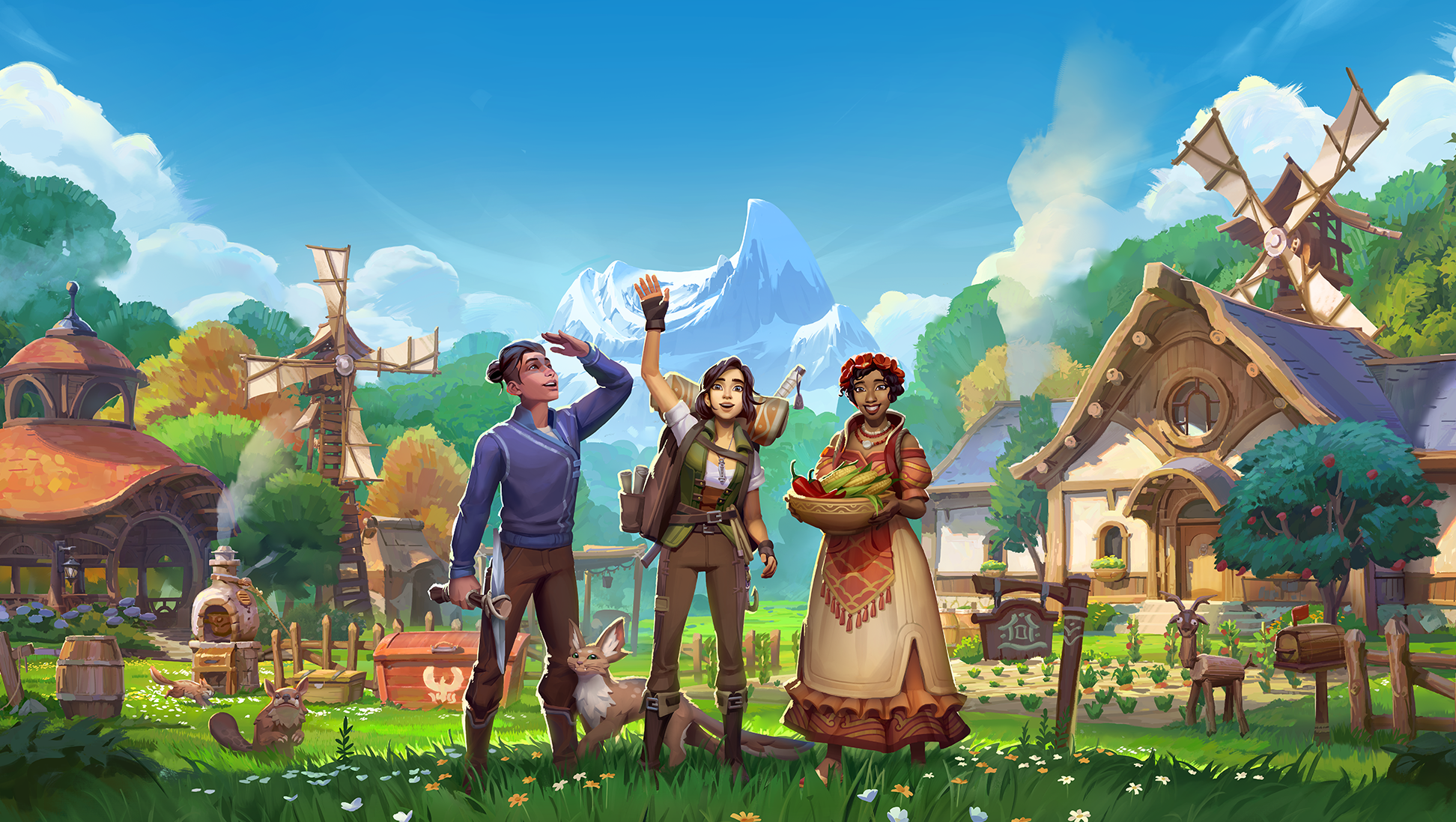
Palia setzt ganz klar auf eine stilisierte, aber dennoch sehr harmonische und „realistisch“ wirkende Fantasy-Welt. Schon nach den ersten Minuten merkt man: Hier wurde viel Wert auf Atmosphäre gelegt. Die Landschaften wirken weich, farbenfroh und fast schon wie aus einem animierten Film. Sanfte Hügel, dichte Wälder, glitzernde Seen und liebevoll gestaltete Dörfer sorgen dafür, dass man immer wieder stehen bleibt und einfach nur die Umgebung genießt.
Die Welt fühlt sich lebendig an. NPCs haben Routinen, reagieren auf den Spieler und erzählen kleine Geschichten. Dadurch wirkt die Umgebung nicht leer, sondern wie ein Ort, an dem tatsächlich jemand lebt. Wenn man durch Bahari Bay streift oder am Abend durch Kilima Village läuft, entsteht schnell ein gemütliches „Cozy Game“-Gefühl.
Besonders stark ist Palia bei den kleinen Details. Licht- und Schatteneffekte, Sonnenuntergänge, die sich im Wasser spiegeln, oder Nebel, der morgens über den Feldern hängt – das alles trägt enorm zur Atmosphäre bei. Wer also eine optisch moderne, detailreiche Welt sucht, wird hier definitiv glücklich.
Minecraft: Die Freiheit der eigenen Fantasie
Und dann ist da Minecraft. Auf den ersten Blick wirkt die Welt durch die Blockgrafik simpel – fast schon minimalistisch. Keine hochauflösenden Texturen, keine komplexen Animationen. Aber genau hier liegt die Stärke.
Minecrafts Open World ist riesig, prozedural generiert und praktisch grenzenlos. Jeder neue Seed erzeugt eine komplett andere Welt mit unterschiedlichen Biomen, Landschaftsformen und Strukturen. Von schneebedeckten Bergen über dichte Dschungel bis hin zu endlosen Wüsten – alles entsteht aus simplen Blöcken, und trotzdem wirkt die Welt überraschend abwechslungsreich.
Die „Schönheit“ von Minecraft ist weniger eine Frage der Grafik, sondern der Möglichkeiten. Spieler erschaffen gigantische Städte, realistische Landschaften oder sogar ganze Fantasy-Reiche. Mit Shader-Mods kann man die Optik zusätzlich massiv aufwerten – plötzlich gibt es realistische Wasserreflexionen, dynamische Schatten und beeindruckende Lichteffekte. Wer Minecraft mit guten Shadern spielt, erkennt das Spiel teilweise kaum wieder.
Die Welt lebt außerdem durch ihre Dynamik. Tag- und Nachtwechsel, Wettereffekte, Monster, die nachts erscheinen – all das sorgt für ein ständiges Gefühl von Abenteuer.
Atmosphäre vs. Kreativität
Wenn man beide Spiele direkt vergleicht, merkt man schnell: Es kommt stark darauf an, was man unter „schöner Open World“ versteht.
Palia punktet mit einer klaren künstlerischen Vision. Alles wirkt aus einem Guss, farblich abgestimmt und harmonisch. Die Welt ist so gestaltet, dass sie direkt ästhetisch anspricht. Man kann durch Wälder streifen, Felder bestellen oder am See sitzen und Tiere wie den Kaiserfisch angeln – und das alles in einer Umgebung, die fast schon wie ein interaktiver Fantasy-Film wirkt.
Minecraft hingegen ist eine Leinwand. Die Welt ist nicht im klassischen Sinne „vorgegeben schön“, sondern wird es durch den Spieler. Klar, es gibt beeindruckende natürliche Landschaften – etwa zerklüftete Höhlen oder riesige Bergketten seit den neueren Updates – aber das eigentliche Highlight ist, was man selbst daraus macht.
Technische Unterschiede
Auch technisch gehen die Spiele unterschiedliche Wege. Palia nutzt moderne Grafik-Engines mit ausgearbeiteten Texturen, weichen Animationen und detaillierten Modellen. Es wirkt dadurch aktueller und visuell aufwendiger.
Minecraft setzt auf eine bewusst reduzierte Ästhetik. Die Blockoptik ist längst Kult und Teil der Identität des Spiels. Trotz (oder gerade wegen) dieser Simplizität läuft das Spiel auf vielen Systemen stabil und bietet enorme Performance-Freiheit.
Interessant ist außerdem, dass Minecraft durch Mods optisch fast schon mit modernen Spielen konkurrieren kann. Mit hochauflösenden Texture Packs und Raytracing entsteht eine ganz neue visuelle Qualität.
Welche Open World ist nun schöner?
Die ehrliche Antwort: Es kommt darauf an, was du suchst.
Wenn du eine fertig designte, atmosphärische und optisch stimmige Welt erleben willst, die dich mit Details und Charme einfängt, dann hat Palia klar die Nase vorn. Die Welt wirkt lebendig, liebevoll gestaltet und lädt zum entspannten Erkunden ein.
Wenn du hingegen Freiheit, gigantische Ausmaße und die Möglichkeit willst, deine eigene Vorstellung von „schön“ umzusetzen, dann ist Minecraft kaum zu schlagen. Hier entsteht Schönheit nicht nur durch das, was das Spiel vorgibt, sondern durch das, was du daraus machst.
The best gaming servers for your gaming experience: What you need to know
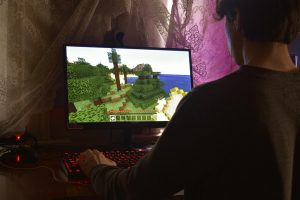
Today’s gaming experience is largely determined by the quality of the servers we play on. Whether you’re roaming through virtual worlds with friends or competing in epic battles, choosing the right server can mean the difference between victory and defeat.
In an age where online gaming has become the norm, gamers are faced with the challenge of choosing the right server from the multitude of available options. This isn’t just about price, but also about performance, stability, and the ability to customize the gaming experience.
What makes a good gaming server?
A high-quality gaming server is characterized by several crucial factors that go beyond mere hosting. Performance is paramount – low latency and a stable connection are the foundation for smooth gameplay.
Server location and ping times: The server’s geographical proximity to your location directly influences response times. German server locations often offer the best connections for European players.
Hardware also plays a key role. Modern NVMe SSDs ensure fast loading times, while powerful CPUs ensure stable performance even under heavy gaming loads. Scalability is another important aspect—your server should be able to grow with your needs.
Performance factors in detail
The technical specifications of a gaming server determine the quality of your gaming experience. RAM, processor performance, and network connectivity must be perfectly coordinated to achieve optimal results.
Bandwidth is particularly important—it determines how many players can be active on your server simultaneously without performance suffering. A well-configured server with sufficient bandwidth can handle hundreds of players simultaneously.
Popular gaming server types and their special features
The world of gaming servers is diverse and offers the right solution for every taste and playstyle. From classic sandbox experiences to complex multiplayer worlds – each server type has its own requirements and capabilities.
Sandbox gaming: Games like Minecraft require servers with plenty of storage space and flexible configuration options. If you want to rent a Minecraft server , you should look for unlimited slots and modpack support.
For role-playing enthusiasts, specialized servers offer complex mod support and extensive customization options. These servers allow you to create and manage entire virtual societies.
Modern multiplayer worlds
The development of gaming servers has made enormous progress in recent years. Modern server technologies make it possible to create complex game worlds that can host hundreds of players simultaneously.
Server stability is crucial, especially for role-playing games. When configuring your fivem server , for example, you need not only technical expertise but also a reliable provider that offers 24/7 support.
Server administration: More than just technology
Managing a gaming server goes far beyond the technical aspects. Successful server operators understand that community management and technical expertise must go hand in hand.
Ease of use: Modern server panels make administration accessible even for non-technical users. An intuitive web interface allows you to change settings, create backups, and perform updates without using complex command lines.
Automating recurring tasks not only saves time but also reduces error rates. Automatic backups, update mechanisms, and monitoring tools ensure your server runs smoothly even in your absence.
Security and data protection
In today’s digital landscape, security isn’t an optional extra, but a basic requirement. DDoS protection, regular security updates, and encrypted connections are standard features that every reputable provider should offer.
Data security for your save games and configurations is especially important. Regular backups and redundant storage systems protect against data loss and allow you to get back online quickly after issues arise.
Understanding cost structures and pricing models
Pricing for gaming servers varies greatly depending on the provider and the scope of services. While some providers charge by the slot, others offer flat-rate models or flexible scaling options.
Hidden costs can quickly blow your budget. Be aware of additional charges for backups, support, or special features. A transparent pricing model with no hidden fees is a sign of a reputable provider.
Long-term planning perspectives
When choosing a server, you should not only consider current needs but also plan for future developments. A server that’s sufficient for 10 players today might be too small tomorrow as your community grows.
Scalable solutions allow resources to be adjusted as needed. This flexibility is especially important for growing communities or seasonal fluctuations in player activity.
Choosing the right gaming server is an investment in your gaming experience. Quality, performance, and support are more important than price alone. With the right choice, you’ll lay the foundation for unforgettable gaming moments with your friends.
Exploring the Endless Possibilities of Minecraft
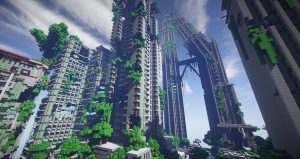
Minecraft, one of the favorite video games in history, was developed by Mojang Studios and first released in 2011. It stood out to show what a simple mechanism, creativity, and community-driven ecosystem can offer. This blocky and pixelated universe has taken in millions of players to unlock endless possibilities of exploration, creation, and adventure. Whether you are a serious gamer or a rookie, Minecraft delivers something to everyone.
What is Minecraft?
Basically, at its core, Minecraft is a type of sandbox video game. There is a procedurally generated world of cubes to express various materials such as dirt, stone, wood, etc. The allure of the game, basically, lies in simplicity— players can play with these blocks for building, mining, exploring, survival, etc. In Minecraft, there are no such predefined objectives or missions, which means the goals set up by players themselves.
From beautiful buildings to adventure and quest, possibilities in Minecraft go virtually without limits. With numerous game modes, multitudinous biomes, and regular updates, it is possible to enjoy a dynamic and ever-changing world in a play-through.
Minecraft’s Unique Features
Minecraft is not just a game; it is a space of infinite possibilities. Defining features include:
- Procedurally Generated Worlds: New worlds are procedurally generated, so it will never be the same twice. Players can explore all these diverse biomes like forest, desert, mountainous terrain, oceans, and the mysterious Nether and End dimensions.
- Redstone Mechanisms: Redstone is the in-game version of electricity: it lets a player construct functional devices ranging from the simple door to the highly complex computer or automated farms. It’s one feature that adds a dash of engineering to the game.
- Customization: Highly customisable, Minecraft allows the choice of mods, skins, and texture packs to customise your experience in a multitude of ways, from changing the appearance to modifying mechanics.
- Cross-Platform Play: Minecraft’s Bedrock Edition supports cross-platform play. This means that players using PCs, consoles, or mobile devices can join the same world without any issues.
Minecraft Alts: Enhancing the Gameplay Experience
For avid players, buying an alternate account (which is sometimes referred to as an “alts”) is very common. Minecraft alts kaufen (buying alternate accounts) has emerged as one of the most common methods to expand the experience of gaming. There are various reasons players opt to use alts:
- Testing Mods and New Features: Alts helps the player to test mods, skins, or any other game settings without harming their main account.
- Server Access: Sometimes servers can limit the number of accounts a player can hold or players wish to be part of more than one server at a time.
- Avoiding Bans: This alt can help one evade the penalties or even a ban that may be set against the main account when used in multiplayer servers.
- Privacy and Anonymity: Some players want to play anonymously, or they prefer to play on other levels of the game without wanting to be recognized.
While buying alts might be beneficial, one needs to purchase from a trustworthy source so that the issue of account ban or security breach does not arise.
Game Modes: For Every Player
Minecraft has many game modes to suit a variety of playing styles.
- Survival Mode: Players begin with nothing, gather resources, and construct a shelter, fighting hostile mobs while keeping health and hunger in check.
- Creative Mode: It Has unlimited resources, capability to fly, and offers an excellent environment to create and design without any survival challenges.
- Adventure Mode: Explore custom maps with some game restrictions, best for puzzle and story-based experiences.
- Hardcore Mode: Survival mode but even more hardcore in that death is permanent; if you die, you lose your world.
- Spectator Mode: Players can move without interacting, observe others, or fly through blocks.
Exploring the Minecraft World
Procedurally generated world designs give the game unique landscapes. Main dimensions for the same include:
- The Overworld: The primary dimension, which has a variety of biomes like forests, plains, swamps, and oceans that provide different resources.
- The Nether: A hazardous dimension characterized by flames and hostile mobs; home to valuable resources like Netherite, required for progression.
- The End: The final dimension, housing the Ender Dragon, presents the ultimate challenge to those players who would survive by strategy.
Unlocking these dimensions reveals seldom used resources and highly crucial gameplay goals.
Building and Creating: The Soul of Minecraft
The Minecraft crafting system is very interlaced with the game play. From simple axes and pickaxes to quite complex items, such as enchanted armor and potions, crafting allows players to take resources obtained in the game to create essential survival or exploratory items. The major tool for crafting is actually the crafting grid located within the player’s inventory. Given a combination of materials on hand, players may craft an array of different objects.
- Building: It is renowned for its incredible building potential. Whatever you may want to build, simple house, massive castle, or futuristic city-this game provides the tools to help you make your dreams a reality. With different materials, you can develop structures of intricate detail or massive scale.
- Redstone: Minecrafts redstone can be a little bit equivalent to a kind of electricity, whereby the player may use such for making even the more intricate contraptions and mechanisms Players have done everything-actually automatic farms up to almost-completed computers that use Redstone.
Community and Multiplayer: The Social Side of Minecraft
Strong multiplayer capabilities as well as a strong community keep Minecraft thriving. A player can join public servers or create his own server to interact with others in multiple ways:
- Survival Multiplayer (SMP): Players play together or against other players in survival mode, developing, exploring, and fighting hostile mobs. Such servers tend to create this sense of community and teamwork among players.
- Mini-Games: Minecraft multiplayer offers diverse mini-games, such as SkyBlock, BedWars, and Hunger Games, besides competitive or cooperative game options. It adds entertainment value to breaks from regularly playing the game.
- Roleplay Servers: These servers offer themed environments through which players may be immersed in adventures as varied as medieval fantasy and futuristic sci-fi settings.
You join a server or join a community, can significantly enhance the gameplay experience of Minecraft through new challenges and cooperative efforts.
Why Minecraft Remains So Popular
Despite its over a decade, Minecraft is still one of the most popular video games in the world. This can be attributed to several factors:
- Endless Replayability: The procedural generation of worlds, as well as the tremendous number of mods and other custom content, means no two Minecraft experiences are identical.
- Regular Updates: Mojang Studios is also adding new features, blocks, mobs, and gameplay mechanics continuously to keep the game fresh for new and returning players.
- Creative Freedom: Minecraft allows the player to engage with the game in any way he or she sees fit-to survive, create, or mod.
- Strong Community: Minecraft’s online community is very energetic and enthusiastic about it, from sharing creations and stories to other experiences online.
Conclusion
Minecraft is more than any other video game-it can be a creative outlet to explore and socialize within the game. Building megastructures, exploring biomes that are far away, or playing on multiplayer battle grounds would consume hours of fun activities and growth. With an imminently immersive world to it, diverse gameplay models, and a community keenly dedicated to the game, Minecraft is thus becoming a timeless classic in its world.
FAQs
1. How can I play Minecraft with friends?
Join with other players on multiplayer servers or create your own worlds. To add friends via Xbox Live on Bedrock or LAN/private servers on the Java version,
2. What are Minecraft mods, and how do you install them?
Mods add new content to Minecraft. Download from trustworthy sources and install using a mod loader like Forge or Fabric, following the installation instructions.
3. Can I play it on my mobile phone?
Yes, exactly the same experience of PC is available in the shape of Pocket Edition for iOS and Android.
4. What is the difference between Java and Bedrock Editions?
Java Edition is only PC and has more modding options, whereas Bedrock is cross-platform and can be accessed on consoles and mobile devices.
5. What should I do to make Minecraft stop crashing and freezing?
Update the game, test for mods compatibility, confirm enough resources in your system, and then, when possible, memory settings need adjustments.
So umgehst du IP-Sperren in Minecraft: Ein Leitfaden zur Nutzung eines VPNs
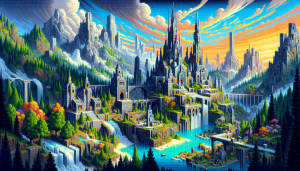
Es kann frustrierend sein, wenn man nach einem langen Tag in Minecraft einsteigen möchte und plötzlich auf eine IP-Sperre stößt. Dies kann aus verschiedenen Gründen passieren, oft jedoch aufgrund von Beschränkungen, die von Spielservern gesetzt werden. Um solche Hürden zu überwinden und gleichzeitig die eigene Online-Privatsphäre zu schützen, kann der Einsatz eines VPNs hilfreich sein. Ein VPN kann nicht nur helfen, geografische Beschränkungen zu umgehen, sondern auch die Sicherheit deiner persönlichen Daten erhöhen.
Was sind IP-Sperren in Minecraft und warum treten sie auf?
IP-Sperren in Minecraft treten auf, wenn ein Server den Zugang zu bestimmten IP-Adressen blockiert. Dies kann passieren, wenn ein Server Administratoren bemerkt, dass von einer bestimmten IP aus gegen die Regeln verstoßen wurde oder wenn versucht wird, unzulässige Aktionen durchzuführen. Am häufigsten trifft man diese Sperren bei Streaming-Programmen und Fernsehsendern an. So kann es beispielsweise schwierig werden, ohne einen VPN wie Surfshark Servus TV oder andere lokale Sender mit einer ausländischen IP-Adresse zu strean.
Dies kann auch bei Minecraft-Servern mit Geoblocking passieren. Diese Maßnahmen sind oft dazu gedacht, die Server sicher und fair zu halten. Allerdings kann es vorkommen, dass unschuldige Spieler davon betroffen sind, ohne etwas falsch gemacht zu haben. Hier kann ein VPN nützlich sein, um diese Sperren zu umgehen und weiterhin uneingeschränkt spielen zu können.
Die Funktionsweise eines VPNs: So schützt du deine Identität
Ein VPN, oder Virtual Private Network, ist ein Tool, das deine Internetverbindung über einen sicheren Server leitet und deine IP-Adresse verbirgt. Dadurch wird es für Server schwieriger, dich zu identifizieren oder deine Aktivitäten online nachzuverfolgen. VPNs verschlüsseln deine Daten, was bedeutet, dass niemand, auch nicht dein Internetanbieter, sehen kann, welche Webseiten du besuchst oder welche Daten du überträgst. Das erhöht nicht nur deine Privatsphäre, sondern schützt auch vor Cyberkriminellen, die versuchen könnten, deine persönlichen Daten abzugreifen. Diese Technologie ermöglicht es dir, eine andere IP-Adresse zu verwenden, was besonders hilfreich ist, wenn du IP-Sperren umgehen möchtest, die dir den Zugang zu Minecraft-Servern verwehren könnten.
Schritt-für-Schritt-Anleitung: Ein VPN für Minecraft einrichten
Um ein VPN für Minecraft zu nutzen, musst du zunächst einen VPN-Dienst auswählen, der deinen Anforderungen entspricht. Nachdem du dich für einen Anbieter entschieden hast, lade die entsprechende Software auf dein Gerät herunter und installiere sie. Nach der Installation öffnest du die Anwendung und meldest dich mit deinen Zugangsdaten an. Wähle dann einen Serverstandort aus, der nicht von den IP-Sperren betroffen ist, um deine Verbindung herzustellen. Sobald die Verbindung steht, öffne Minecraft und versuche, dem Server erneut beizutreten. Mit einem aktiven VPN sollte es dir nun möglich sein, die IP-Sperren zu umgehen und wieder in dein Lieblingsspiel einzutauchen. Es ist wichtig zu beachten, dass du die Serverregeln respektierst und keine unzulässigen Aktivitäten durchführst, um zukünftige Sperren zu vermeiden.
Exploring the World of Online Minecraft Games: A Creative Universe Awaits
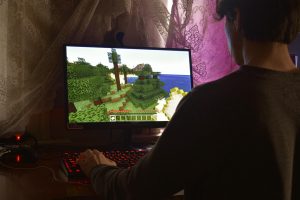
Minecraft has taken the world by storm, offering a virtual playground for creativity, adventure, and problem-solving. Online Minecraft games add an extra layer to this experience by allowing players to join others from around the globe, dive into multiplayer challenges, and explore endless player-created worlds.
Here’s a look into the exciting possibilities in online Minecraft gaming and what makes it so engaging for all ages.
Why Play Minecraft Online?
Online Minecraft games offer several benefits that elevate the standard Minecraft experience:
Collaborative Play:
Join forces with friends or make new ones as you tackle challenges together, build massive structures, or go on thrilling adventures.
Community Creations:
Discover worlds crafted by other players and explore unique settings, from bustling cities to epic fantasy landscapes.
Diverse Gameplay Modes:
Multiplayer options include everything from Survival and Adventure modes to more structured Minigame servers, offering something for every player type.
Learning and Skill-Building:
Online Minecraft can be a platform for skill development, fostering teamwork, creativity, and problem-solving skills.
Popular Online Minecraft Game Modes
Survival Multiplayer (SMP)
In SMP, players team up to survive the Minecraft world together, gathering resources, building shelters, and defending against monsters. Players can choose to collaborate or compete, and many servers add unique twists like role-playing elements or modified mechanics.
Creative Mode Servers
For those who love building, creative servers provide unlimited resources and allow players to construct impressive structures without the constraints of survival mechanics. Some servers host build competitions or allow players to work together on massive community projects.
Minigame Servers
These servers are packed with fun and challenging minigames like Capture the Flag, Parkour Challenges, Spleef, and Hunger Games-inspired survival games. Each game offers unique goals and mechanics, perfect for players looking for quick rounds and action-packed gameplay.
Role-Playing Servers (RPG)
RPG servers let players experience Minecraft as characters in a fictional world, often complete with storylines, quests, and special items. Players can take on roles like knights, merchants, or wizards, adding a new dimension to their Minecraft experience.
Hardcore Faction (HCF)
HCF servers are for experienced players seeking a tough challenge. In this mode, factions compete for dominance, fighting against rival groups to control resources and land. Players must strategize and work as a team to survive.
How to Get Started with Online Minecraft Games
Choose a Platform: Minecraft offers Bedrock and Java editions, each with unique online servers. Bedrock is better for cross-platform play like mobile and console, while Java is favored for PC players.
Select a Server:
With so many Minecraft servers, choosing one can be daunting. Try browsing popular server lists e.g., Hypixel, Mineplex for a game mode you’d like to try, or explore specific servers based on your preferred gameplay.
Customize and Prepare:
Many servers offer downloadable mods and resource packs. Prepare by downloading any recommended packs for a seamless experience and create a Minecraft skin for added personality.
Start Playing:
Once you’re connected, you can immediately start exploring, gathering resources, or building structures. Don’t hesitate to interact with other players, as Minecraft communities are generally welcoming and helpful.
Safety and Parental Considerations
While Minecraft is family-friendly, it’s essential to keep in mind:
Server Moderation:
Choose well-moderated servers, especially for younger players.
Chat Controls:
Minecraft allows players to manage chat settings and block unwanted interactions.
Educational Potential:
Some servers, like those used in educational settings, are specifically designed for learning, making them great for younger audiences.
Wrapping Up
Whether you’re a seasoned player or new to the world of online Minecraft games, the opportunities are endless. From grand creative builds to strategic PvP battles, Minecraft’s online platforms offer a vast and varied playground for imagination and adventure.
5 iPhone Apps Minecraft Players Will Find Useful
The iPhone is one of the most widely used devices in the world, and it has a vast selection of apps to choose from. Minecraft is one of the most popular video games ever created- and there are many dedicated players out there who enjoy playing it.
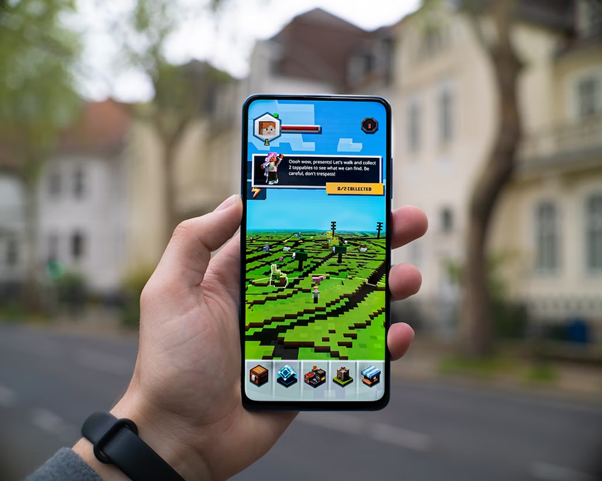
With so many apps available, it can be difficult to figure out which ones will actually be helpful for Minecraft players. Gamers asked us- “what is the best addon app for Minecraft iOS?”
In this blog, we’ll explore some of the best Minecraft skin apps and companion apps to make the users’ experience even better. One of the best and most probably uncommon apps to use with Minecraft is the call recorder app iPhone.
A phone recorder is a great way to re-listen to important conversations if you get distracted while playing games. We’ll explore it more later in this guide.
Keep reading if you’re also a Minecraft player and looking for some companion applications!
Why is it Useful to Download Minecraft Skin Applications?
Playing Minecraft is all about customizing your character to make it look unique. One of the best ways to do this is by downloading the Minecraft skin applications.
There are many benefits to downloading such an application that makes it worth considering if you’re looking for a way to customize your character’s appearance while playing the game.
The main advantage is that Minecraft skin applications allow users to design their own unique clothing and accessories for their characters. These items can range from hats and scarves to full suits and dresses- giving players the freedom of personal expression within the game world.
Additionally, some of these applications often provide access to thousands of pre-made skins from other players who have designed them themselves- allowing users more options when creating their perfect virtual avatar.
5 Best Minecraft Companion Applications:
Minecraft: Skin Studio:
Skin Studio is the perfect Minecraft companion application! With over 1.4 million community skins to choose from and support for both Java and Bedrock Editions- it’s the best way to customize your character’s look.
It also offers a completely remastered user interface and 3D previewing. Plus, with the new alpha transparency on the hat/armor layer, your character will look amazing!
Minecraft: Papercraft Studio:
Papercraft Studio is the ultimate companion app for any Minecraft fan! It offers a range of features- such as importing a Minecraft.net skin, printing 3D blocks, designing 3D models, and adding capes and stands.
Plus, users can also print items such as pickaxes and swords. Best of all, gamers can generate a PIN code to download Papercraft on their PC/Mac or e-mail a copy to themselves – no wireless printer needed!
With all these features, it’s no wonder why Minecraft Papercraft Studio is one of the best Minecraft companion applications.
As we’re discussing some of the best Minecraft addon apps- it’s also worth keeping your call recordings save while you’re playing your favorite games. A call recorder app is especially useful when you’re playing a game or watching a movie- as you may easily get distracted while listening to important calls.
With a reliable call recorder, you can easily re-listen to important conversations later. We recommend people download iCall as it is the best when it comes to recording calls and voice memos.
People can also transcribe their recordings and even share them with others securely. There is also a free trial available. So, download ios app of iCall today!
Seeds Lite For Minecraft – Server, Skin, Community:
Seeds Lite For Minecraft offers tons of seeds for all platforms, user-created content, servers to browse, and the ability to upload your own creations and follow other users.
With its massive 13M user community- it’s one of the best apps to get the best seeds and content for your Minecraft world!
Skin Creator 3D for Minecraft:
This app makes creating and customizing skins easier than ever- helping your Minecraft skins stand out among the rest. The app boasts over 200,000 skins– allowing full 3D editing from any angle and the ability to generate and modify skins automatically. In short, it’s another amazing tool to check out!
Minecraft Education:
Last but not least, Minecraft Education is an ideal app for learning purposes- offering a wealth of learning opportunities; from coding and literacy to digital citizenship and sustainability.
With features- including multiplayer mode, Code Builder, integration with Microsoft Teams, etc., it’s an invaluable tool for engaging all learners.
In conclusion, gamers can take their gaming experience to the next level by downloading the above-mentioned Minecraft companion apps. Also, don’t forget to use a call recorder tool like iCall next time you’re on call to keep a log of your conversations and to re-listen to important conversations later when required.
4 Tips to Become the Best Minecraft Player on the Server: How a VPN Can Help You Improve Your Game
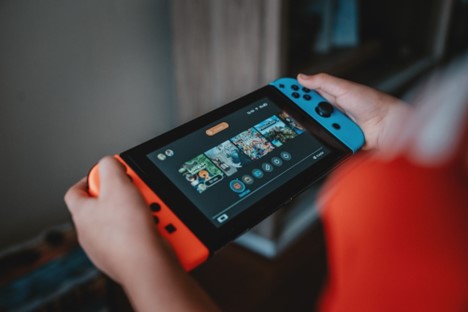
Minecraft is one of the most played video games in the world. Therefore, being the greatest player on the server is highly sought after and difficult to achieve. However, regardless of your level of experience, there are a few things you can do to raise your performance and rise to the top of the server. Here are four suggestions for how to get good at Minecraft.
Practice, Practice, Practice
You can become the top Minecraft player on the server by practicing often. Like any other skill or activity, the more you practice, the more proficient you will become. Practicing different techniques such as building, crafting, combat, and exploration can help you develop your skills and improve your gameplay. With fast-paced games like Minecraft, muscle memory is crucial, and practicing helps you acquire this. Muscle memory is the ability to perform actions automatically without having to think about them consciously. This is particularly crucial in combat, as split-second choices can determine whether a battle is won or lost.
Watch Tutorials and Streams
Another useful strategy for being the top Minecraft player on the server is to watch tutorials and streams. Online, there are innumerable tutorial videos and streams produced by seasoned players who are eager to impart their knowledge and skills. You can learn the fundamentals of the game as well as more complicated tactics and strategies from them. You can learn how to construct buildings, gather resources, and engage in combat from these skilled players. Some lessons focus on particular components of the game, like sophisticated mod interactions or redstone mechanisms.
Tutorials and broadcasts can be amusing as well as educational. You can watch your favorite streamers play Minecraft and talk with their viewers, which can build a sense of community and connection. You may learn more about Minecraft and enhance your gaming by watching lessons and streaming. So, if you’re wondering how to get good at Minecraft, learn from the professionals. You can pick up new tricks, tactics, and mechanics from seasoned players while also observing how they approach various game problems.
Use a VPN to Become the Best Minecraft Player
Using a VPN like VeePN can help you play Minecraft on your PlayStation system more effectively. Lag and latency, which are frequent problems when playing online games, can be decreased by using a VPN. It can also shield your privacy, stop DDoS attacks and help you get around geo-restrictions.
To use a Playstation VPN you must configure it to your router. While some VPN companies provide instructions on how to accomplish this, others provide specific router programmes. For instance, VeePN provides a free trial and offers step-by-step instructions on how to configure their service on a router. It is the best VPN for PS4, so download it today. However, note that all devices connected to the network, including your PlayStation, will only be secured by the VPN once you have configured it to your router. Check any review of VeePN to learn more.
Join a Minecraft Community
Another fantastic way to dominate the Minecraft community is to join one. If you are a member of a community, you will have access to a network of seasoned gamers who can offer advice and support. You can also learn from the methods and experiences of other players. You can start by looking for a Minecraft community on social media, online forums, and gaming websites. Search for Minecraft-specific organizations or communities that have a thriving user base. The ability to participate in events and competitions where you may test your talents and compete against other gamers is another benefit of joining a community.
Being a part of a community might also help you learn how to get good at Minecraft. You can acquire suggestions and guidance from other players as well as feedback on your gameplay. In order to help new players develop their skills, several communities also provide mentorship programmes where seasoned players can work one-on-one with other community members.
Concluding Thoughts
In conclusion, becoming the best Minecraft player on the server takes practice, knowledge, and dedication. By applying the four tips mentioned in this article – practicing, watching tutorials and streams, using a VPN and joining a community – you can improve your gameplay and rise to the top. Whether you’re a beginner or an experienced player, there’s always something new to learn in Minecraft. So don’t be afraid to try new things, take risks, and have fun as you strive to become the best player on the server.