Minecraft Trial Chambers: Brutal New Challenges & Hidden Secrets in 1.21!

“Think you’re good at Minecraft? This update proves you’re wrong. Trial Chambers are here—and they’re ruthless. Here’s everything you need to survive…”
Minecraft 1.21’s Trial Chambers: A True Survival Test
Mojang has officially raised the stakes with Trial Chambers, a new dungeon-style structure packed with deadly mobs, high-risk loot, and mechanics that will punish players who aren’t ready. If you thought Ancient Cities or Woodland Mansions were terrifying, Trial Chambers might take the throne as Minecraft’s hardest challenge yet.
This isn’t your usual “loot and leave” dungeon—each chamber forces combat-focused survival, pushing players into wave-based battles that escalate in difficulty. So if you’re just here to dig for diamonds, you’re in for a rude awakening.
What Are Trial Chambers? New Dungeon Mechanics Explained
Trial Chambers are procedurally generated underground structures found deep beneath the world. Unlike regular dungeons, these aren’t simple mob-spawning rooms—they’re combat gauntlets packed with waves of hostile mobs and hidden traps designed to test your survival instincts.
Key Features of Trial Chambers
- New “Trial Spawner” Mob Mechanic
The traditional mob spawner just got an upgrade. The Trial Spawner dynamically adjusts mob waves based on the number of players present, ensuring a fair challenge no matter your group size. - Unique Room Variants
Each Trial Chamber offers different themes, varying layouts, and progressive combat sequences, meaning every run is slightly unpredictable. - Specialized Loot Rewards
Conquer the chambers and you’ll earn high-value loot, new exclusive gear, and rare enchanted items that make the challenge worth the pain.
How to Survive a Trial Chamber: Pro-Level Strategies
If you plan on taking on the Minecraft 1.21 Trial Chambers, don’t go in blind. Here’s what you need to know to survive:
1. Bring Reinforcements (or Prepare for Pain)
Trial Chambers scale difficulty based on player count. Solo runs are possible, but multiplayer makes survival easier.
2. Gear Up for Brutal Battles
Prioritize enchanted gear—Protection IV armor and Sharpness V weapons are mandatory. Fire resistance potions could save your life.
3. Understand the Trial Spawner System
Unlike traditional mob spawners, waves come in unpredictable intervals. Strategy matters—rushing blindly is a mistake.
4. Don’t Ignore the Loot
Some exclusive gear is only found in Trial Chambers. Risk equals reward—but only if you survive.
Are Trial Chambers Minecraft’s Most Hardcore Update?
Minecraft 1.21 might have just introduced one of the most exciting survival mechanics ever. Trial Chambers aren’t just another dungeon—they challenge everything players know about mob combat, dungeon crawling, and survival strategies.
If you’re looking for a true test of skill, grab your best gear, rally your friends, and prepare for chaos—because Trial Chambers are about to change Minecraft forever.
Are you ready?
How Technoblade Made It Into The Minecraft Movie: A Legendary Tribute
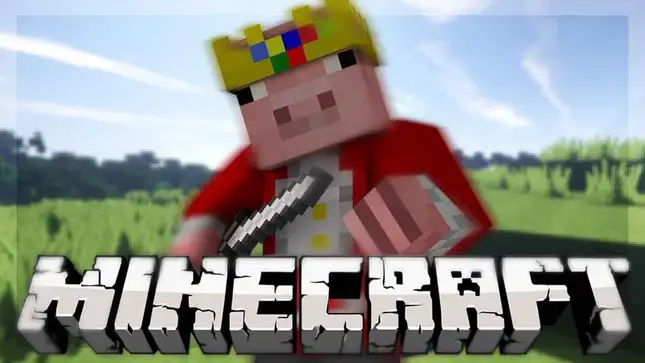
In the world of Minecraft, heroes come in many forms. Some wear armor, others wield mighty swords, and some, like Technoblade, wear crowns—literally. And when it comes to paying tribute to someone who shaped the game and its community, Minecraft’s latest movie did just that in one of the most heartwarming ways imaginable.
But it wasn’t just any tribute. It was an Easter egg—one hidden in plain sight for fans who knew exactly what they were looking for. Let’s dive into the tribute that proves, once again, that Technoblade never dies.
The Hidden Tribute: A Pig with a Crown
Early in the Minecraft movie, our heroes find themselves wandering through a vibrant village, taking in the sights. It’s a classic Minecraft scene, filled with detail. But if you’re paying attention—really paying attention—one pig stands out from the rest.
It’s a pig, yes—but not just any pig. This one wears a colorful crown. It’s not immediately obvious, but as it walks by, it turns to look at the audience before trotting off to do its own thing.
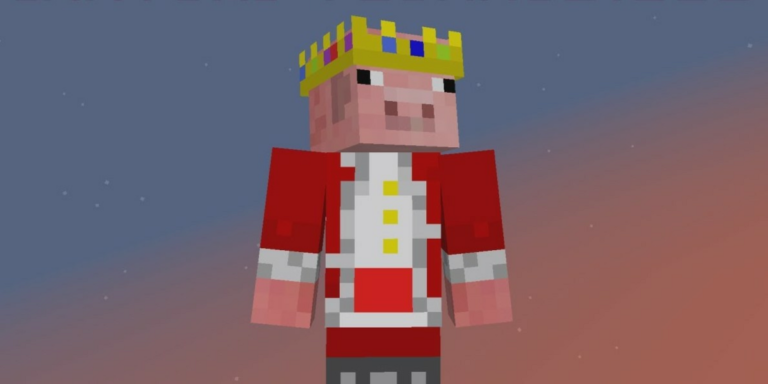
To the casual moviegoer, this might seem like nothing more than a charming little background detail. But for dedicated Minecraft fans, there’s a deeper meaning. As Henry, one of the characters, asks, “Is this a king?” Steve replies, “No, he’s a legend.”
The Heartfelt Reference to Technoblade
For fans of the game and the community, this scene isn’t just about a pig wearing a crown—it’s a loving reference to Technoblade, the iconic Minecraft content creator who passed away in 2022 after his battle with cancer.
Technoblade, known for his skill, humor, and heart, had an avatar with a crown—a symbol of his legendary status in the Minecraft community. His passing marked the end of an era for many fans, but his legacy lives on through the incredible impact he had on the game and its players.
While I wasn’t personally a viewer of Technoblade’s content, there’s no denying the love and admiration he earned from millions. His connection to the game was more than just professional—it was personal, and his fans loved him for it.
Keeping His Legacy Alive
Since Technoblade’s passing, his legacy has been kept alive by Minecraft players and creators around the world. And the Minecraft movie, in its subtle yet meaningful tribute, is a testament to the lasting influence he had.
In an interview with director Jared Hess, we learned more about how this tribute came to be. It turns out, Sebastian, the actor who plays Henry, was the driving force behind it. He shared his personal connection to Technoblade, saying, “Look, there’s this amazing Minecraft player named Technoblade who passed away, and I would love to be able to honor him somehow in the film.”
The filmmakers were on board immediately. As Hess put it, “We spoke with our design team and there’s a really, really sweet special nod to Technoblade in the film.” And that’s how the pig with the crown came to life.
A Tribute That Matters
It’s one thing to see a tribute thrown in for the sake of fan service. But this? This is different. It’s a heartfelt tribute to a legend, a way for the film’s creators to honor someone who meant so much to the Minecraft community.
And in many ways, it feels like Technoblade is still with us—in spirit, at least—continuing to inspire players and creators alike, even after his passing.
What Does This Tribute Mean to You?
So, what do you think about this Technoblade Easter egg in the Minecraft movie? Was it everything you hoped for? Or did you miss it entirely on your first watch? For those who were lucky enough to spot it, it’s a moment that hits home, especially for anyone who followed Technoblade’s Minecraft adventures.
Let’s talk about it! Head down to the comments and share your thoughts on this beautiful tribute. Did it resonate with you as much as it did with me? Or maybe you just want to talk more about Technoblade’s incredible influence on Minecraft and gaming in general.
This tribute to Technoblade isn’t just about a pig with a crown—it’s about remembering a legend whose impact will always be felt in the world of Minecraft.
Technoblade never dies.
2025 McDonald’s Minecraft Movie Happy Meal Toys: Small Blocks, Big Imagination
Let’s talk about something simple.
A Happy Meal toy.
We’ve all seen them. Tiny figures, usually with a sticker or a spinning part, maybe a short-lived “wow” from a child before it ends up under the sofa. But what if I told you the new McDonald’s Minecraft Movie Happy Meal toys are a little different?
What if these 12 little toys actually give us more than a minute of joy? What if they open the door to creativity, to imagination—and yes, even to storytelling?
This is what’s happening with the 2025 Minecraft toys from McDonald’s, and let me tell you why they’re more than just plastic.
Welcome to the Blocky World of Minecraft Toys
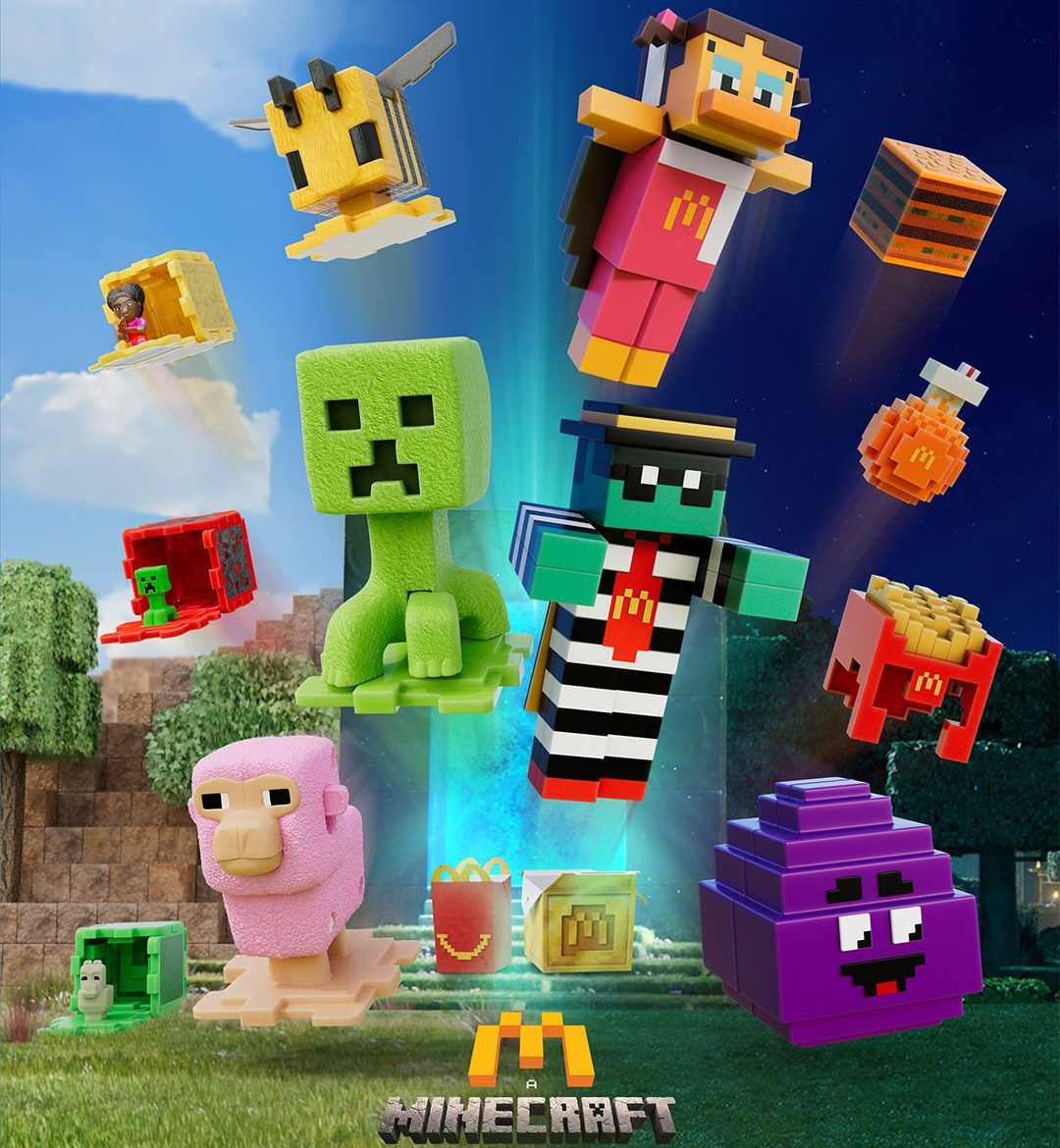
Released in early 2025, this new set of McDonald’s Happy Meal Minecraft Movie toys includes 12 unique pieces inspired by the upcoming Minecraft movie. Each toy comes in a cube or block form, which unfolds or pops open to reveal a character from the film.
We begin with the Grass Block and Llama—a cute, simple toy that sets the tone for the whole set. Inside the block, you get stickers to decorate your scene, instructions to build your mini environment, and of course, the little llama figure itself. It’s adorable, well-designed, and yes, it even clips into place.
Right from the start, these collectible Minecraft toys for kids invite interaction. They’re not just figures. They’re pieces of a bigger world.
Characters That Come to Life—Sort Of
Let’s talk characters. The second toy features the Evoker—a blue-headed figure with a little action move. Press his head, and he lifts his arms like he’s casting magic spells. It’s fun, a little unexpected, and perfect for fans who loved the movie version.
Then there’s Dawn with a pickaxe, Garrett, and even Steve—Minecraft’s original adventurer. Each one is stored in a colorful block: gold, stone, or diamond, and just like the first toy, you can decorate, unfold, and create with stickers and scene parts.
One of the most laugh-out-loud toys in the set? The Skeleton. It has that blocky Minecraft design, but its little dance when you press it down brings real joy. And when you pair it with the Pink Sheep, which opens its mouth in the funniest way, it becomes a show all by itself.
Build, Swap, Play: The Real Gimmick
What really makes this set shine is what happens when you bring the toys together. The blocks have hinges on every side, allowing kids (and collectors!) to swap panels, mix terrains, and make custom Minecraft landscapes.
This is where McDonald’s Minecraft Happy Meal toys 2025 go beyond just being fun. They become tools for creativity. Water blocks. Stone tiles. Snow pieces. And of course, the characters—llamas, bees, wolves—all fit together like a mini modular world.
They’re like puzzle toys for Minecraft fans—and that makes them stand out.
The Details That Make You Smile
Some of these toys have real charm.
The Creeper has little feet that wiggle when you press his head—so simple, but so fitting. It’s a perfect nod to how Creepers move in the game. The Pink Sheep’s silly face, with its open mouth and tiny teeth, is pure comedy gold. And the Bumblebee? It’s probably the cutest of the set, with little wings and a gentle look that’s sure to be a favorite with younger kids.
And yes, even the Happy Meal boxes themselves are themed. There’s one shaped like a Creeper and another like the bee. They don’t do much, but they match the vibe of the toys and give fans one more thing to enjoy.
From Toys to Collectibles
While these are clearly made for kids, there’s something here for collectors, too. The 2025 McDonald’s Minecraft toys have that rare mix of personality and playability. They’re colorful, full of character, and made to be displayed, played with, or both.
Some of them, like Steve or Dennis the Wolf, even have light action features. Press down Dennis, and his tail wags while his mouth flaps open. It’s just goofy enough to love.
Even the less interactive toys—like the Redstone Block or Pink Wool Block—have strong collectible value because they complete the set and add more textures to your Minecraft-style scene.
So, What’s the Big Deal About Happy Meal Toys?
We live in a time where most toys light up, talk, or connect to an app. And yet, these McDonald’s Minecraft toys 2025 remind us that creativity doesn’t need batteries.
They’re quiet. They’re simple. And they ask one thing from the child (or grown-up) who opens the box:
Imagine.
Design your own Minecraft world. Decorate it. Swap it. Name your llama. Make your skeleton dance. Tell stories. Share them. And then do it all again.
That’s not just a toy. That’s play. And play, as we all know, is one of the most powerful things we can give.
The Final Block
So here’s the truth. These Minecraft Movie toys from McDonald’s may be small. They may come free with lunch. But they’re packed with possibility.
They’re fun. They’re collectible. And they let kids explore the world of Minecraft beyond the screen.
And maybe—just maybe—they remind us that sometimes, all it takes to spark a big idea… is a little block.
Minecraft Underground Expansion – Possible Future Cave Biomes and Hidden Wonders

Minecraft’s underground world has always been a place of mystery, adventure, and danger. The Caves & Cliffs update revolutionized cave generation, but players have long speculated about what could come next. With the introduction of lush caves, dripstone caverns, and deep dark cities, Mojang has laid the foundation for even more complex underground environments.
This article explores the potential next phase of Minecraft’s underground evolution, focusing on new cave biomes, hidden structures, rare underground resources, and gameplay enhancements that could redefine the way players interact with Minecraft’s subterranean world.
Why Minecraft Needs More Cave Biomes
While Minecraft’s existing cave system is expansive and visually diverse, it still lacks specialized biomes beyond the ones introduced in Caves & Cliffs. A cave expansion would add unique ecosystems, distinct mobs, and biome-specific terrain generation, making spelunking more rewarding.
Crystal Caverns
These breathtaking underground formations would feature glowing crystal clusters, casting eerie ambient light through vast tunnels. Players could mine luminite ore, a new bioluminescent resource that could be crafted into enchanted lanterns, radiant armor, or even unique teleportation blocks.
Magma Tunnels
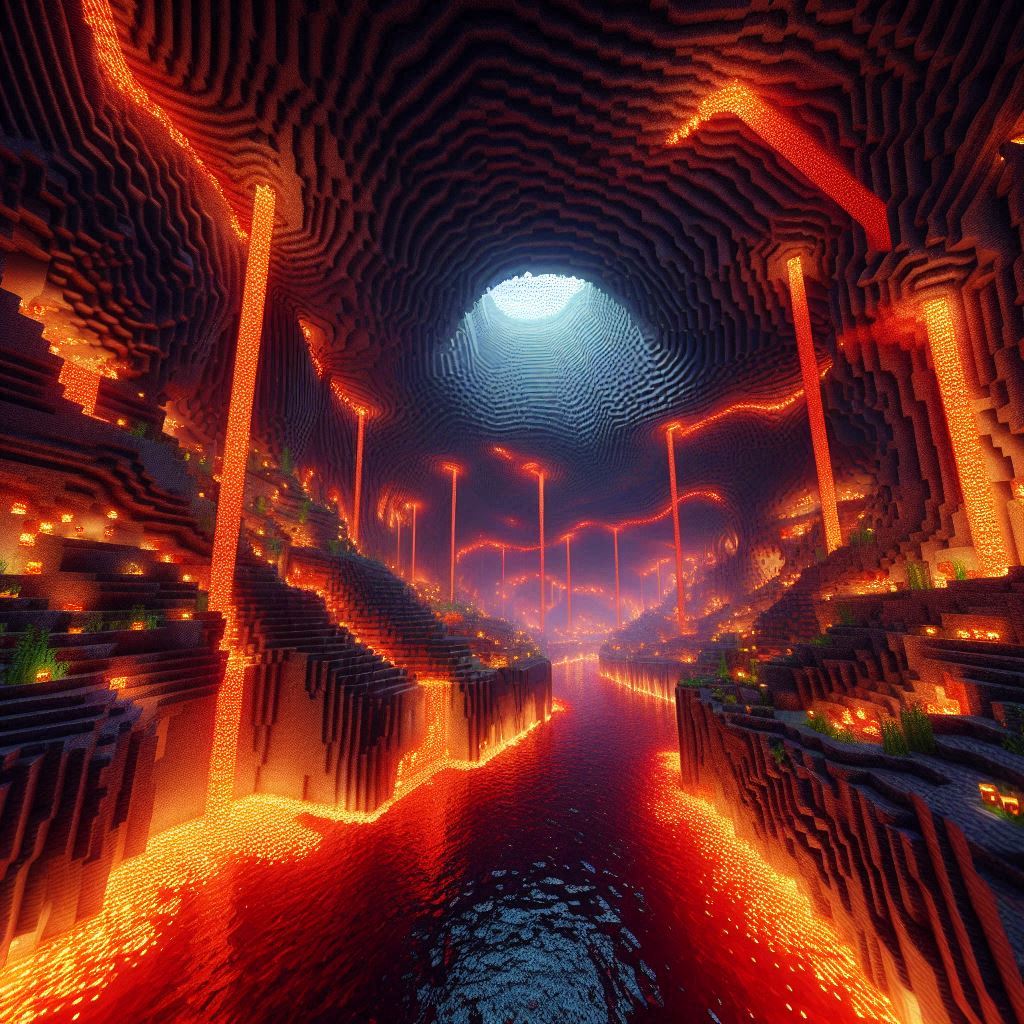
Deep beneath the Overworld, magma tunnels would introduce heat-resistant creatures, including molten slimes that split into fiery fragments upon defeat. These tunnels would be rich with volcanic rock, a blast-resistant material perfect for constructing fireproof shelters near lava lakes.
Fungal Depths
Expanding the underground mushroom biome, the fungal depths would be home to bioluminescent fungi, glowing spores, and passive mobs like mushroom sprites, which could aid players in regrowing crops in dark environments.
Hidden Underground Structures
Minecraft’s strongholds, ancient cities, and mineshafts add mystery to cave exploration, but new underground structures could offer fresh challenges and lore-driven encounters.
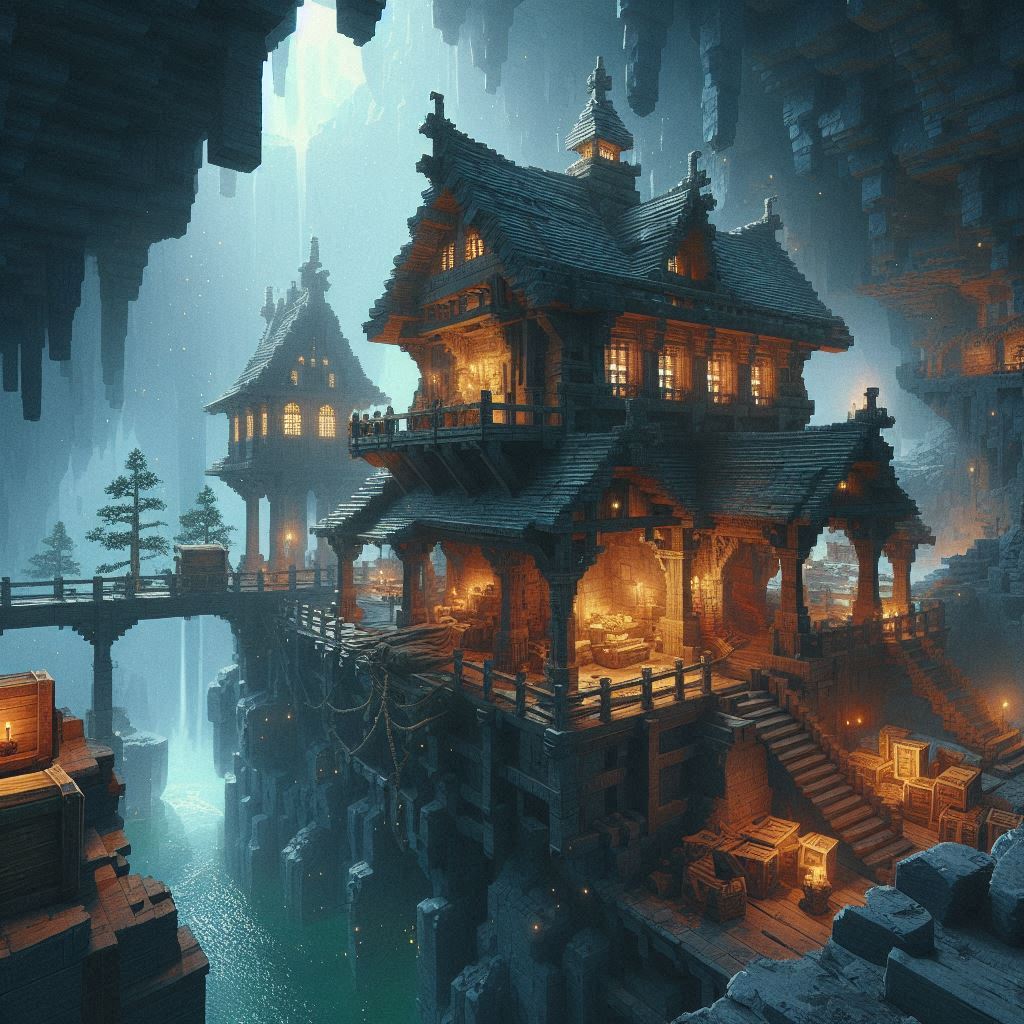
Ancient Miner’s Outpost
These abandoned mining facilities would contain rare artifacts, worn tools, and hidden tunnels leading to deeper cave biomes. Players could uncover long-lost treasure maps, leading to buried caches filled with valuable minerals.
Crystal Sanctuaries
Hidden deep within crystal caverns, these temple-like sanctuaries would be guarded by animated stone golems, requiring players to solve puzzles to access their rewards.
Lost Ruins
Buried beneath layers of rock, the lost ruins could introduce archaeology-based gameplay, allowing players to uncover relics, ancient writings, and forgotten civilization artifacts that could reveal Minecraft’s deeper lore.
Rare Underground Resources
An underground expansion wouldn’t be complete without new materials to mine, craft, and experiment with.

Luminite Ore
A glowing mineral found in crystal caverns, used for light-emitting armor and enchanted tools, allowing players to navigate dark caves without needing torches.
Volcanic Rock
A heat-resistant block mined in magma tunnels, perfect for reinforcing Nether portals and blast-proof structures.
Ancient Fossils
Buried deep underground, ancient fossils could be used for custom decorative structures or even crafting unique tools inspired by prehistoric creatures.
Gameplay Enhancements
Beyond new biomes, structures, and resources, an underground expansion could introduce mechanics that make cave exploration more immersive.
- Dynamic cave lighting – Expanding on light physics, players could find natural glowing materials that illuminate tunnels.
- Biome-specific sound effects – Caverns would generate unique ambient sounds, echoing footsteps and water drips in underground rivers.
- Improved spelunking gear – New tools like grappling hooks and climbing ropes could allow players to explore caves more efficiently.
Best Minecraft Seeds for Underground Exploration
With an underground expansion, players would seek the best world seeds to experience these changes. Here are a few possibilities.
Frozen Lake Valley
- Cold-weather animals naturally spawn in snowy caves.
- Leaf litter adds texture to cave entrances, making them feel alive.
- Snow wolves roam in underground icy biomes.
Swamp Firefly Haven
- Glowing firefly bushes illuminate murky swamp caves.
- Underground fungal depths connect directly to swamp biomes.
- Mysterious sunken structures reveal ancient secrets beneath marshes.
Badlands Glow-Up
- Warm animals appear near desert cavern entrances.
- Cactus flowers bloom underground in volcanic tunnels, adding rare desert biodiversity.
- Whispers of sand enhance underground soundscapes for immersion.
Minecraft’s underground world has endless potential, and future updates could introduce new cave biomes, hidden structures, and rare resources to make spelunking more exciting. Whether you enjoy adventuring deep underground, crafting new gear, or uncovering ancient mysteries, an expanded cave system would add immense depth to the survival experience.
What features would you love to see in a Minecraft cave expansion?
Minecraft Spring to Life Update – New Mobs, Biomes, and Nature Upgrades
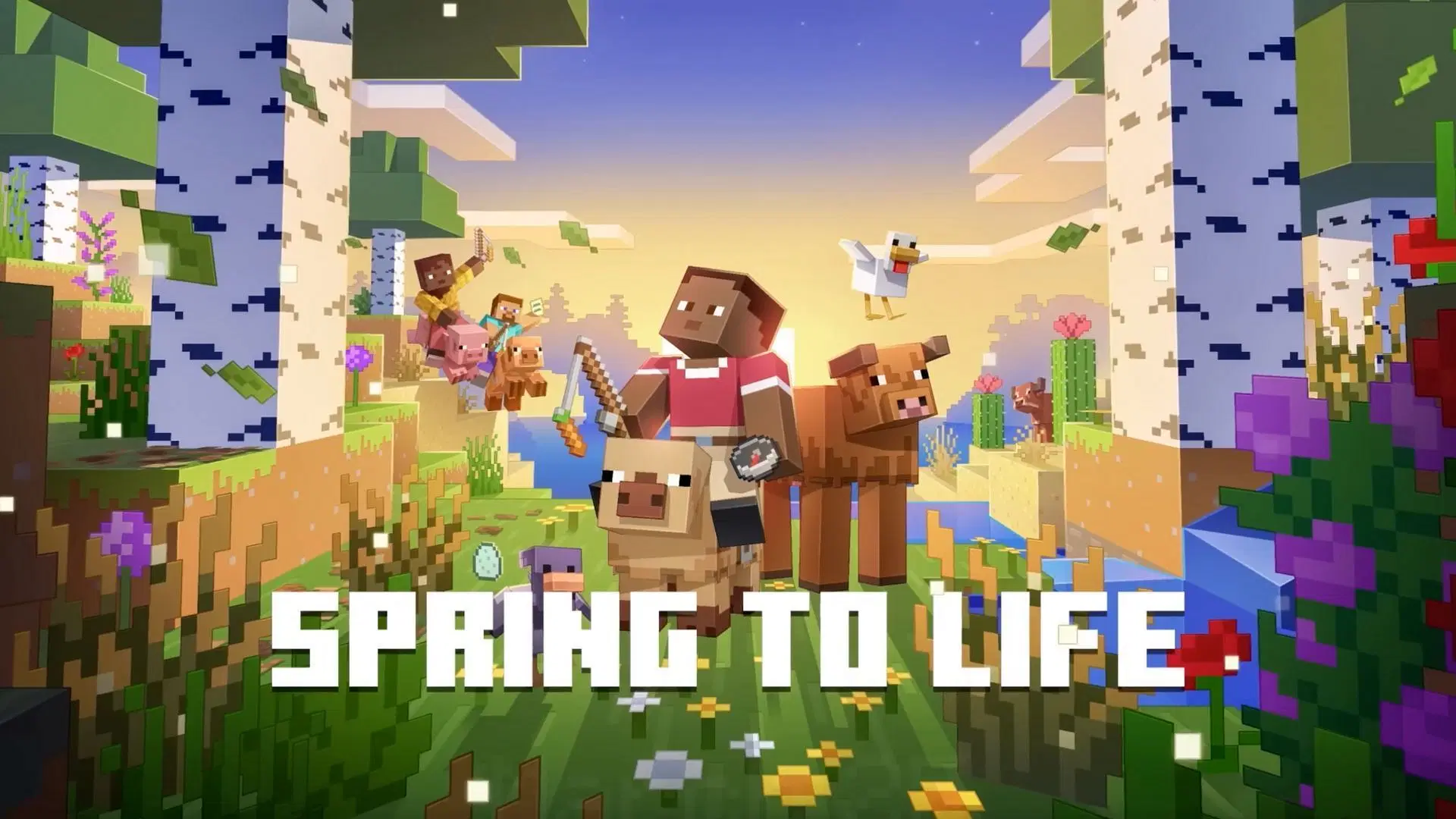
Minecraft’s Spring to Life update is finally here, bringing a wave of environmental and biome-specific changes that make the world feel more immersive and alive. With new mob variants, realistic biome enhancements, and small but meaningful gameplay tweaks, this update focuses on exploration and nature appreciation.
New Mob Variants – Biome-Specific Adaptations
One of the biggest additions in the Spring to Life update is mob diversity based on biome conditions.
Cold Biome Mobs
Animals in cold regions now have thicker fur and darker shades, helping them blend into snowy environments.
- Pigs, cows, and chickens appear fluffier, making them look more suited to icy landscapes.
- Wolves now have distinct coats, helping players tell wild wolves apart from their tamed ones.
Warm Biome Mobs
Deserts and savannas now spawn lighter-colored animals with thinner fur.
- Camels have richer skin tones, giving them a unique desert-adapted look.
- Chickens and cows sport golden-tinted coats, blending with sandy terrain.
Sheep Wool Changes
Sheep now spawn with wool colors tied to their biome.
- Brown wool in deserts and badlands
- Black wool in snowy biomes
- White wool in forests and plains
Biome Improvements – More Detail, More Realism
Minecraft’s Spring to Life update introduces subtle environmental changes that enhance biome uniqueness.
Firefly Bushes
Swamp and river biomes now feature firefly bushes, glowing at night to add ambiance. These bushes attract new mini-insects, making nighttime exploration more magical.
Falling Leaves
Leaves now shed slowly, creating natural leaf litter across forest floors. The effect is seasonal, increasing during in-game autumn cycles.
Whispers of Sand
Deserts and badlands now have ambient sounds tied to wind direction. Occasional sand ripples form when strong winds blow, adding depth to exploration.
Cactus Flowers
Cacti now bloom in warmer biomes, producing small but vibrant flowers. Bees interact with these flowers, increasing pollination rates.
Fallen Trees
Forests now generate fallen logs, making terrain more realistic and visually interesting.
Gameplay Tweaks – Quality of Life Improvements
- Spawn Egg Redesign – Now, every mob egg visually represents the creature, making them easier to identify.
- Lodestone Crafting Update – Lodestones now require iron ingots instead of netherite, making them more accessible for survival players.
Best Minecraft Seeds for the Spring to Life Update
Want to experience the update’s full beauty? Try these best Minecraft seeds.
Frozen Lake Valley
- Cold-weather animals spawn naturally
- Leaf litter adds texture to the ground
- Snow wolves with thick fur roam freely
Swamp Firefly Haven
- Lush swamps with glowing firefly bushes
- Nighttime looks magical with dynamic lighting effects
Badlands Glow-Up
- Warm animals roam freely
- Cactus flowers add beauty to the desert
- Wind whispers enhance immersion
How Spring to Life Changes Exploration
Minecraft’s Spring to Life update prioritizes biome realism, small details, and immersive exploration. Whether you’re an adventurer, builder, or survival expert, the new mob variants, improved environmental features, and realistic biome textures will transform how you interact with the world.
Have you tried the Spring to Life update yet? What’s your favorite feature?
How Minecraft Education is Transforming the Classroom

Minecraft Education Edition is a special version of the popular game, Minecraft, designed specifically for use in schools. Created by Mojang Studios and Xbox Game Studios, it helps students learn in a fun and interactive way. With unique features that make it easy for teachers to use in classrooms, Minecraft Education has become a powerful educational tool.
What is Minecraft Education?
Minecraft Education, first released in 2016, is a version of the famous video game Minecraft aimed at making learning enjoyable. Unlike the regular Minecraft game, Minecraft Education includes special features that help students work together, learn new concepts, and be creative. It’s available for various devices, including Windows, macOS, iPad, and Android.
Key Features of Minecraft Education
Minecraft Education offers a range of features that make it easier to use in classrooms. Here are some important ones:
- Easy Collaboration: Students can work together on projects and solve problems as a group. A classroom of up to 30 students can play in the same world without needing a separate server.
- Non-Player Characters (NPCs): Teachers can create characters in the game to help guide students. These NPCs can provide instructions and direct students to helpful resources.
- Camera and Portfolio: Students can take screenshots of their projects and keep track of their progress with a portfolio. This helps teachers see how students are developing their skills.
- Chalkboards: Teachers can use chalkboards in the game to communicate lessons, set goals, and provide extra information to students.
- Classroom Mode: This tool allows teachers to monitor and control the students’ activities in the game, making it easier to manage classroom settings.
How Minecraft Education Supports Learning
Minecraft Education is more than just a game; it’s a platform that helps children learn in creative ways. Students can explore subjects like history, math, and science by building structures and solving problems within the Minecraft world.
Teachers can download lesson plans and activities that are ready to use. These plans cover different subjects and age groups, making Minecraft Education a great tool for teaching a variety of topics. Additionally, educators can create and share their own lesson plans, helping other teachers around the world.
Free and Accessible
Minecraft Education is available to schools and educational institutions for free. All you need is a school account to access the game, which makes it an affordable tool for classrooms. Additionally, Minecraft Education is available in several languages, allowing students from different parts of the world to use it in their language.
The Power of Minecraft Education in the Classroom
What makes Minecraft Education truly special is how it engages students. It’s not just about playing a game—it’s about learning by doing. When students play Minecraft, they use their creativity to build and explore, which helps them develop important skills like problem-solving, teamwork, and critical thinking.
Whether students are building a model of a historical landmark, learning to code, or working together to solve a puzzle, Minecraft Education provides endless opportunities for creative learning.
Lesson Plans for All Ages
Minecraft Education offers a wide variety of lesson plans. These plans are split by age group and subject, so teachers can find the perfect materials for their students. Subjects like history, arts, and even coding are covered in Minecraft’s educational tools.
For younger students, there are easy-to-understand plans that involve simple building and exploration. For older students, there are more complex tasks that require critical thinking and teamwork. With these lesson plans, educators can easily integrate Minecraft Education into their teaching.
How to Get Started with Minecraft Education
To get started with Minecraft Education, teachers can visit the Minecraft Education website and create an account. Once they have access, they can download the game and begin exploring the lesson plans. The game is available on many devices, so it can be used in almost any classroom.
Minecraft Education is a fantastic tool that brings learning to life. With its unique features and easy-to-use platform, it makes classroom learning more fun and engaging. Whether students are building cities, exploring the world, or learning new skills, Minecraft Education is changing the way we teach and learn. It’s not just a game—it’s an educational experience that can help students succeed.
Why Kids Love Minecraft and How It Sparks Creativity

The Best-Selling Video Game
Minecraft is the world’s best-selling video game, with over 300 million copies sold. Since its release in 2009, it has gained millions of players worldwide. Now, a Minecraft movie starring Jack Black and Jason Momoa is set to hit theaters in April 2025, making the game even more popular.
A Game That Lets Kids Build Anything
One reason kids love Minecraft is that it gives them the freedom to build anything they imagine. From huge castles to underground mansions, children create amazing worlds using virtual blocks. Some follow YouTube tutorials, while others come up with unique designs on their own.
The Power of Creative Play
Building is a natural part of childhood. Kids love making sandcastles, playing with Lego, and stacking wooden blocks. Minecraft is the digital version of this. It allows children to explore their creativity while learning problem-solving and design skills.
A Safe Digital Playground
Many parents worry about their kids spending too much time on screens. However, Minecraft is more than just a game—it’s a virtual playground where children can express themselves and develop new skills. Parents can also monitor their children’s activities and set limits on screen time.
A Social Gaming Experience
Minecraft is not just about building—it’s also about social interaction. Kids can play with friends, family, or even classmates in multiplayer mode. When they can’t meet in person, they can connect online and play together. This makes Minecraft a fun and social experience.
Learning Through Play
Some schools use Minecraft as a learning tool. Minecraft Education Edition helps kids learn subjects like math, history, and even languages. Teachers create lessons inside the game, making learning fun and interactive.
Different Ways to Play
Minecraft offers different game modes, so players can choose how they want to play.
- Creative Mode: Players can build freely with unlimited resources.
- Survival Mode: Players gather resources, build shelter, and fight off enemies.
- Adventure Mode: Players explore maps created by others.
- Multiplayer Mode: Players connect with friends online.
Minecraft and Personality
Studies show that how kids play Minecraft reflects their personalities. Some players love exploring, while others focus on building homes or crafting tools. The game lets children express themselves in a unique and personal way.
Screen Time and Online Safety
It’s important for parents to set screen time rules and monitor their kids’ online activity. Minecraft can be a safe and educational space if played responsibly. Organizations like the NSPCC provide tips for keeping children safe while gaming.
Minecraft in the Future
With a new Hollywood movie on the way and millions of active players, Minecraft is not slowing down. It continues to be a favorite game for kids, offering endless possibilities for creativity, learning, and social interaction.
Minecraft is more than just a game—it’s a world of adventure, creativity, and learning. Whether kids are building, exploring, or playing with friends, they are developing important skills while having fun. With Minecraft’s lasting popularity, it’s clear that this game will remain a favorite for years to come.
The Asphyxious CustomPack: A Hauntingly Immersive Minecraft Experience
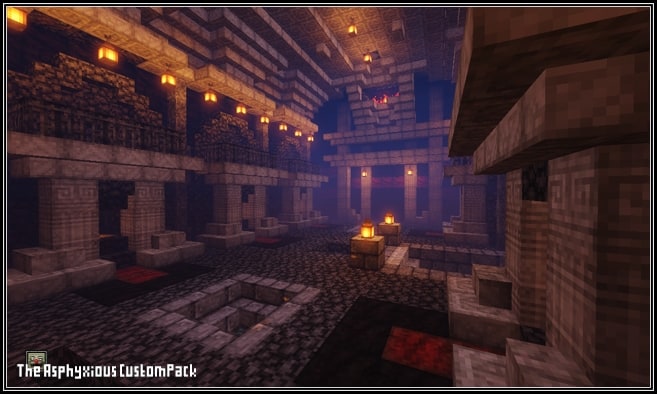
A Unique Horror-Themed Resource Pack
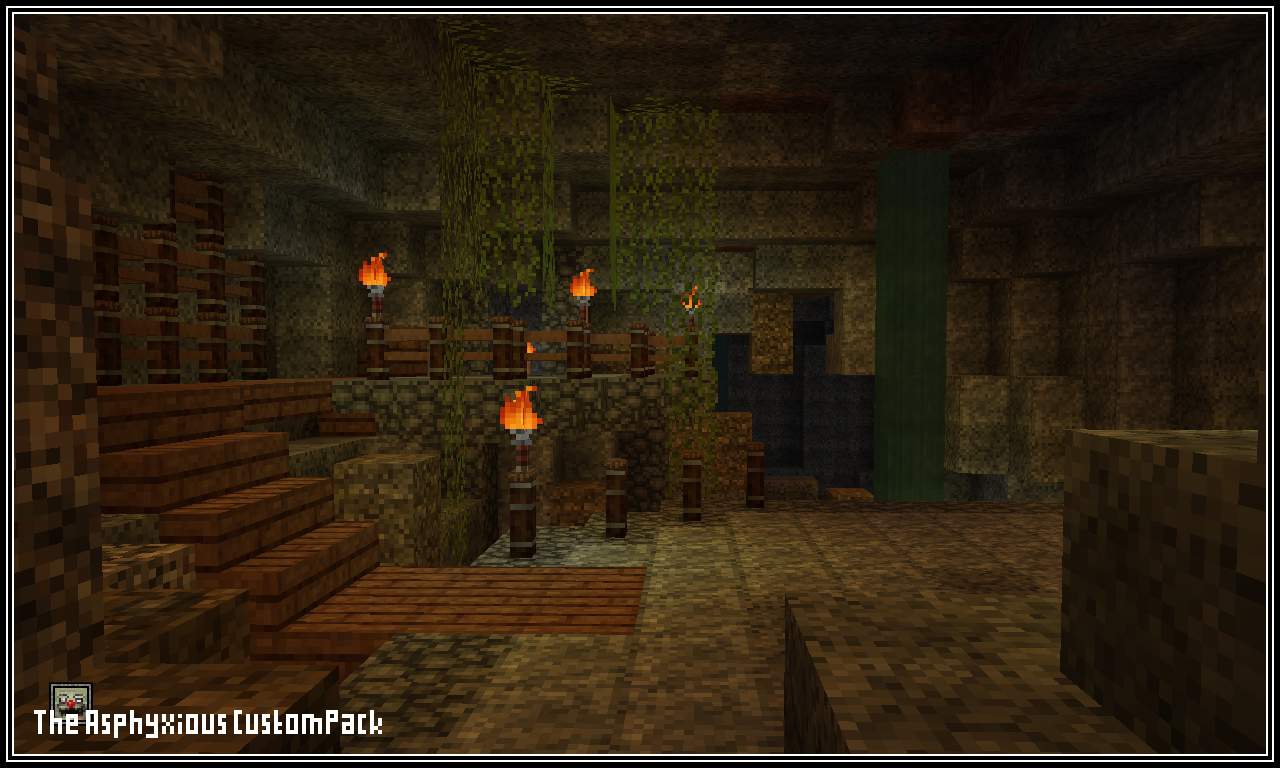
If you’re a fan of eerie aesthetics and love a good scare, the Asphyxious CustomPack is the perfect addition to your Minecraft experience. Unlike standard Halloween-themed packs, this resource pack goes beyond surface-level changes—it fully transforms the game into a chilling, immersive world filled with unsettling visuals and haunting designs.
What Makes Asphyxious Stand Out?
Many texture packs attempt to create a spooky atmosphere, but Asphyxious takes horror to the next level. With custom-designed textures and a completely revamped user interface, this pack ensures that every aspect of the game aligns with its eerie theme.
Key Features:
- Handcrafted Textures – Every block, item, and detail has been redesigned from scratch to evoke an unsettling, horror-infused ambiance.
- Custom User Interface – The game’s UI has been completely overhauled to match the dark and eerie atmosphere.
- Full Game Overhaul – From grass and flowers to doors and planks, nearly everything in Minecraft gets a sinister makeover.
- Smooth Performance – With a resolution of 16×16, this resource pack ensures smooth gameplay without straining your system.
Supported Minecraft Versions
The Asphyxious CustomPack is compatible with a wide range of Minecraft versions, ensuring accessibility for players across multiple updates. Whether you’re playing the latest release or sticking to an older version, this pack has you covered.
Compatible Versions:
- Minecraft 1.21.x – Fully optimized for the latest version
- Minecraft 1.20.x – 1.19.x – Seamless integration for previous versions
- Minecraft 1.18.x – 1.16.x – Works flawlessly without compromising performance
- Minecraft 1.15.x – 1.14.x – Continues to support older versions
- Bedrock Edition & PE – Available for mobile and console players
How to Install the Asphyxious CustomPack
Installing the Asphyxious CustomPack is straightforward. Follow these steps to experience a more sinister version of Minecraft:
- Install OptiFine (Recommended) – Many resource packs, including this one, perform best with OptiFine.
- Download the Pack – Use the official download link below.
- Open Minecraft Launcher – Start the game as usual.
- Go to Options > Resource Packs – Access the settings menu.
- Open the Resource Pack Folder – This will direct you to the correct location.
- Move the Downloaded .zip File – Drag and drop the downloaded file into the resource pack folder.
- Select the Pack in Minecraft – Hover over the pack and activate it.
- Ignore Compatibility Warnings – If Minecraft warns that the pack is designed for a different version, click “Yes” to proceed.
- Click Done & Enjoy – Your new horror experience is ready!
Download the Asphyxious CustomPack
Ready to transform your Minecraft world into a horror masterpiece? Download the Asphyxious CustomPack now and experience the game like never before.
Download Now
Support & Feedback
If you enjoy the pack, consider supporting the creators by voting and leaving a comment. Your feedback helps improve the project and keeps updates coming.
Step into a darker version of Minecraft—if you dare!
Mickey Joe’s Relatively Improved Default Resource Pack
A Better Vanilla Minecraft Experience
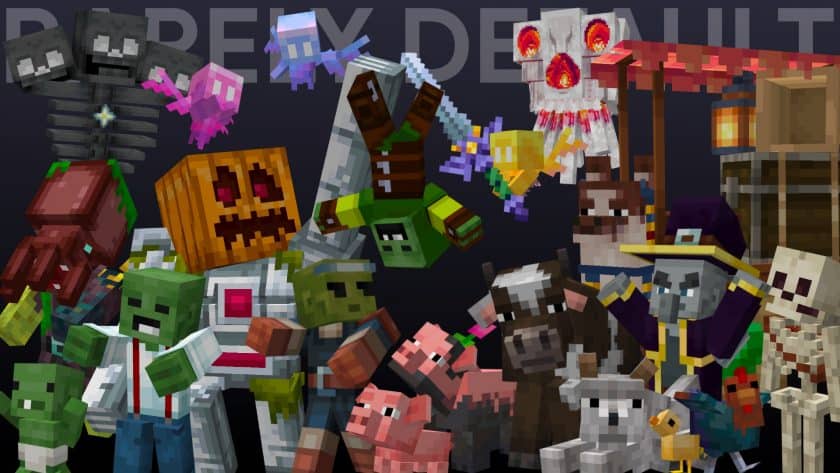
For players who find the default Minecraft textures lacking but don’t want a complete overhaul, Mickey Joe’s Relatively Improved Default resource pack offers a perfect balance. This pack enhances the vanilla aesthetic by refining textures, adding 3D elements, and improving overall visual appeal while staying true to the game’s original style.
Origins and Development
Originally created by MushirMickeyJoe for personal use, the pack quickly gained popularity after receiving positive feedback from the Minecraft community. Encouraged by players, the creator continued updating and refining the pack, incorporating community suggestions and adding new features over time.
Key Features
Mickey Joe’s Relatively Improved Default makes several enhancements to the original Minecraft textures, including:
- New 3D Models – Includes 3D elements for doors, llama heads, and other objects.
- Custom Villager Skins – Adds more variety to villagers, making them feel more distinct.
- Upgraded Weapons – More detailed and refined weapon textures.
- Enhanced Biome-Specific Skies – Mushroom biomes and jungles now have unique sky backgrounds.
- Reduced Texture Noise – Smoother, cleaner textures for a sharper look.
- 32x Resolution – A step up from the default 16x textures while maintaining a lightweight performance impact.
These improvements ensure that the game looks vibrant, colorful, and immersive without straying from the vanilla design philosophy.
Community Impact and Evolution
Since its initial release on Reddit in 2017, the resource pack has undergone numerous updates, driven by community input. The creator, MushirMickeyJoe, remains an active member of the Minecraft community, regularly improving the pack based on player feedback.
Compatibility and Requirements
To use Mickey Joe’s Relatively Improved Default, OptiFine is required. This tool enables features such as:
- Connected textures
- Custom models
- Enhanced performance
The pack supports multiple Minecraft versions, including:
- Minecraft 1.21 – 1.14 (latest updates)
- Works seamlessly with Fresh Animations for additional enhancements
Installation Guide
Installing the resource pack is straightforward:
- Download OptiFine (if not already installed).
- Download the resource pack from the official link.
- Open Minecraft and navigate to Options > Resource Packs.
- Click Open Resource Pack Folder and move the downloaded .zip file there.
- Select the pack from the list and click Done.
- Enjoy the enhanced visuals!
Download Mickey Joe’s Relatively Improved Default
🎮 Upgrade your Minecraft experience today! Click the link below to download the Barely Default resource pack:
Support the creator by leaving a comment and voting for the pack!
Note: If Minecraft warns that the pack was made for another version, you can still use it safely.
Mickey Joe’s Relatively Improved Default is a fantastic choice for players who love the vanilla aesthetic but want better visuals and more immersion. With continuous updates and strong community involvement, it remains one of the best lightweight texture packs available.
Try it out and experience a fresher take on Minecraft’s default look!
Purplo [16x] Texture Pack Release
![Purplo [16x] Texture Pack Release](https://resourcepacks24.de/blog/wp-content/uploads/2025/03/590853-9e69345a-5e3c-4ffd-adc3-0dc71f87547e.webp)
If you’re looking for a fresh and stylish Minecraft resource pack, the Purplo [16x] pack is here! This sleek and visually appealing pack enhances your game with a vibrant purple theme, offering a clean yet dynamic look for PvP and casual gameplay alike.
Features of Purplo [16x]
- Purple Aesthetic – Every texture has been carefully crafted to give your game a smooth and consistent purple theme.
- Optimized for PvP – With clear visuals, reduced distractions, and improved weapon textures, this pack helps in fast-paced battles.
- Smooth FPS – Designed to be lightweight, ensuring better performance even on lower-end PCs.
- Clean UI and Tools – Items, swords, and armor have been modified for a unique, eye-catching look.
How to Install the Purplo [16x] Resource Pack
- Download the Pack – Get the latest version from ResourcePacks24.
- Locate Your Minecraft Resource Pack Folder
- Open Minecraft
- Go to Options > Resource Packs > Open Pack Folder
- Move the File – Drag and drop the Purplo [16x] .zip file into the folder.
- Activate the Pack – In Minecraft, find the Purplo [16x] pack under Available Resource Packs and move it to Selected Resource Packs.
- Enjoy the New Look!
Why Try Purplo [16x]?
If you love vibrant, modern, and well-optimized texture packs, Purplo [16x] is a fantastic choice. Whether you’re playing PvP or just exploring, the sleek designs make everything pop while keeping the game smooth.
🔗 Download it here: ResourcePacks24
Credits to xSwetz for creating this amazing pack!