Terraria Resource Packs for Minecraft: Bring Terraria’s Aesthetic to Your Game
What Is Terraria?
If you’re a Minecraft player who hasn’t explored Terraria, you’re in for a treat. Terraria is a 2D sandbox adventure game that shares similarities with Minecraft but offers a unique pixel-art aesthetic, extensive crafting, and a progression system centered around exploration and combat. The game features a rich underground world, challenging boss fights, and a variety of weapons, tools, and armor.
For players who love Terraria’s visual style, integrating its look into Minecraft is now possible with Terraria resource packs. These texture packs bring the Terraria aesthetic to Minecraft, making it a perfect crossover experience for fans of both games.
Terraria-Themed Minecraft Texture Packs
If you enjoy Terraria’s vibrant pixel art, these Minecraft texture packs can transform your world:
Terraria-Inspired Texture Pack

- What it does: This pack introduces textures from Terraria, bringing its signature pixel art into Minecraft.
- Notable Features:
- Transparent GUI for a cleaner look.
- Bow strength indicator for a Terraria-like combat feel.
- Download Link: Terraria-Inspired Texture Pack
Terraria Music and Texture Adaptation
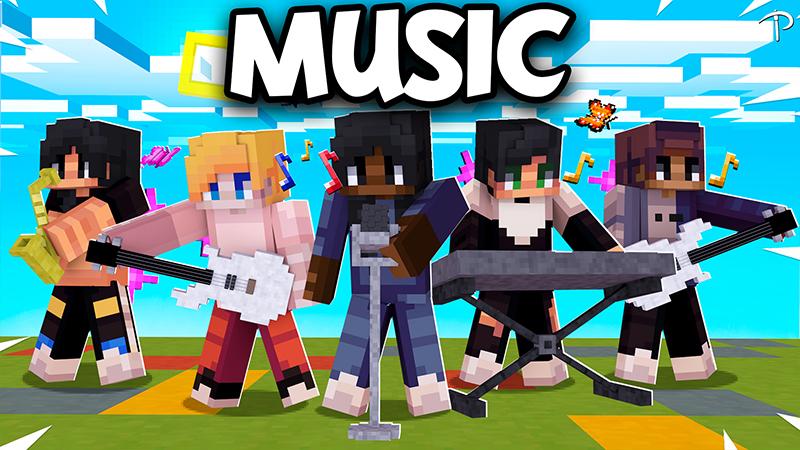
- What it does: This pack integrates Terraria’s music and textures into Minecraft.
- Notable Features:
- Originally exclusive to Twitch users, now adapted for all.
- Includes Terraria’s soundtrack alongside graphical elements.
- Download Link: Terraria Music and Texture Pack
Terraria Small Tools Retexture
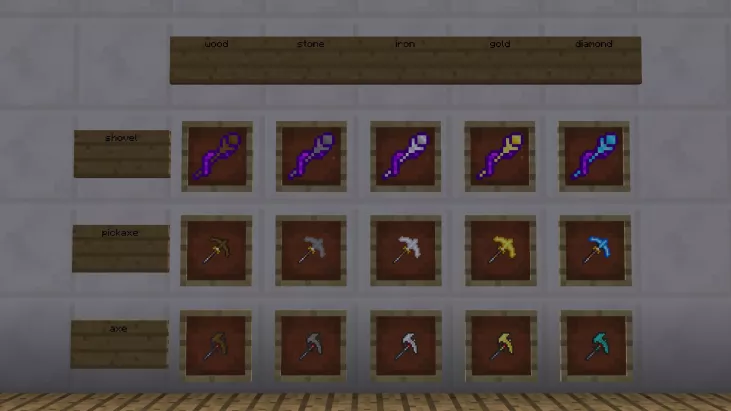
- What it does: Reskins small tools such as the shovel, pickaxe, and axe to match Terraria’s pixel-art style.
- Notable Features:
- Terraria retextured tools for an authentic crossover experience.
- Suitable for players who want subtle changes rather than a full overhaul.
- Download Link: Small Tools Retexture
Why Use Terraria Resource Packs in Minecraft?
There are several reasons why Minecraft players might want to use Terraria-themed texture packs:
- Visual Consistency: If you’re a fan of both games, these packs create a seamless blend of the two styles.
- Nostalgic Appeal: If you’ve played Terraria, bringing its aesthetic into Minecraft can feel familiar and immersive.
- Enhanced Experience: With features like Terraria tool reskin packs and custom tool textures, Minecraft gets a fresh new look while maintaining its core mechanics.
Thanks to the creators! We can now experience these wonderful things.
How to Install Terraria-Themed Resource Packs
Installing a texture pack in Minecraft is simple. Follow these steps:
- Open Minecraft.
- Go to “Options…” in the main menu.
- Click “Resource Packs…” at the bottom left.
- Select “Open Folder.” This will open the resourcepacks directory.
- Download the texture pack from the provided link.
- Move the downloaded .zip file into the resourcepacks folder.
- Return to Minecraft and select the pack in the Resource Packs menu.
- Click “Done” and enjoy your new textures!
For Terraria fans who also play Minecraft, these texture packs provide a great way to merge the two experiences. Whether you want a full Terraria tool texture overhaul or just minor visual tool modifications, these packs offer plenty of customization options.
Give them a try and bring Terraria’s iconic pixel art to your Minecraft world!
Leave a Reply