
Keven G.
Everything New in Minecraft 1.21.4 Update
The latest Minecraft 1.21.4 update brings a fresh experience with exciting new features that enhance gameplay, exploration, and building possibilities. Although it may seem like a minor update, it introduces a new biome, unique blocks, and an eerie mob that adds a layer of challenge. Let’s explore everything this update has to offer.
The Pale Garden Biome

One of the standout additions in Minecraft 1.21.4 is the Pale Garden biome, a variation of the Dark Forest. This biome features a unique gray-toned environment, making it the first-ever biome in Minecraft that alters the color of the sky. The Falling Leaves effect adds an extra atmospheric touch, creating a visually distinct landscape.
- No natural mob spawns – Most biomes are filled with animals or monsters, but the Pale Garden remains eerily empty, with just one exception.
- New tree type: Pale Oak – This biome introduces Pale Oak trees, which provide a fresh set of white and gray-toned blocks, perfect for creative builds.
- New moss variants – You’ll find Pale Moss Blocks, Moss Carpets, and Hanging Moss, all keeping in theme with the biome’s muted color scheme.
The Eye Blossom Flower
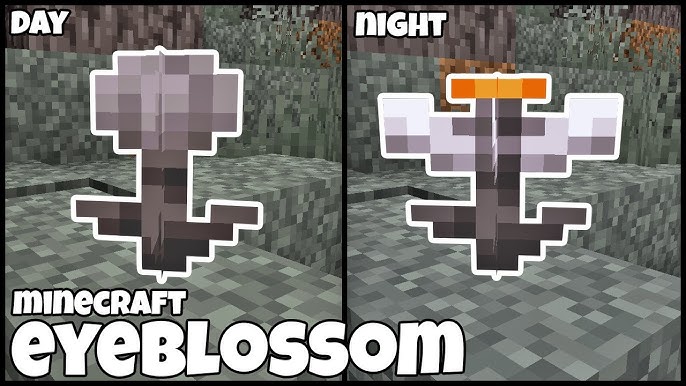
Adding a dynamic visual element, the Eye Blossom flower reacts to the time of day.
- Daytime: The flower remains closed, blending into the surroundings.
- Nighttime: It opens up, revealing a glowing orange center, making nighttime exploration more mystical.
- Dimension-Specific Behavior: In the Nether and End, where time does not change, the Eye Blossom remains in its closed state.
Meet the Creaking: A New Hostile Mob
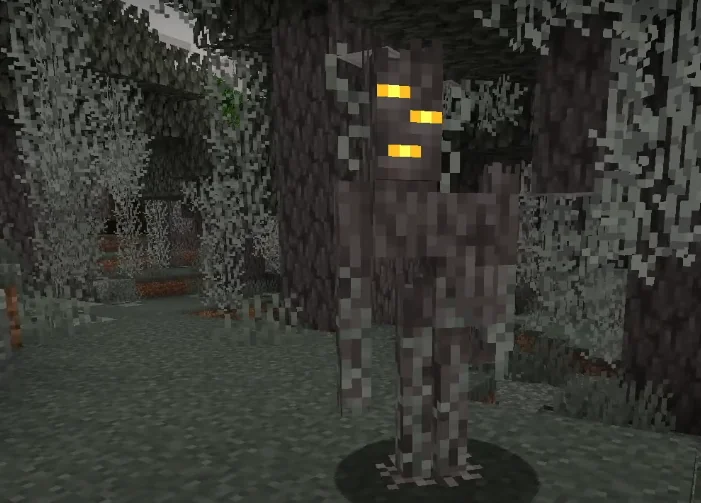
This update introduces a new enemy, the Creaking, a tree-like creature that only moves when players aren’t watching. This terrifying mechanic makes it an unpredictable foe.
- Spawn Mechanic: The Creaking Heart, a living block found inside Pale Oak trees, spawns this mob only at night.
- Damage Output: On Hard Mode, the Creaking deals 2.25 hearts of damage.
- Defeating It: Destroying the Creaking Heart stops further spawns and makes the Creaking disappear by morning.
New Blocks and Crafting Recipes
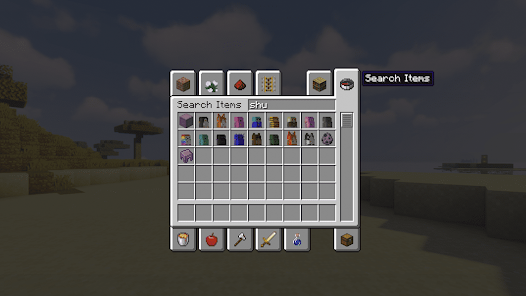
Minecraft 1.21.4 adds new crafting materials that expand building possibilities.
- Block of Resin: Originally seen in an April Fools update, this block is now officially part of the game.
- Resin Clumps: Dropped by Creaking Hearts or by attacking a Creaking.
- Resin Bricks & Variants: Smelted from Resin Clumps, these bricks allow for crafting chiseled resin blocks, slabs, stairs, and walls.
Gameplay Improvements
Aside from the new biome and blocks, Minecraft 1.21.4 includes some quality-of-life updates.
- Ender Chest Drop Change: Breaking an Ender Chest without a pickaxe now drops Obsidian instead of disappearing entirely.
- Hostile Mob AI Upgrade: Mobs like zombies and skeletons can now swap items if they find a better one, making encounters more dynamic.
Final Thoughts
The Minecraft 1.21.4 update may not be the largest, but it introduces plenty of new features to keep players engaged. From the eerie Pale Garden biome to the unsettling Creaking, this update brings a fresh feel to exploration and survival. Whether you’re a builder, an adventurer, or a survivalist, there’s something new to experience.
Have you explored the Pale Garden biome yet? Let us know your thoughts on the new features in this update!
Minecraft Visual Upgrade: A Resource Pack for a Cleaner Experience
Minecraft offers endless creativity, but some players find that certain items clutter their screen. Shields, totems, and fireworks can take up space in the second-hand slot, partially blocking the view. Fortunately, a specialized Minecraft resource pack solves this issue by attaching these items to the arm while making them invisible in first-person mode.
This pack supports all versions from Minecraft 1.8 to 1.20.2, making it a versatile choice for players who frequently switch between versions. If you’re using an older or newer version, it should still function properly. However, for Minecraft 1.8.9 and lower, Optifine is required to prevent visual glitches.
- Download the pack here: Resource Pack
- Created by: Max4K
Features of This Resource Pack
This pack enhances Minecraft’s visuals by refining textures and ensuring a clutter-free display. Here’s what you can expect:
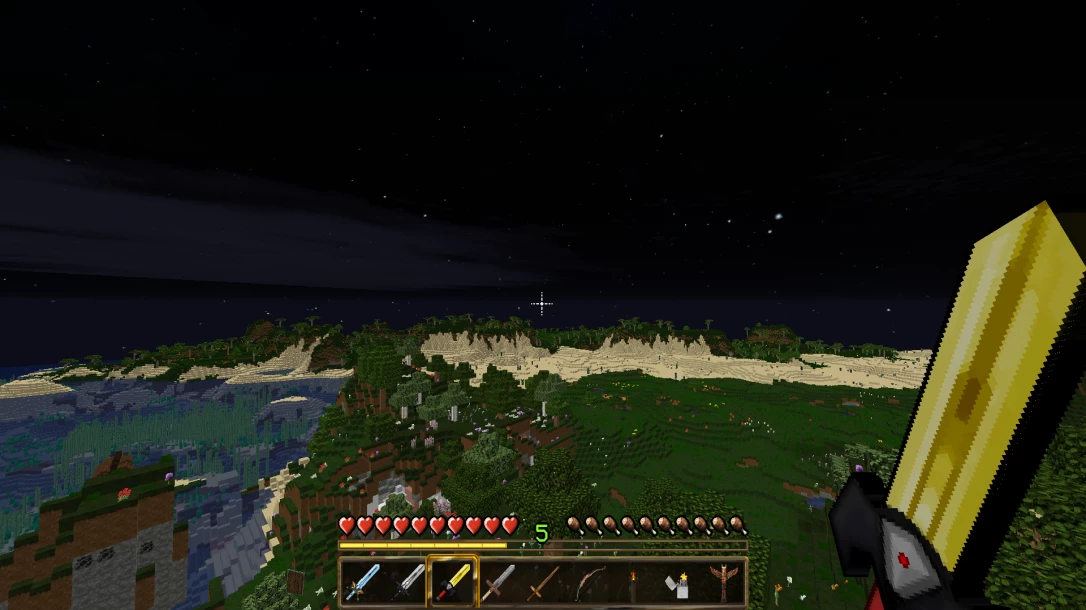
Improved Visual Experience
- Shields, totems, and fireworks no longer block part of the screen in first-person mode.
- Items remain visible on your character’s arm in third-person mode for added realism.
- Works seamlessly across all supported versions without needing frequent updates.
- Visual effects have been adjusted to provide a more polished look.
- Issues causing certain NPCs and objects, such as lanterns and bookshelves, to be invisible have been resolved.
Functional Mechanics and Compatibility
- The redesign of Minecraft’s mechanics ensures a cleaner interface without compromising functionality.
- Supports all Minecraft versions from 1.8 to 1.20.2.
- Automatically adjusts visuals when switching between versions.
- For Minecraft 1.7, 3D textures are displayed in 2D due to game limitations.
- Optifine recommended for older versions to prevent visual misalignment.
- Works seamlessly across both single-player and multiplayer modes.
Comprehensive Bug Fixes and Performance Enhancements
- Various glitches affecting gameplay have been addressed, ensuring a smoother experience.
- A previously defective map was fixed, allowing for easier navigation without glitches.
- The pack optimizes textures to reduce lag, helping improve overall performance.
- Ensures compatibility with a wide range of mods and shader packs.
Dynamic Animation for Better Immersion
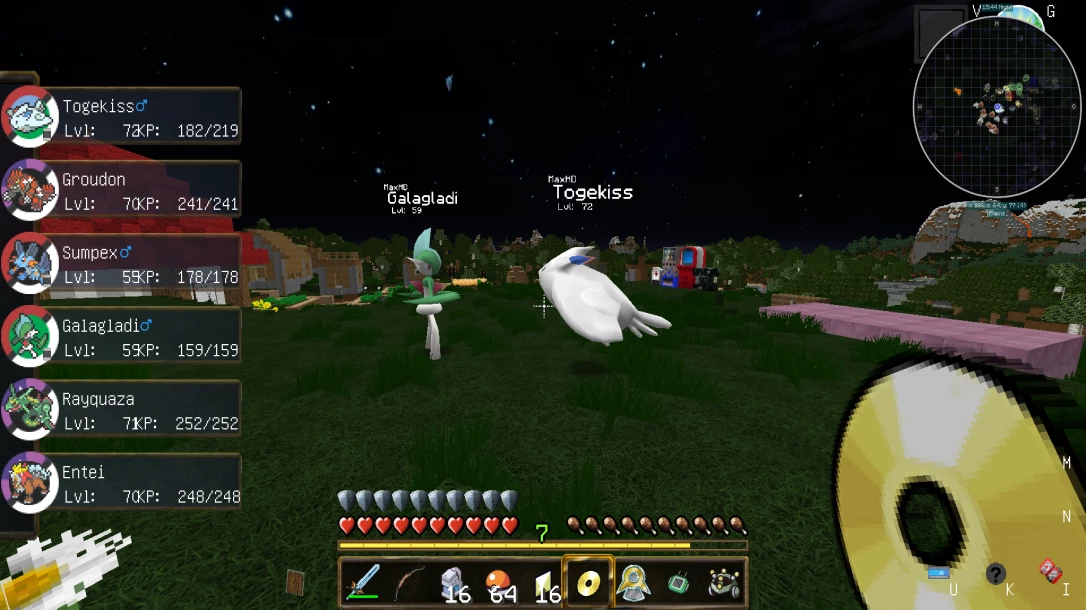
- Items attached to the arm appear more natural when viewed from third-person mode.
- Interactions feel smoother, allowing players to focus on gameplay without distractions.
- Pokémon now move more realistically within the game environment, enhancing immersion.
Exploration Mechanics and Enhanced Gameplay
- Players can carry lanterns to illuminate their surroundings at night, preventing disorientation.
- The game features diverse environments for exploration, including islands and various terrains.
- High-level trainers and enemies encourage players to strategize and improve their skills.
Quest and Story Elements
- Engaging story elements immerse players in the game world, adding an extra layer of adventure.
- Players can undertake quests, such as locating characters and completing NPC-assigned tasks.
User Interaction and Community Engagement
- Players are encouraged to leave feedback, fostering a sense of community and involvement.
- The option to name Pokémon after viewers adds a personal touch to gameplay.
Why Use This Resource Pack?
This pack is ideal for players who want a cleaner gameplay experience without sacrificing functionality. By minimizing on-screen clutter, it allows for improved visibility and a more immersive adventure. Whether you’re exploring caves, engaging in battles, or simply building, this small adjustment makes a noticeable difference.
Try it out today and enjoy a more streamlined Minecraft experience!
Terraria Resource Packs for Minecraft: Bring Terraria’s Aesthetic to Your Game
What Is Terraria?
If you’re a Minecraft player who hasn’t explored Terraria, you’re in for a treat. Terraria is a 2D sandbox adventure game that shares similarities with Minecraft but offers a unique pixel-art aesthetic, extensive crafting, and a progression system centered around exploration and combat. The game features a rich underground world, challenging boss fights, and a variety of weapons, tools, and armor.
For players who love Terraria’s visual style, integrating its look into Minecraft is now possible with Terraria resource packs. These texture packs bring the Terraria aesthetic to Minecraft, making it a perfect crossover experience for fans of both games.
Terraria-Themed Minecraft Texture Packs
If you enjoy Terraria’s vibrant pixel art, these Minecraft texture packs can transform your world:
Terraria-Inspired Texture Pack

- What it does: This pack introduces textures from Terraria, bringing its signature pixel art into Minecraft.
- Notable Features:
- Transparent GUI for a cleaner look.
- Bow strength indicator for a Terraria-like combat feel.
- Download Link: Terraria-Inspired Texture Pack
Terraria Music and Texture Adaptation

- What it does: This pack integrates Terraria’s music and textures into Minecraft.
- Notable Features:
- Originally exclusive to Twitch users, now adapted for all.
- Includes Terraria’s soundtrack alongside graphical elements.
- Download Link: Terraria Music and Texture Pack
Terraria Small Tools Retexture
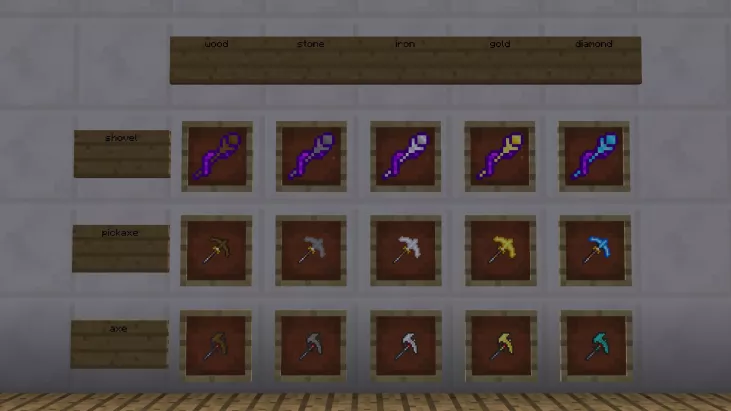
- What it does: Reskins small tools such as the shovel, pickaxe, and axe to match Terraria’s pixel-art style.
- Notable Features:
- Terraria retextured tools for an authentic crossover experience.
- Suitable for players who want subtle changes rather than a full overhaul.
- Download Link: Small Tools Retexture
Why Use Terraria Resource Packs in Minecraft?
There are several reasons why Minecraft players might want to use Terraria-themed texture packs:
- Visual Consistency: If you’re a fan of both games, these packs create a seamless blend of the two styles.
- Nostalgic Appeal: If you’ve played Terraria, bringing its aesthetic into Minecraft can feel familiar and immersive.
- Enhanced Experience: With features like Terraria tool reskin packs and custom tool textures, Minecraft gets a fresh new look while maintaining its core mechanics.
Thanks to the creators! We can now experience these wonderful things.
How to Install Terraria-Themed Resource Packs
Installing a texture pack in Minecraft is simple. Follow these steps:
- Open Minecraft.
- Go to “Options…” in the main menu.
- Click “Resource Packs…” at the bottom left.
- Select “Open Folder.” This will open the resourcepacks directory.
- Download the texture pack from the provided link.
- Move the downloaded .zip file into the resourcepacks folder.
- Return to Minecraft and select the pack in the Resource Packs menu.
- Click “Done” and enjoy your new textures!
For Terraria fans who also play Minecraft, these texture packs provide a great way to merge the two experiences. Whether you want a full Terraria tool texture overhaul or just minor visual tool modifications, these packs offer plenty of customization options.
Give them a try and bring Terraria’s iconic pixel art to your Minecraft world!
Minecraft x Dungeons & Dragons: A New Quest – Everything You Need to Know
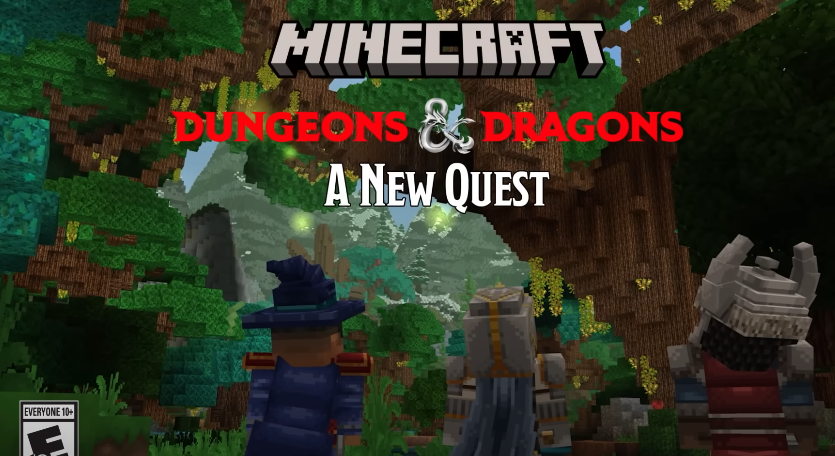
Minecraft and Dungeons & Dragons are back together for another epic crossover! On February 20, 2025, Mojang Studios released Dungeons & Dragons: A New Quest, a brand-new DLC for Minecraft: Bedrock Edition. If you’re a fan of fantasy adventures, dice-rolling mechanics, and exploring legendary D&D locations, this DLC is for you.
What’s New in “A New Quest”?
This expansion builds on the 2023 Minecraft x D&D DLC, but with a fresh storyline, new characters, and deeper RPG elements.
🏹 Choose Your Class
Pick from four classic Dungeons & Dragons classes:
- Barbarian – Heavy-hitting warrior with powerful melee attacks.
- Rogue – Stealthy and quick, perfect for sneaky combat.
- Wizard – Cast powerful spells to defeat enemies from a distance.
- Paladin – A strong mix of offense and defense with divine magic.
Each class comes with unique abilities, giving you different ways to tackle challenges.
🏰 Explore Iconic D&D Locations
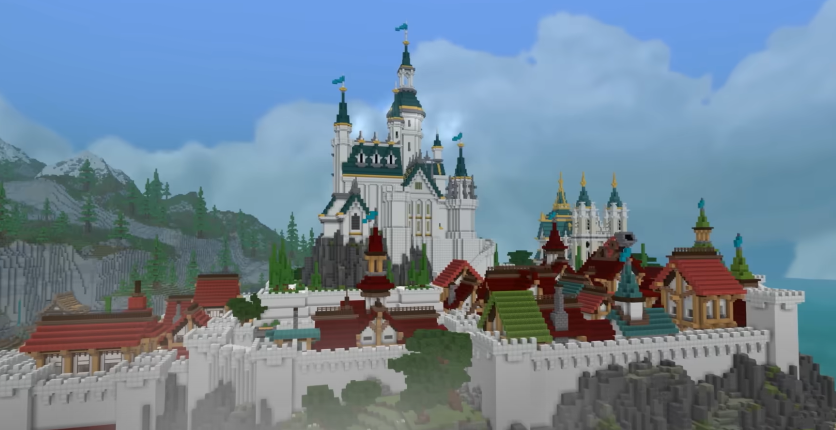
Journey through famous D&D settings, including:
- Candlekeep – The legendary library fortress filled with magical knowledge.
- The Sword Coast – A vast region with dangerous enemies and thrilling quests.
- Icewind Dale – A frozen wasteland where only the bravest survive.
🎲 Dice Rolls & The Deck of Many Things
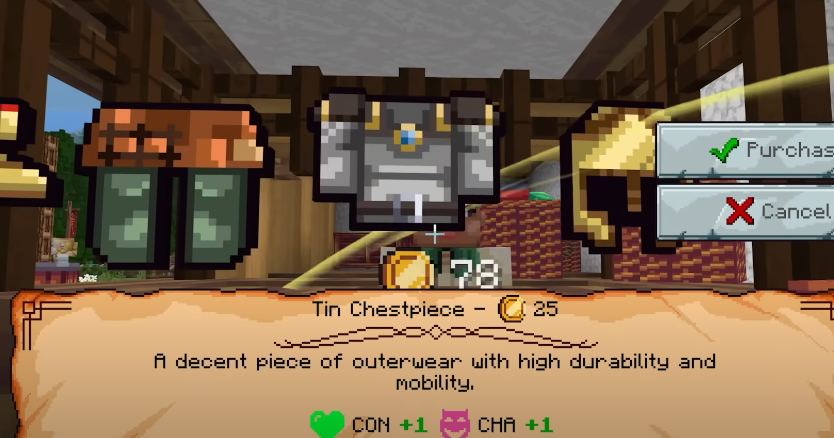
In true D&D style, dice rolls influence battles and interactions. Plus, the Deck of Many Things, a powerful magic item, plays a key role in shaping your adventure.
🐉 Battle D&D Monsters
Prepare to face iconic creatures like:
- Mind Flayers
- Bugbears
- Gelatinous Cubes
- And more surprises!
How to Get the DLC
“A New Quest” is available in the Minecraft Marketplace for 1,510 Minecoins (about $9.99 USD).
🎁 Limited-Time Bonus
Download before March 20, 2025, to get a free Dragon Mask for your character!
Is This a Sequel to the First Minecraft D&D DLC?
No, A New Quest is a standalone experience. While it shares the D&D theme, it introduces a fresh storyline, characters, and mechanics.
Ready to Play?
If you’re a fan of fantasy RPGs, Minecraft, or D&D, this DLC is a must-play! Get it now in the Minecraft Marketplace and start your epic tabletop-inspired journey in a blocky world.
🔗 Watch the Official Trailer Here
Minecraft Egg-citing News and More!

The Minecraft universe is buzzing with fresh updates and features this February 2025. From delightful mob variants to immersive environmental enhancements, there’s plenty to explore. Let’s dive into the latest additions that promise to enrich your gaming experience.
Introducing New Mob Variants
Minecraft has expanded its roster with charming new cow, chicken, and pig variants. These friendly creatures bring diverse appearances and behaviors, adding more life to your in-game farms. Additionally, sheep now spawn in different biomes with colors matching their environments, enhancing the game’s realism. For instance, brown sheep are commonly found in sandy biomes, black sheep in chilly regions, and white sheep in lush, green areas. These updates provide players with a more dynamic and engaging farming experience.
Enhanced Trading and Exploration
The wandering trader has received a significant update, now offering a wider variety of items at reduced prices. This change makes trading more rewarding and accessible for players. Cartographers also have expanded inventories, providing new maps that guide you to uncharted territories. These enhancements encourage exploration and make resource gathering more efficient, enriching the overall gameplay.
Dungeons & Dragons: A New Quest
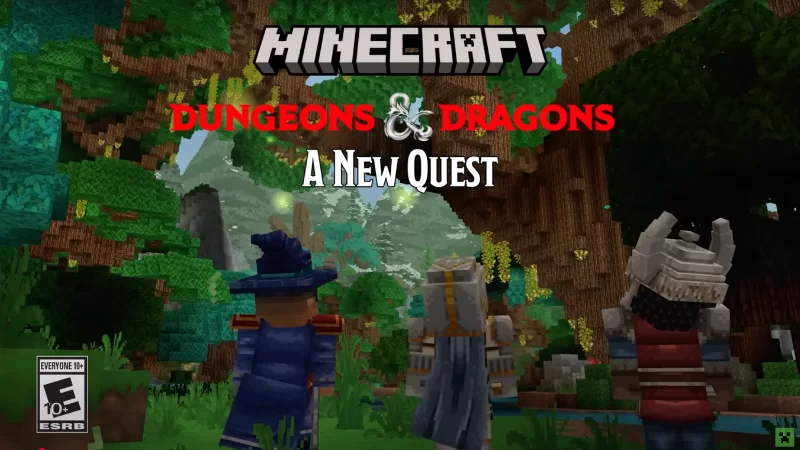
Embark on a thrilling adventure with the “Dungeons & Dragons: A New Quest” DLC. This expansion invites players to revisit iconic locations like Icewind Dale, undertake diverse quests, and forge new friendships along the way. Whether you’re a seasoned adventurer or new to the realm of D&D, this addition offers an immersive experience that blends the classic tabletop game with Minecraft’s creative universe.
Immersive Environmental Updates
The game’s environments have become more vibrant with the introduction of ambient sounds and new flora. Deserts now feature ambient sounds, cactus flowers, dry bushes, and dry grass, making these biomes more lifelike. The firefly bush emits soft chirping sounds, adding to the serene atmosphere of your world. Moreover, the addition of falling leaves, wildflowers, and color-changing leaf litter enhances the visual and auditory experience, making each biome feel unique and immersive.
Wolves with Unique Personalities
Wolves in Minecraft now come with distinct personalities, each exhibiting unique sounds and behaviors. Upon spawning, a wolf is assigned one of seven personalities, ranging from cute to grumpy. These personalities influence their vocalizations, including barks, growls, pants, and whines, adding depth to your interactions with these loyal companions. This feature allows players to form more personal connections with their in-game pets, enhancing the emotional aspect of gameplay.
Revamped Spawn Egg Textures
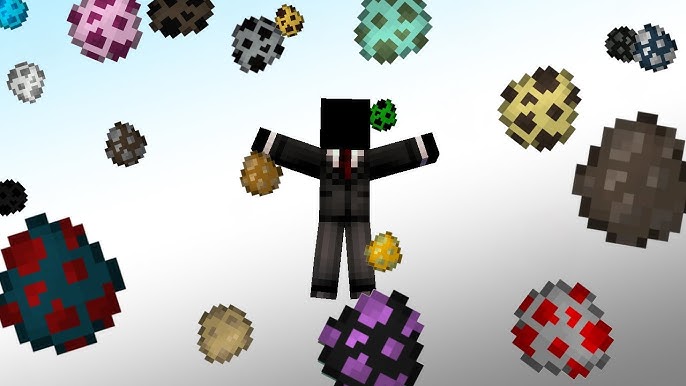
Creative mode players will notice that spawn eggs now feature textures resembling the mobs they spawn. This update makes it easier to identify and select the desired spawn egg from your inventory. The eggs vary in color, size, and characteristics, reflecting the appearance of the corresponding mobs. This change streamlines the building and designing process in Creative mode, allowing for more efficient and enjoyable gameplay.
CyberSafe DLC: Dig Deeper into AI
In celebration of Safer Internet Day, Minecraft Education has introduced the CyberSafe DLC. This educational content delves into the world of artificial intelligence, teaching players how to recognize AI-generated images and practice digital citizenship. Through interactive adventures, players can create 3D designs using simulated AI tools, fostering a deeper understanding of technology and its applications. This DLC is a valuable resource for educators and students alike, promoting safe and informed internet usage.
These updates are currently available for testing in Bedrock Beta, Preview, and Java Snapshot versions of Minecraft. Dive in to experience these exciting new features and enrich your Minecraft adventures today!
The Story of Minecraft’s Greatest Seedhunt
Minecraft players have always been fascinated by the secrets hidden within the game. But few mysteries have been as intense as the search for a single world seed—the one behind the famous Skull on Fire painting. What started as a curiosity turned into an epic competition between a dedicated team of investigators and a lone seed finder. So, how did they do it? And who was the first to crack the code?
A Clue Hidden in a Painting
On June 8th, a group of Minecraft seed hunters set out on a mission. They believed the background of the Skull on Fire painting contained an actual in-game landscape. If they could identify that location, they could uncover the seed used to generate it.
However, there was a problem. The painting’s details had been blurred by Minecraft’s pixelated art style. To get closer to the answer, the team turned to Christopher Zetterstrand—the artist behind most of the game’s paintings.
Tracking Down the Original Image
Since Minecraft paintings are based on real in-game screenshots, the team hoped Zetterstrand still had the original image. Investigator Tom reached out directly, asking if he had any files from when the painting was made.
After two weeks of waiting, Zetterstrand responded with unexpected news. Against all odds, he had found the original screenshot. But there was another challenge—the image was in terrible quality.
Reconstructing the Scene
To enhance the blurry image, the team used artificial intelligence. They trained an AI model to recognize Minecraft landscapes and generate a clearer version of the screenshot. However, they still needed to pinpoint the version of the game used to capture it.
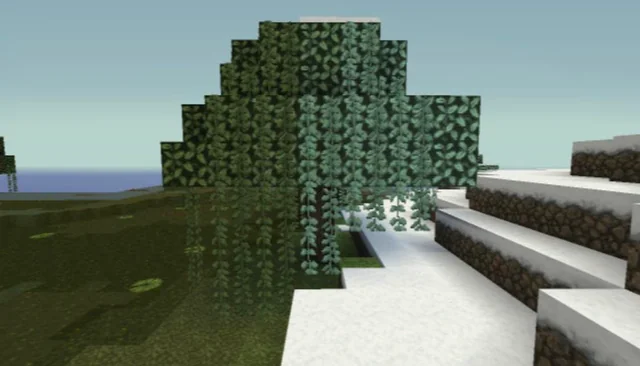
By analyzing the date of the screenshot, they determined it had been taken in Minecraft Alpha 1.1.2, released in 2010. This breakthrough narrowed down their search significantly, but they were still far from finding the exact seed.
Using the Environment for Clues
To match the screenshot with an actual world seed, the team examined several environmental factors. They looked at the orientation of the Moon, which, in older versions of the game, rose in the north and set in the south. This confirmed the direction the screenshot was facing.
Next, they studied the clouds. Since cloud patterns in Minecraft follow predictable loops, the team could estimate the player’s location. Surprisingly, this method is also used by griefers to locate hidden bases—a technique some players might not want to know about!
A Race Against Time
While the team worked on their method, a single seed finder named Andrew was conducting his own investigation. Instead of focusing on the moon and clouds, he placed all his attention on a key detail—the flower patches visible in the screenshot.
Minecraft generates flower patches in specific formations, meaning the ones in the image could be used to filter through potential seeds. Andrew believed he could find the answer faster than the team, so he developed his own custom code to scan for matching flower patterns.
A Stunning Discovery
After days of searching, Andrew’s method led to a breakthrough. His program scanned through 36 billion seeds per second, narrowing the possibilities down to 80. From there, he manually checked each world until he found one that matched.
But there was one strange detail—the landscape looked right, but it was covered in snow. The investigators were confused at first, but the answer was simple. Early versions of Minecraft had a 25% chance of generating a world in a snowy biome. Andrew had found the seed, but he had loaded a snowy version of it!
The Race Comes to an End
After verifying his findings, Andrew sent his discovery to the rest of the team. They double-checked his results, and it was official—the seed behind the Skull on Fire painting had finally been found.
Despite working separately, both Andrew and the investigators contributed to solving the mystery. While the team used traditional methods, Andrew’s focus on flower patterns allowed him to reach the answer first. In the end, the search for the seed became one of the most fascinating hunts in Minecraft history.
A Seed Worth Remembering
The next time you place a painting in Minecraft and see the Skull on Fire, remember the story behind it. What seems like a simple image hides an incredible tale of investigation, competition, and clever problem-solving.
Who knows? Maybe the next great seedhunt is just waiting to be discovered.
A First Look at the Minecraft Movie: Key Takeaways from the NBA All-Star Game Teaser

The much-anticipated live-action Minecraft movie is set to hit theaters on April 4, 2025. Fans got their first glimpse of the film during the NBA All-Star Game teaser, which showcased familiar blocky landscapes, iconic characters, and thrilling adventure sequences. Let’s dive into the biggest reveals from the trailer and what they mean for the adaptation of this beloved game.
Bringing the Overworld to Life
The teaser opens with a stunning aerial shot of a massive square-shaped structure under construction. This immediately evokes classic “Minecraft” survival gameplay, where players must build shelter before nightfall to protect themselves from hostile mobs. As the camera zooms in, viewers see Henry and other characters working on the structure, emphasizing the game’s core theme of creativity and survival.
Adding to the authenticity, the film showcases “Minecraft’s” signature landscape, complete with towering trees, rolling hills, and pixelated rivers. The attention to detail suggests a strong commitment to staying true to the game’s aesthetic while adapting it for a cinematic experience.
Faithful Character Depictions and NPCs
A major highlight of the teaser is the depiction of villagers, a staple of “Minecraft” towns and trading hubs. Their signature large noses, unibrows, and distinctive robes are faithfully recreated, making them instantly recognizable to fans. A baby villager and a farmer are also seen interacting, suggesting the film will explore village life in-depth.
In addition to the villagers, the trailer introduces several main characters. Alongside Steve, the iconic protagonist of “Minecraft,” we meet Henry, Natalie (Emma Myers), Dawn (Danielle Brooks), and Garrett ‘The Garbage Man’ Garrison, played by Jason Momoa. These characters must navigate the unfamiliar world of Minecraft while trying to find a way home.
The Power of Crafting: Iconic Gameplay Mechanics
No “Minecraft” adaptation would be complete without crafting, and the teaser makes sure to highlight this essential aspect. One of the standout moments is when Henry crafts a diamond sword using a crafting table, one of the most powerful weapons in the game. This reinforces the importance of resource gathering and tool-making, staying true to the original mechanics.
Additionally, a mysterious glowing blue portal appears, resembling the game’s well-known Nether portals but with a unique twist. This could hint at new dimensions or an alternate pathway for the characters to explore.
Encounters with Mobs: Villains and Challenges
A Minecraft world wouldn’t be complete without its dangerous mobs, and the teaser delivers on this front. The Piglins, known for their aggressive nature in the game, are introduced as primary antagonists, attacking a peaceful village. Their menacing presence hints at intense battle sequences and survival struggles throughout the film.
Other classic hostile mobs make an appearance, including zombies and skeletons wielding enchanted bows. The Ghasts, large floating creatures from the Nether, are also featured, bringing an eerie sense of danger. The presence of these creatures ensures that the film maintains a high-stakes atmosphere that mirrors the game’s adventure-filled world.
Action-Packed Sequences and Exploration
The trailer teases several action-packed moments, including a thrilling minecart escape sequence powered by redstone rails. This high-speed chase showcases the game’s unique transportation mechanics while adding an element of suspense.
Additionally, characters are seen battling mobs in strategic fights, suggesting that the film will explore different combat tactics. From dodging Creepers to fending off swarms of skeletons, the action sequences promise an engaging and dynamic adventure.
A Visually Stunning Blocky World
One of the biggest challenges of adapting “Minecraft” into a live-action film is maintaining the game’s signature blocky look without making it feel outdated or awkward. Fortunately, the teaser suggests that the filmmakers have struck the right balance.
Lush green landscapes, cascading waterfalls, lava-filled caves, and towering cliffs all retain their pixelated charm while being visually impressive. The world-building feels expansive and immersive, ensuring that both longtime fans and newcomers can appreciate the setting.
A Faithful Yet Fresh Take on Minecraft
The NBA All-Star Game teaser gives us a promising first look at the “Minecraft” movie. With a mix of survival mechanics, crafting, epic battles, and a mysterious new portal, the film seems poised to deliver an adventure that honors the game while introducing new twists.
As we wait for the full trailer and additional details, one thing is clear: “Minecraft” fans have plenty to be excited about. If this teaser is any indication, the film will be an action-packed journey filled with creativity, danger, and discovery—just like the game itself.
Are you ready to step into the Overworld? Keep an eye out for more updates as we approach the 2025 release date!
After 14 Years, the True Story of Steve Was Just DISCOVERED…
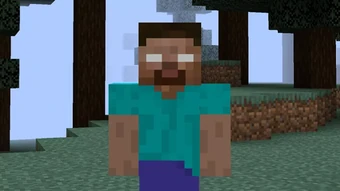
Steve is perhaps the most recognizable character in all of gaming. Even people who have never played Minecraft can recognize him as the face of the game. Yet, despite his universal fame, the story behind his name and origins remained a mystery for nearly 15 years. Surprisingly, Markus “Notch” Persson, the creator of Minecraft, never officially named Steve—so how did he get his name?
The Earliest Appearance of Steve
Steve first appeared in Minecraft on May 13, 2009, during the game’s pre-classic version. Minecraft was nothing more than a simple, blocky world with a floating island and basic terrain at this stage. This version introduced the first mobs, which looked like a humanoid figure with a greenish hue. While this mob resembled a zombie, it was never officially named. The texture for the character actually came from another unfinished game Notch was working on called Zombie Town.
A few weeks later, on May 31, 2009, Minecraft Classic 0.0.15a was released. This version introduced multiplayer, requiring an actual player model for the first time. Instead of designing a new character from scratch, Notch simply repurposed the existing mob model. The default skin we now recognize as Steve was born—but at this time, he had no official name.
The Forgotten Player Models: Beast Boy, Black Steve, and Steve
In January 2010, Notch added three new models to the game: Beast Boy, Black Steve, and Steve. These models were created by a game designer named Dock, who briefly collaborated with Notch during Minecraft’s early development. They were added as mob skins but removed just two days later. However, this marks the first known instance of the name “Steve” appearing in Minecraft.
The key question is: where did the names come from? The game files didn’t include them, and neither Notch nor Dock officially named them. The answer lies in an old online chat platform called IRC, which was widely used by early Minecraft players.
The True Origin of Steve’s Name
An anonymous player named “A” decided to investigate this mystery by sifting through old Minecraft IRC logs and forum posts. In these logs, dating back to early 2010, a player named SEO casually referred to one of the new models as “Black Steve.” Shortly after, another player called the original skin “White Steve.” Over time, players simply started calling the default character “Steve.” Notch himself was present in these chatrooms and likely saw the nickname gaining popularity.
Despite this, the name “Steve” didn’t become official until October 24, 2010, when Notch made a Tumblr post referring to the default Minecraft character as “Steve?”—even he seemed uncertain about the name. But from that moment on, the name stuck. Forum discussions, community projects, and even early Minecraft creepypastas reinforced “Steve” as the character’s official name.
A Name Born from a Random Chat
It’s fascinating to think that one offhand comment in an IRC chatroom led to the naming of one of the most iconic gaming characters of all time. The Steve we all recognize today owes his name to a casual joke made by early Minecraft players—and possibly a moment of indecision from Notch himself.
The journey of Steve’s name is a testament to how gaming communities shape the culture of a game. What started as an unplanned, temporary model turned into one of the most famous video game characters in history.
So the next time you see Steve mining away in a world of blocks, remember: he wasn’t named by a developer, nor was he created with an identity in mind. Steve is the result of a community-driven legend, a name that emerged organically from the players themselves.
Trying Minecraft’s New Update 1.22: A Deep Dive into the Latest Features

Minecraft’s latest update has finally arrived, bringing a host of new features, mobs, and mechanics that are sure to change the way players experience the game. Whether you’re a builder, an explorer, or just someone who enjoys the simple joys of survival mode, there’s something in this update for everyone. Let’s take a closer look at what’s new!
New Mobs: Fresh Faces in the Overworld
One of the biggest highlights of the update is the introduction of new mobs. The update introduces a brand-new chicken variant, featuring different colors and unique appearances. Players can now encounter brown and blue chickens alongside the traditional white ones. While these variations don’t change gameplay drastically, they add a nice touch of diversity to Minecraft’s wildlife.
Another new addition is the Savannah Cow, a breed that thrives in the game’s savanna biome. These cows feature a unique spotted design and, much like their standard counterparts, provide leather and beef when defeated.
Improved Environment and Interactive Nature
One of the more subtle yet exciting changes in this update is the Leaf Litter Mechanic. When standing beneath trees, players may notice leaves occasionally falling from the canopy, creating a more immersive and natural feel to forest environments. This small but significant touch enhances realism while maintaining Minecraft’s signature aesthetic.
Additionally, the desert biome has received a minor but meaningful update with the introduction of Desert Grass. This plant can be grown using bone meal and serves as decorative vegetation, adding more life to otherwise barren landscapes.
New Decorative Blocks and Items
For builders, the update brings a range of new decorative items. Among them is the Resin Block, which is obtained by smelting a new material called Resin Clump. This new resource can be found in Woodland Mansions and as loot from certain mobs. While its main function is decorative, it opens up new possibilities for creative builds.
The update also includes the Cactus Flower, which has a small chance of spawning on tall cacti. While its primary use is crafting pink dye, it adds a nice visual flair to desert biomes.
Enhanced Crafting and Survival Mechanics
A major gameplay feature added in this update is a refined crafting system that introduces randomized breeding mechanics for mobs. Players attempting to breed Savannah Cows or the new chickens will notice a 50/50 chance of getting different color variations, making animal farming a little more unpredictable and exciting.
Another small but notable change is the slight variation in grass textures, making landscapes feel more diverse and visually appealing.
Lighting and Atmospheric Enhancements
For those who appreciate ambiance, the update introduces Fireflies, which appear in certain biomes at night. These glowing insects add a new level of immersion, creating peaceful nighttime settings. Players can also use blocks to dampen the sound of crickets and other ambient noises, giving them more control over their in-game experience.
Final Thoughts: Is This Update Worth It?
While this update doesn’t introduce any game-changing mechanics, it does bring a host of small improvements that enhance Minecraft’s world-building and survival aspects. From new mob variations to improved lighting and environmental changes, it adds a fresh layer of detail and realism to the game.
If you’re someone who enjoys the finer details in Minecraft, this update is definitely worth exploring. What do you think of these new features? Let us know in the comments!
Best Skibidi Toilet Mod for Minecraft PE
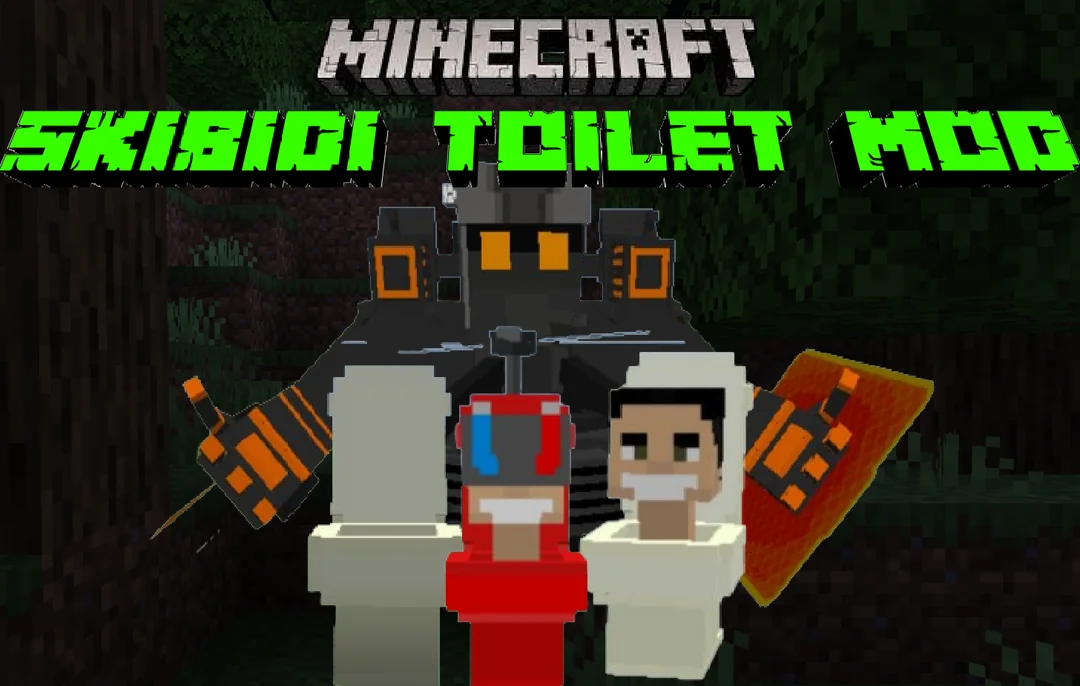
If you’re a Minecraft PE player who loves bizarre and entertaining mods, then the Skibidi Toilet Mod for Minecraft PE is a must-try! This addon brings a hilarious twist to your game by introducing quirky characters inspired by a viral animated series. Whether you want to add some unexpected chaos or just enjoy the fun of encountering these unique mobs, this mod is packed with surprises.
What’s Included in the Skibidi Toilet Mod?
The Skibidi Toilet Mod for Minecraft PE introduces three unusual mobs based on characters from the popular Skibidi Toilet series. Each one has its own look and characteristics, ensuring a lively and unpredictable gameplay experience. If you enjoy mixing mods, you can also pair this with other mob-based add-ons to create even more hilarious interactions in your world.
Key Features of the Skibidi Toilet Mod
For players familiar with the viral Skibidi Toilet videos, the highlight of this mod is that the Skibidi Toilet creature plays music—just like in the original clips! As soon as this mob appears in the game, the iconic soundtrack kicks in, making the experience feel even more authentic.
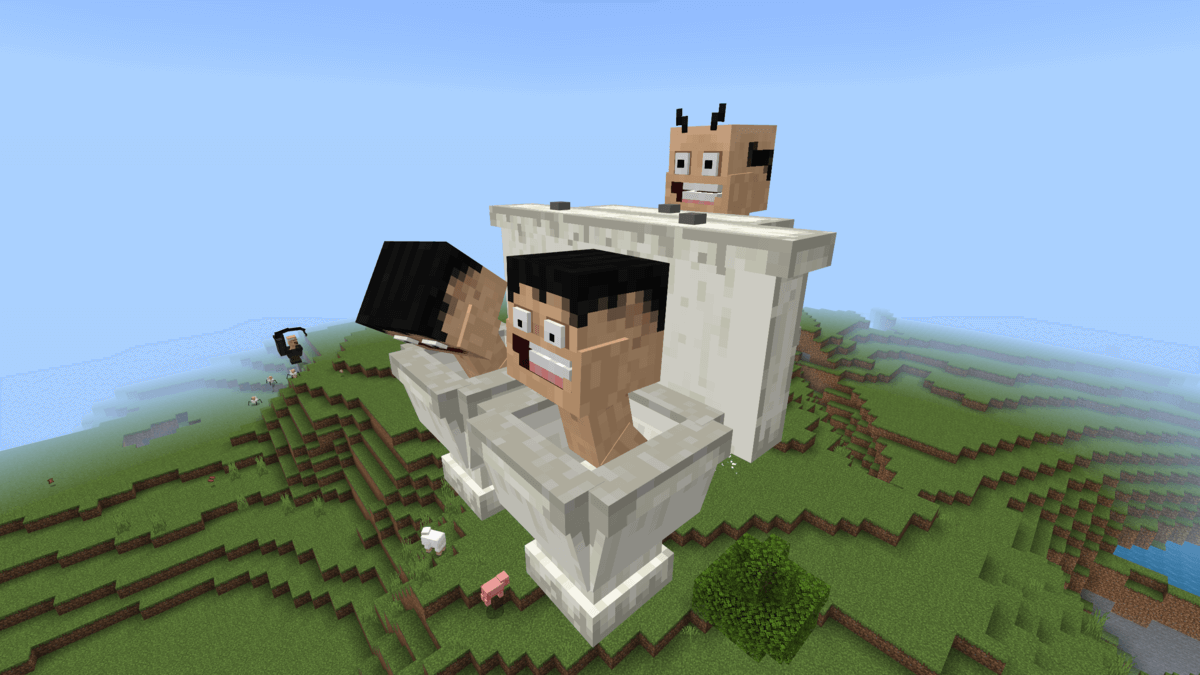
To ensure everything runs smoothly, be sure to enable experimental mode in your Minecraft settings before using this mod.
Meet the New Skibidi-Inspired Mobs
This mod introduces several new mobs that bring humor and excitement to the game:
- Skibidi Toilet Small – A miniature but amusing version of the character.
- Camera-man – A passive mob that follows players around without attacking.
- Speaker-man – Similar to Camera-man, this character is also non-aggressive.
You can spawn these creatures using eggs available in the inventory. A fun fact about the Skibidi Toilet mob is that it doesn’t drown in water, making it a persistent presence wherever you go.
Unique Abilities and Special Features
While these mobs don’t have complex AI behavior, they do offer some entertaining functionalities. The Skibidi Toilet creature plays its signature track multiple times. If you move closer, the music will restart, allowing you to enjoy the theme as often as you like.
Additional Skibidi Characters
This mod goes beyond the basic Skibidi Toilet mobs and introduces more characters to expand the fun:
Titan Speakerman
A massive and powerful character, Titan Speakerman stands out with his large build, red jacket, and black pants. This formidable figure adds an extra layer of excitement and variety to the mod.
Skibidi Dip Dop
Fans of the Skibidi Toilet videos will love this addition, as it brings larger-than-life mobs inspired by favorite characters. These creatures can be spawned manually using eggs, and some will even battle each other, making gameplay more unpredictable.
New Skibidi-Themed Mobs
Want even more Skibidi-inspired characters? This addon introduces additional creatures that retain the essence of the original videos while offering fresh experiences for Minecraft PE players.
Skibidi Raids
For an added challenge, this Skibidi-themed expansion features over 100 new items and mobs. It works seamlessly in any Minecraft PE world, making survival mode even more thrilling.
Download Links
Ready to install the Skibidi Toilet Mod for Minecraft PE? Choose from the versions below and download the mod files (all links are set to “nofollow” for security purposes).
| Name | Version | File |
|---|---|---|
| Skibidi Toilet | 1.19.0 – 1.21.51 | Download |
| Titan Speakerman | 1.19.0 – 1.21.51 | Download |
| Skibidi Dip Dop | 1.20.0 – 1.21.51 | Download |
| New Skibidi Characters | 1.20.0 – 1.21.51 | Download |
| Skibidi Raids | 1.21.0 – 1.21.51 | Download |
Installation and Troubleshooting
To install the Skibidi Toilet Mod for Minecraft PE, simply download the mod file to your device and open it with Minecraft Bedrock Edition—it will install automatically. If the mod isn’t working, double-check that Experimental Mode is enabled in your settings, as this is essential for proper functionality. Additionally, this mod fully supports multiplayer gameplay, so you can enjoy the chaos with friends in your Minecraft world!