The Asphyxious CustomPack: A Hauntingly Immersive Minecraft Experience
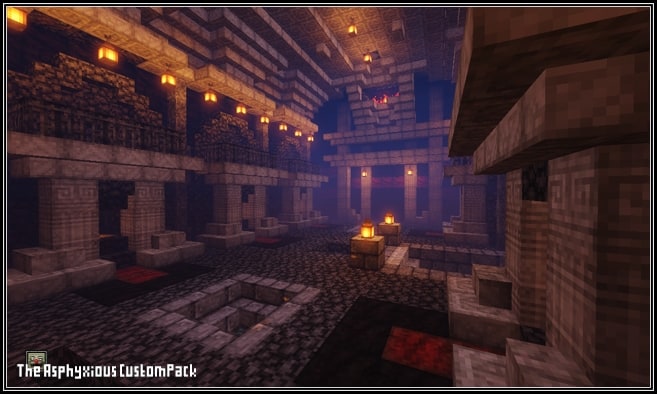
A Unique Horror-Themed Resource Pack
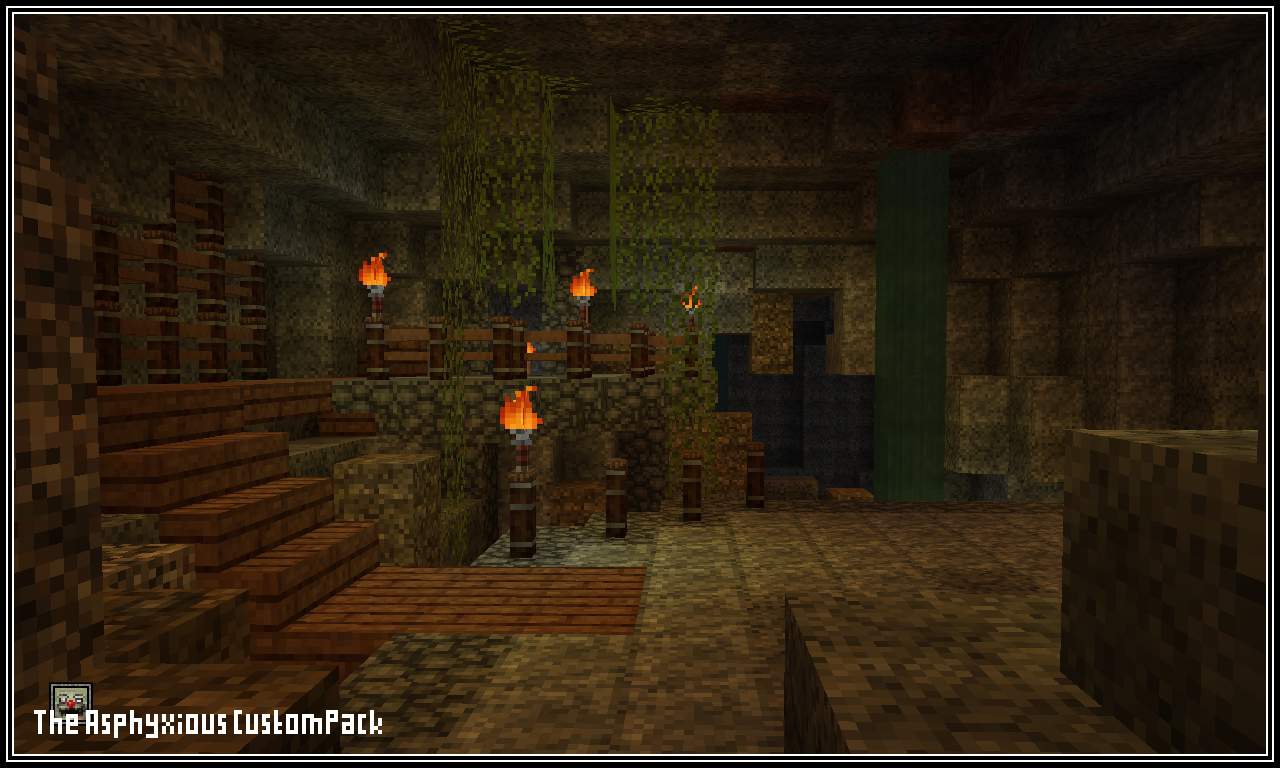
If you’re a fan of eerie aesthetics and love a good scare, the Asphyxious CustomPack is the perfect addition to your Minecraft experience. Unlike standard Halloween-themed packs, this resource pack goes beyond surface-level changes—it fully transforms the game into a chilling, immersive world filled with unsettling visuals and haunting designs.
What Makes Asphyxious Stand Out?
Many texture packs attempt to create a spooky atmosphere, but Asphyxious takes horror to the next level. With custom-designed textures and a completely revamped user interface, this pack ensures that every aspect of the game aligns with its eerie theme.
Key Features:
- Handcrafted Textures – Every block, item, and detail has been redesigned from scratch to evoke an unsettling, horror-infused ambiance.
- Custom User Interface – The game’s UI has been completely overhauled to match the dark and eerie atmosphere.
- Full Game Overhaul – From grass and flowers to doors and planks, nearly everything in Minecraft gets a sinister makeover.
- Smooth Performance – With a resolution of 16×16, this resource pack ensures smooth gameplay without straining your system.
Supported Minecraft Versions
The Asphyxious CustomPack is compatible with a wide range of Minecraft versions, ensuring accessibility for players across multiple updates. Whether you’re playing the latest release or sticking to an older version, this pack has you covered.
Compatible Versions:
- Minecraft 1.21.x – Fully optimized for the latest version
- Minecraft 1.20.x – 1.19.x – Seamless integration for previous versions
- Minecraft 1.18.x – 1.16.x – Works flawlessly without compromising performance
- Minecraft 1.15.x – 1.14.x – Continues to support older versions
- Bedrock Edition & PE – Available for mobile and console players
How to Install the Asphyxious CustomPack
Installing the Asphyxious CustomPack is straightforward. Follow these steps to experience a more sinister version of Minecraft:
- Install OptiFine (Recommended) – Many resource packs, including this one, perform best with OptiFine.
- Download the Pack – Use the official download link below.
- Open Minecraft Launcher – Start the game as usual.
- Go to Options > Resource Packs – Access the settings menu.
- Open the Resource Pack Folder – This will direct you to the correct location.
- Move the Downloaded .zip File – Drag and drop the downloaded file into the resource pack folder.
- Select the Pack in Minecraft – Hover over the pack and activate it.
- Ignore Compatibility Warnings – If Minecraft warns that the pack is designed for a different version, click “Yes” to proceed.
- Click Done & Enjoy – Your new horror experience is ready!
Download the Asphyxious CustomPack
Ready to transform your Minecraft world into a horror masterpiece? Download the Asphyxious CustomPack now and experience the game like never before.
Download Now
Support & Feedback
If you enjoy the pack, consider supporting the creators by voting and leaving a comment. Your feedback helps improve the project and keeps updates coming.
Step into a darker version of Minecraft—if you dare!
Leave a Reply